
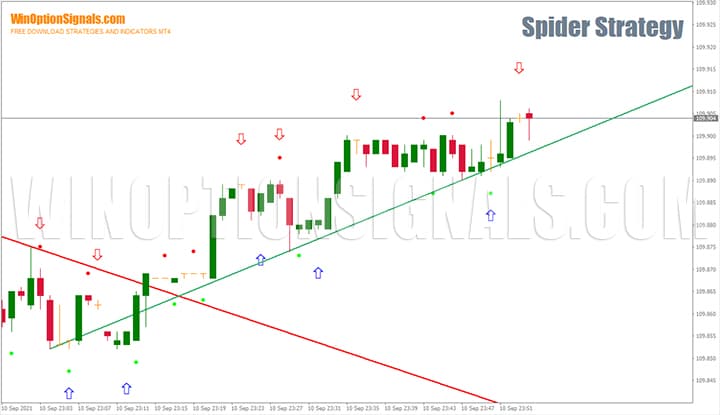
Spider Strategy is a straightforward binary options trading strategy better suited to beginners than to experienced traders. It is built around arrow signals and sloping trend lines, which means you can begin trading almost immediately after installing the indicators. The entry rules are clear even for traders with no prior experience — all that is required is a degree of discipline and the patience to wait for a confirmed signal.
Key Features of the Spider Strategy
- Terminal: MetaTrader 4.
- Timeframe: M1.
- Expiration: 1 minute.
- Option types: Call / Put.
- Indicators: Spider Indicator 1.ex4, Spider Indicator 2.ex4, Bulls Bears Signal.ex4.
- Trading instruments: currency pairs, cryptocurrencies, stocks, commodities.
- Trading hours: 08:00–21:00 UTC.
- Recommended brokers: Quotex, Pocket Option.
Installing the Spider Binary Options Strategy
Indicators are installed using the standard MetaTrader 4 procedure.
MetaTrader 4 guide — installing indicators:
A ready-made template for the Spider Strategy can be downloaded free of charge at the end of this article.
Spider Strategy Indicators: Overview and Settings
The strategy uses three indicators:
- Spider Indicator 1;
- Spider Indicator 2;
- Bulls Bears Signal.
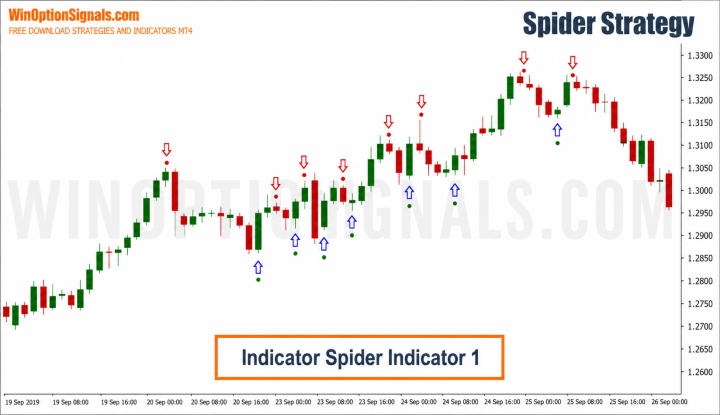
Spider Indicator 1 plots up and down arrows directly on the chart. Signals are generated from calculations based on the classic MACD indicator, with the fast Moving Average period set to 1 and the slow period set to 34.
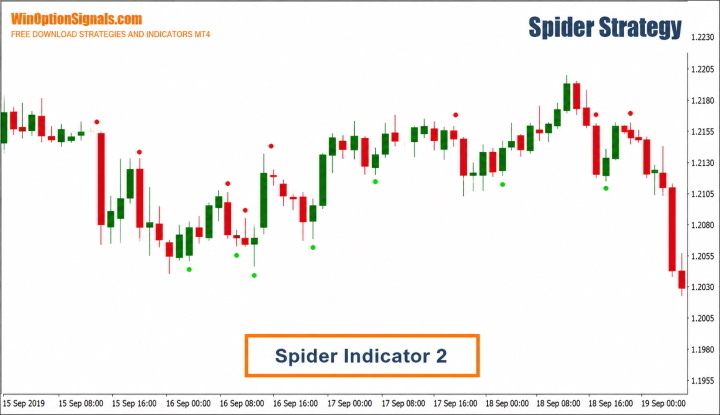
Spider Indicator 2 uses data from the ADX indicator and marks entry points on the chart with green or red dots. These dots confirm signals from Spider Indicator 1, though they can also appear independently.
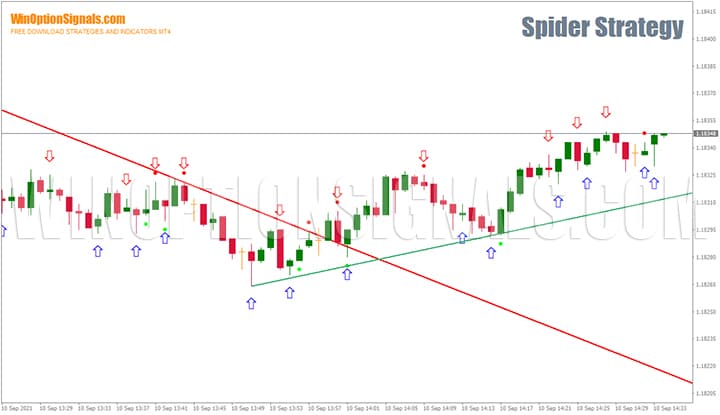
Bulls Bears Signal draws sloping lines along price highs and lows to identify the trend. A line angling downward signals a bearish trend; a line angling upward signals a bullish trend. A price break through the sloping line — in either direction — may indicate the end of the current move and a potential trend reversal.
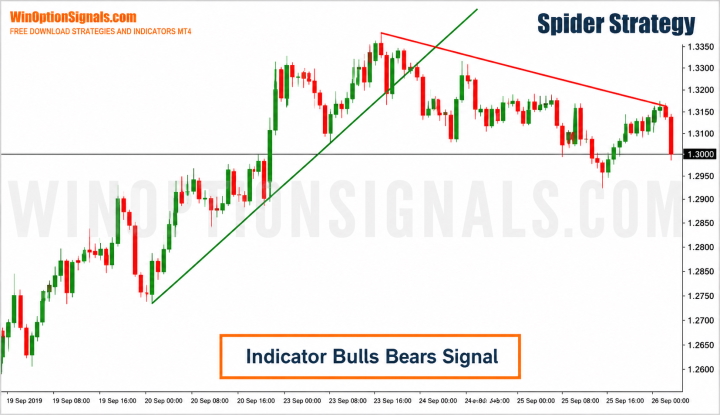
Bulls Bears Signal is a versatile tool that works well beyond this strategy alone. It can serve as a standalone instrument for identifying market direction, locating entry points, and opening trades with the main price flow. If for any reason this indicator does not suit your setup, any other trend indicator can be substituted.
Spider Strategy Trading Rules
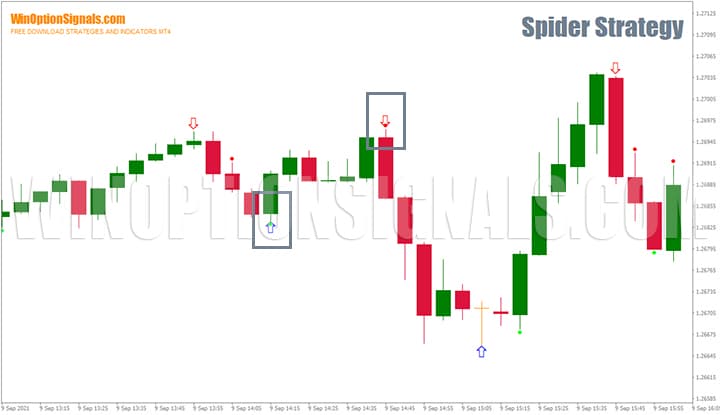
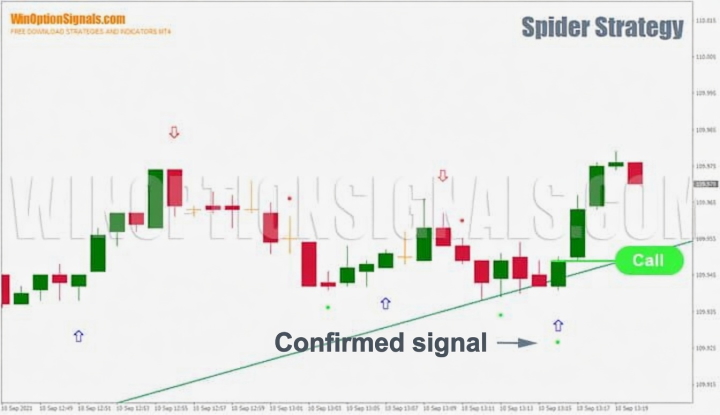
The strategy triggers when Spider Indicator 1 and Spider Indicator 2 both produce a signal on the same candle. Both signals must appear simultaneously — wait for this confluence before opening a trade.
Here is how a confirmed signal looks on the chart:
The sloping Bulls Bears Signal lines show the trend direction and indicate which side of the market carries the least risk. When price is above the trend line, a bullish trend prevails and Call signals are valid. When price is below the trend line, a bearish trend prevails and Put signals are valid.
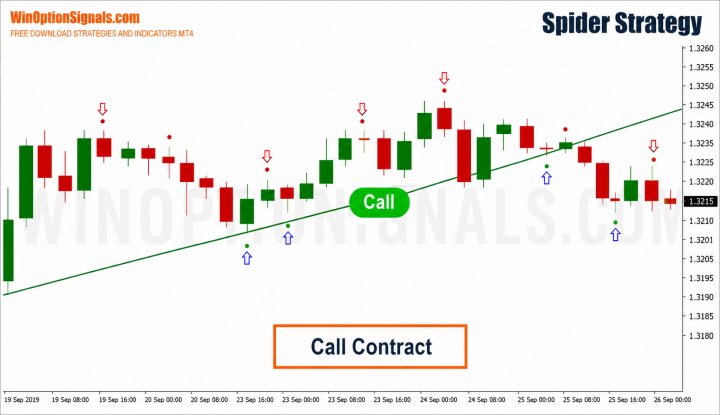
Open a Call option when:
- Price is above the sloping trend line;
- Spider Indicator 1 and Spider Indicator 2 both signal on the same candle.
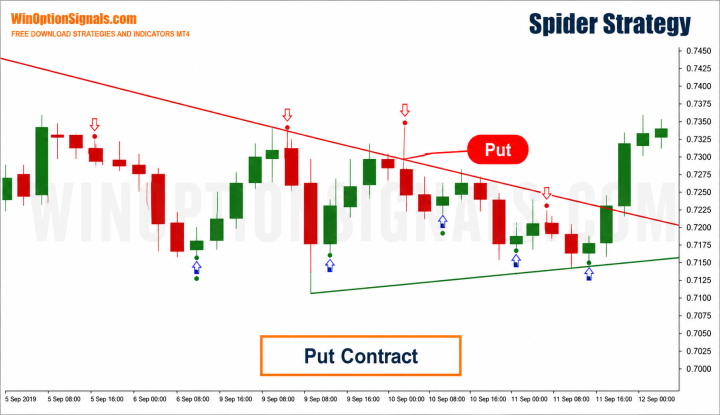
Open a Put option when:
- Price is below the sloping trend line;
- Spider Indicator 1 and Spider Indicator 2 both signal on the same candle.
Trades are only opened in the direction of the main trend. If there is no clear trend line direction, do not trade. This is the most important rule in the strategy and must not be broken.
Counter-trend trades carry a significantly higher risk and will result in more losing trades than winning ones over time. The Bulls Bears Signal lines are the primary tool for trend identification, but the following articles can help you develop the ability to read trend conditions directly from the chart:
- What is a trend?
- Trend phases.
- What is a ranging (flat) market?
Signal Examples
On any chart — regardless of currency pair or timeframe — look for confirmed signals from both indicators appearing on the same candle. Open trades only in the direction of the sloping trend line. Expiration should not exceed 1 minute.
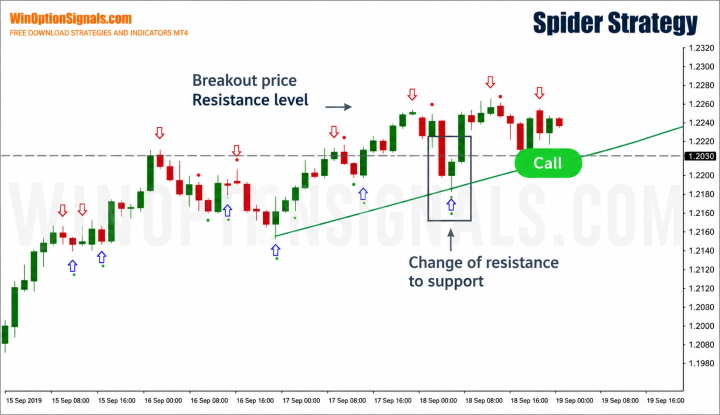
Adding horizontal support and resistance levels strengthens the strategy considerably. The chart below shows a confirmed signal following a bounce from a support level. In this example, price broke through a resistance level, pulled back, and then bounced from the same level — which had now flipped to support. When this type of price action coincides with a strategy signal, it represents one of the best setups the market can offer. A Call entry in this situation has a high probability of success.
Identifying support and resistance levels manually can be challenging, particularly for traders who are still developing their technical analysis skills. Support and resistance level indicators can draw these levels automatically.
Conclusion
Spider Strategy is one of the few systems that allows you to start trading binary options with minimal preparation. That said, only the market determines whether a trade is profitable — without a clear understanding of whether the strategy is suited to current market conditions, you risk blowing your account. Study technical analysis and fundamental analysis, and work steadily on developing your ability to read price action. Above all, always follow sound money management and risk management principles.
Be aware that a significant number of fraudulent brokers engage in deceptive practices and withhold traders' earnings. Always choose from verified binary options brokers.
Download the Spider Binary Options Strategy
Not sure how a particular strategy or indicator works? Leave a comment below, and subscribe to our YouTube channel WinOptionCrypto — we’ll answer your questions in upcoming videos.

To leave a comment, you must register or log in to your account.