
Trend lines are the foundation of technical analysis — essential for successful trading in both Forex and binary options. However, drawing them manually takes time, and charts often display several trend lines simultaneously, which significantly complicates analysis.
The automatic True Trendline indicator simplifies working with this tool. Simply add it to your current chart in the MT4 platform, and it will draw trend lines automatically. This gives traders more time to focus on trading or analyzing market conditions.
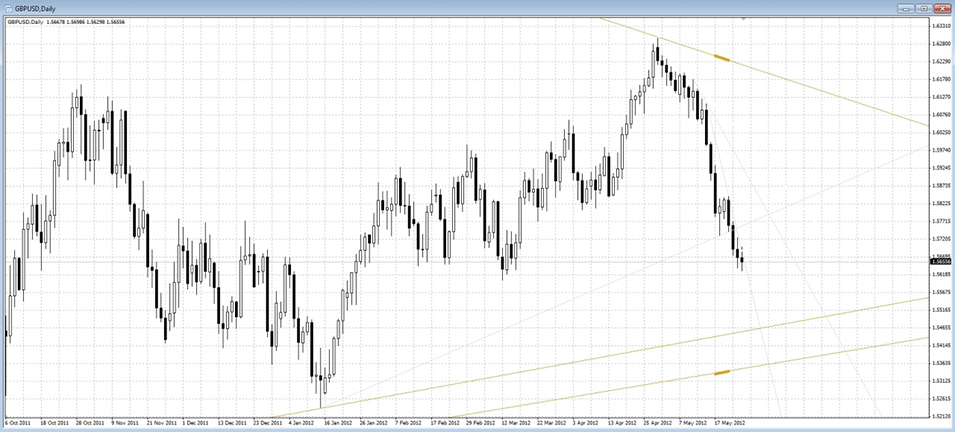
Setting Up the True Trendline Indicator
True Trendline is an effective time-saving tool that triggers alerts whenever the price touches or breaks one of the trend lines. Installation is completed in just a few steps.
First, download the archive containing the indicator from the link at the end of this article and add it to the MT4 platform. Once installed, simply attach the indicator to any chart and automatic trend lines will appear. The archive also includes the TrueTL Alert tool, which — once installed — will send signals whenever the price touches or breaks through these lines.
Instructions for installing indicators in MetaTrader 4:
The True Trendline indicator has several settings:
- The number of bars used to calculate trend lines, set within a specific time range.
- Color highlighting. This setting also removes existing highlights.
- Bold highlighting. Applied only to the topmost and bottommost lines.
- Automatic settings update. Enabling this option adjusts the position of trend lines when the time interval, candle closing time, or symbol is changed.
- Accelerated chart analysis for 1- and 5-minute timeframes. This setting is useful for users with lower-powered computers.
The TrueTL_Alert indicator has the following settings:
- Automatic search for all trend lines.
- Alert on price touching a trend line. A separate parameter lets you set the distance between the price and the trend line at which the alert is triggered.
- Alert on a trend line breakout. In the first case, the signal is sent before the candle closes; in the second, after.
The High_TL_Name/Low_TL_Name parameter is used when automatic search is disabled. These settings allow you to specify the names of the upper and lower trend lines that the indicator should monitor.
This indicator also lets you choose how alerts are delivered: by email (via Email_Alert), as a pop-up window in the terminal (via PopUp_Alert), or as an audio signal (via Sound_Alert). The audio file can be specified using Sound_File.
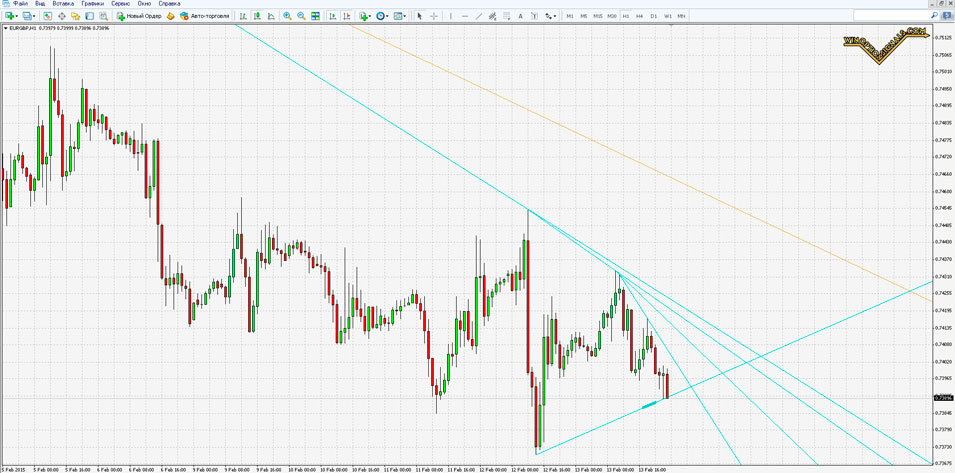
If you combine this indicator with at least one other indicator you are familiar with, you can build a solid trading strategy for binary options.
We recommend pairing this indicator with one of the RSI, CCI, or Stochastic oscillators, and supplementing it with the CrossLine indicator for a more streamlined workflow.
Trading Rules Using the True Trendline Indicator
The trading rules for this indicator are straightforward and easy to follow, even for beginners.
Buy Signals (CALL)
When the asset price touches the line from above and one of the oscillators is in the overbought zone, open a Call option expiring at the close of that candle.
Sell Signals (PUT)
When the asset price touches the line from below and one of the oscillators is in the oversold zone, open a Put option expiring at the close of that candle.
Note that the thicker the line, the more reliable the level. Golden lines indicate a strong global downtrend or uptrend.
Download the Trend Line Indicator
Having trouble understanding how this strategy or indicator works? Leave a comment below, and subscribe to our YouTube channel WinOptionCrypto — we'll answer your questions in an upcoming video.

See Also:
- How to choose a binary options broker
- Binary options broker bonuses
- How do binary options brokers make money
- List of scam brokers
To leave a comment, you must register or log in to your account.