
The Trade Confirmed Indicator for binary options is a paid signal indicator that, in addition to arrows, features an information panel showing trend strength as a percentage and provides recommendations for buying Call or Put options.
It is worth noting that although the Trade Confirmed Indicator is a paid tool, it can be downloaded for free from our website at the end of this article.
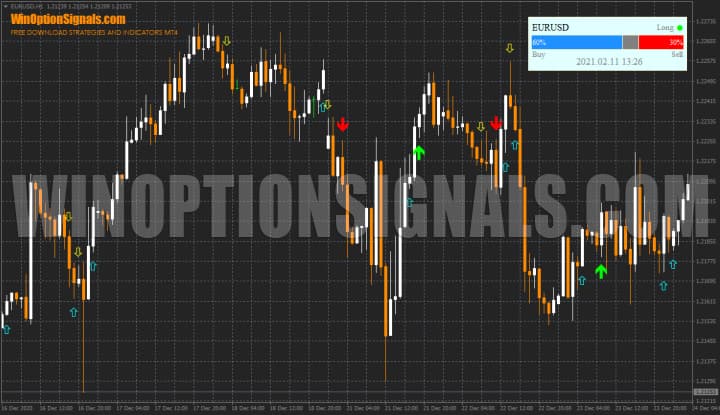
Key Features of the Trade Confirmed Indicator
- Terminal: MetaTrader 4.
- Timeframe: M5–D1.
- Expiration: 3 candles.
- Option types: Call/Put.
- Indicators: trade confirmed indicator fix.
- Trading instruments: any.
- Trading hours: 08:00–21:00 UTC.
- Recommended brokers: Quotex, PocketOption, Binarium.
Installing the Trade Confirmed Indicator in MT4
The indicator is installed using the standard procedure in the MetaTrader 4 terminal.
MetaTrader 4 instructions for installing indicators:
Trade Confirmed Indicator Overview
To better understand how the Trade Confirmed Indicator works, it helps to look at what the tool's author and seller states directly: this indicator is not the "Holy Grail" of binary options and will not generate hundreds of percent in profit if you simply trade on its signals alone. To use the Trade Confirmed Indicator profitably, its signals must be combined with other indicators or at least some form of additional analysis. Special attention should be paid to technical analysis, which gives you a broader view of market conditions. From there, it is essential to identify the trend, and for that it is useful to understand the following concepts:
The following analytical methods can also complement the Trade Confirmed Indicator fix when trading binary options:
- Price Action;
- Candlestick analysis;
- Chart pattern analysis.
The Trade Confirmed Indicator works by measuring 10 data points in real time, generating both weak and strong signals represented by small and large arrows respectively:
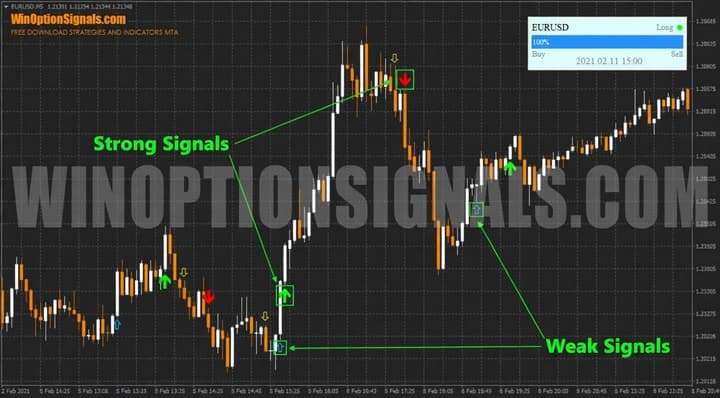
Only strong signals should be used when entering options trades — more on this below.
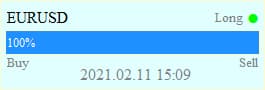
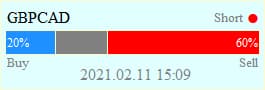
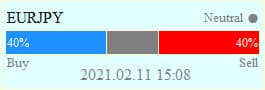
The indicator also includes a panel displaying the current movement's strength bar, the date and time, the name of the trading asset, and a recommendation to buy or sell (Call or Put). The panel can show three possible recommendations:
- Long (for binary options — Call);
- Short (for binary options — Put);
- Neutral (no trade).
 |
 |
 |
The Trade Confirmed Indicator fix settings allow you to configure signal display history, visual appearance, and alerts:
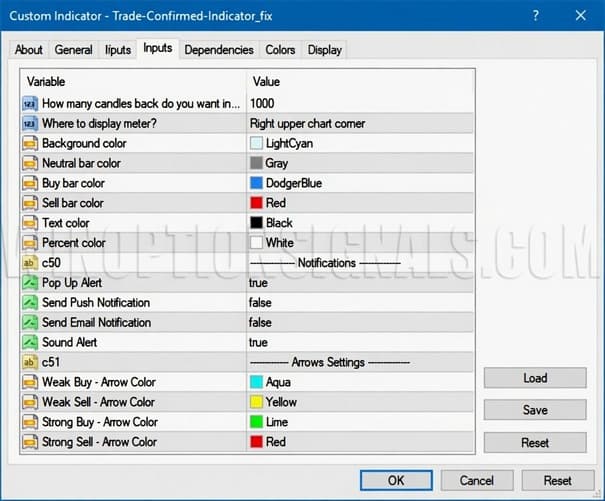
There are no additional settings that affect signal accuracy or frequency.
Trading Rules for the Trade Confirmed Indicator
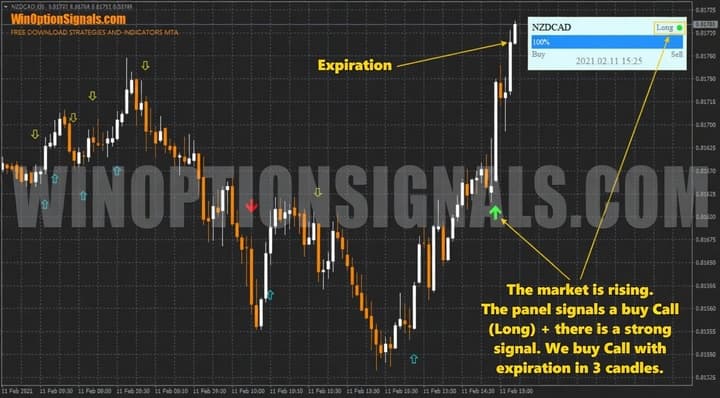
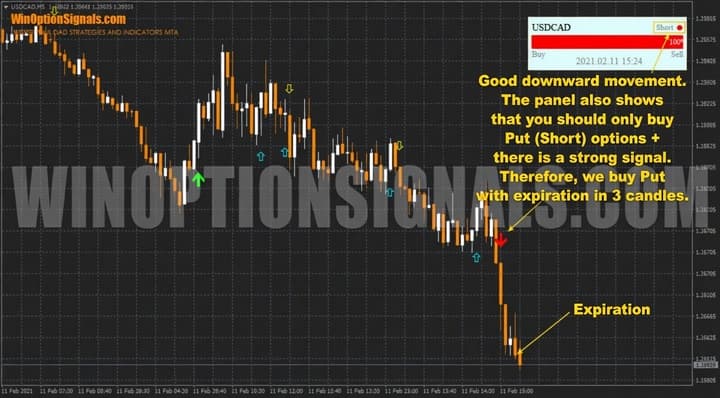
The trading rules are straightforward: when a large green arrow appears (strong signal), buy a Call option; when a large red arrow appears (strong signal), buy a Put option.
It is also worth considering timeframe selection. Charts from M5 and above are recommended, as the M1 timeframe tends to produce a high number of false signals even in trending conditions. Expiration can be set to 3 candles on the current timeframe, though longer periods may be considered during strong trend moves.
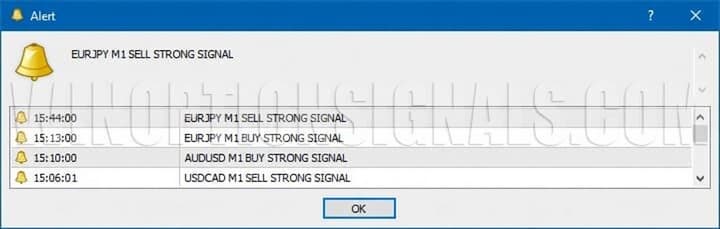
The indicator also includes alerts that notify you when new signals appear:
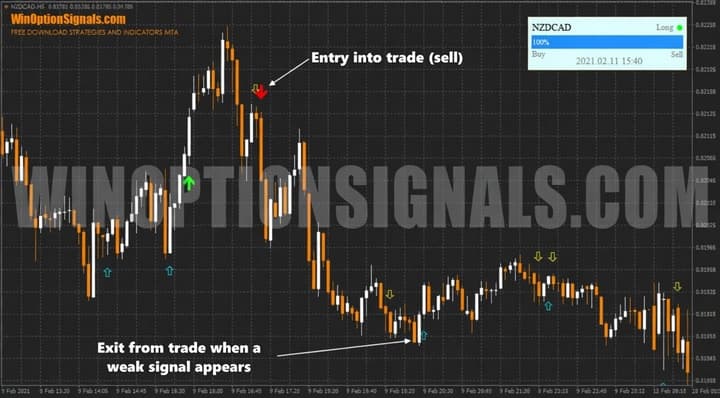
The indicator is also suitable for Forex trading. In this case, currency pairs should likewise be bought or sold based on strong signals only. According to the indicator's author, a position should be closed when a weak signal in the opposite direction appears:
Buying a Call Option
Setting aside all other factors and focusing on the indicator alone, a trade should only be entered during a strong directional move when both a strong arrow signal and a confirming panel signal appear simultaneously:
Buying a Put Option
The same applies to Put trades, which are entered when both a strong signal and a confirming panel signal appear in the opposite direction:
Conclusion
The Trade Confirmed Indicator fix can deliver strong results when used alongside other forms of analysis — but this requires developing the ability to read overall market conditions first.
Always follow the principles of money management and risk management, and trade only through a reliable broker, which you can find in our binary options broker ratings.
Download the Trade Confirmed Indicator for Free
Not sure how this strategy or indicator works? Leave a comment on this article, and subscribe to our YouTube channel WinOptionCrypto, where we'll answer all your questions in our videos.

To leave a comment, you must register or log in to your account.