
The Logic Day Trading binary options indicator identifies breakouts of local support and resistance levels in the form of short-term price ranges. After such a breakout, the price typically continues moving in the breakout direction — a pattern actively used by both Forex traders and binary options traders.
All you need to do is choose the right expiration time for your Call and Put options, and the indicator handles the rest. The developers price it at $199. In this review, we examine whether it justifies that price and how it can be used to improve trading results.
Content:
- Key Features
- Installation
- Logic Day Trading: Overview and Settings
- Trading Rules
- Opening a Call Option
- Opening a Put Option
- Specifics of Use
- Conclusion
- Download Logic Day Trading
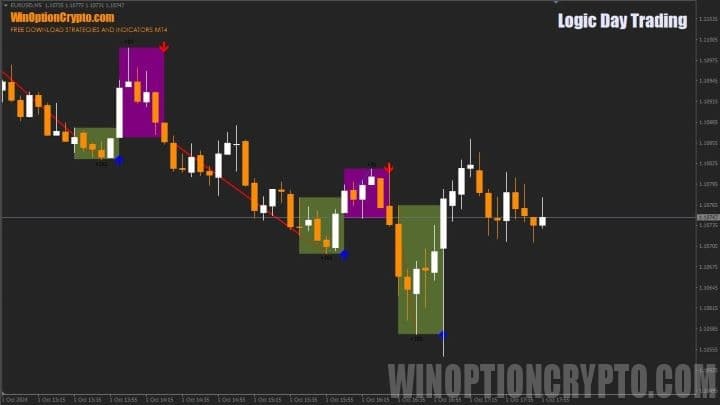
Key Features of the Logic Day Trading Indicator
- Terminal: MetaTrader 4
- Timeframe: M5
- Expiration: 3 candles
- Option types: Call/Put
- Indicators: Logic Day Trading.ex4
- Trading instruments: currency pairs, commodities, cryptocurrencies, stocks
- Trading hours: 08:00–21:00 UTC
- Recommended brokers: Quotex, Pocket Option, Binarium
Installing the Logic Day Trading Binary Options Indicator
The Logic Day Trading indicator is installed in MetaTrader 4 using the standard procedure. Open MetaTrader 4, select "File", then "Open data directory". In the directory that opens, navigate to the "MQL4" folder, then "Indicators", and move all the indicator files there. Templates are installed the same way, but go into the "templates" folder. You can find detailed installation instructions in our video:
Logic Day Trading Indicators: Overview and Settings
The Logic Day Trading indicator generates reliable trading signals with a high probability of success. This is particularly valuable for traders working on lower timeframes, where noise and unpredictability are most pronounced. The Logic Day Trading indicator is built to address exactly these challenges.
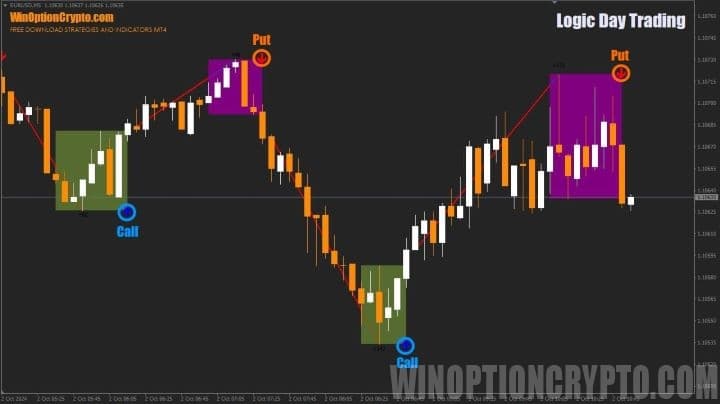
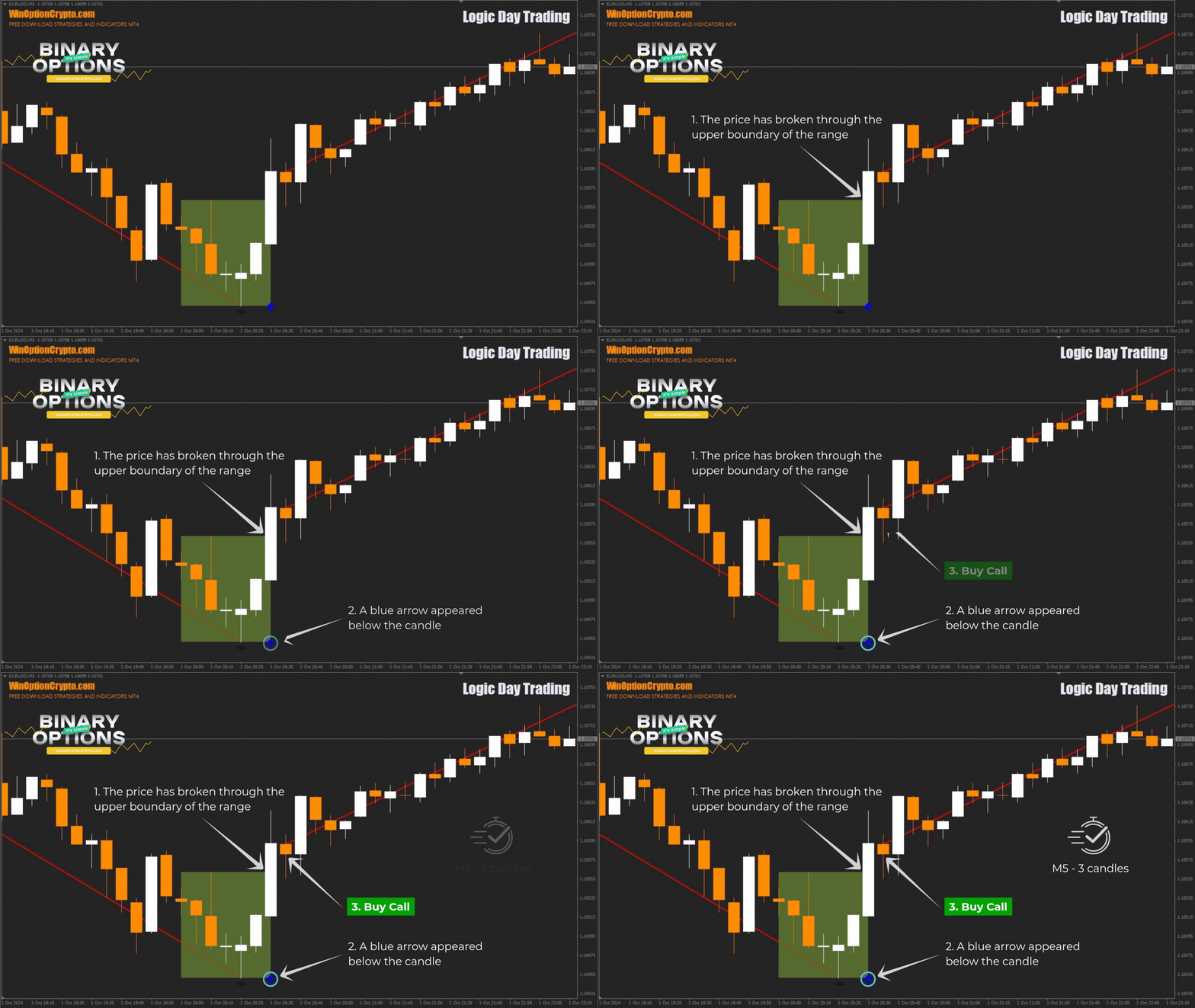
As shown in the image above, signals from this indicator appear at the moment the price breaks out of a range bounded by local support and resistance levels. After the breakout, the price typically moves freely in the breakout direction. If the upper boundary of the range is broken, a Call option is opened; if the lower boundary is broken, a Put option is opened.
The candle on which the breakout signal occurs is marked with an arrow: blue for Call options and red for Put options. Forex traders can place protective stop orders outside the range and take profit either on the opposite signal or using a trailing stop.
Binary options traders can adjust expiration times and timeframes based on the historical win rate of Logic Day Trading signals for the specific currency pair being traded.
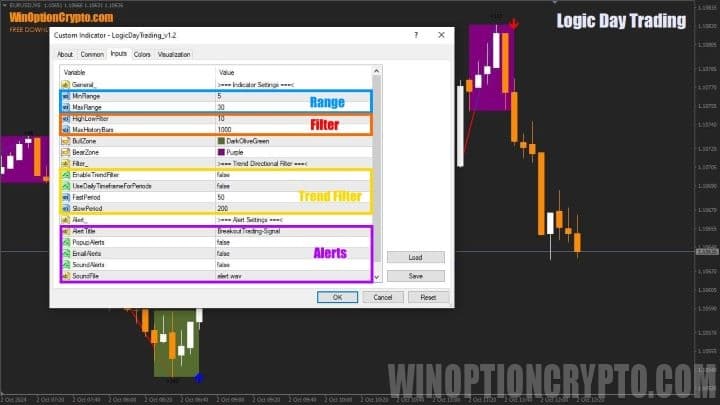
The indicator has few settings. The ones that deserve particular attention are the minimum and maximum range parameters, trend filtering, and alerts. When trading on timeframes below M30, it is not recommended to enable the trend filter, as doing so will significantly reduce the number of trading signals.
Logic Day Trading Trading Rules
The Logic Day Trading indicator is visually similar to the Donchian channel, named after its creator, professional trader Richard Donchian. Like the Donchian channel, Logic Day Trading plots a range based on the highest high and the lowest low over the period defined in its settings.
Visually, this forms a rectangle. When the price moves beyond its boundaries, a signal to open a Call or Put option appears. After such a breakout, the price typically continues in the breakout direction without pulling back — which is exactly what traders look to capitalise on.
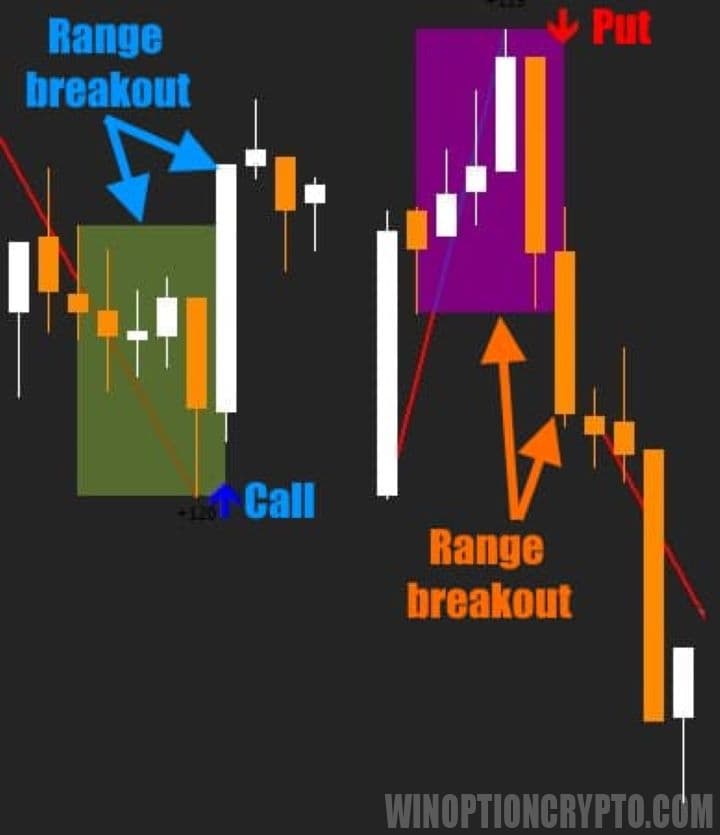
To improve results, we recommend using Logic Day Trading signals in the direction of the main trend, which trend indicators can help you identify. You can learn more about them from our dedicated articles:
- Best Trend Indicators
- PZ Trend Trading indicator
- Trend Lines Indicator for MT4
- Indicator TJ10X Forex Indicator
- Fxaccurate Larna MT4 indicator
Choosing the right expiration time is an important factor in trading successfully with this indicator. We recommend 3–5 candles, though the exact value will depend on the asset and timeframe being used.
Opening a Call Option
- Confirm that the upper boundary of the range has been broken — the candle has closed above it.
- A blue arrow has appeared below the last closed candle.
- Open a Call option at the start of the next candle.
Opening a Put Option
- Confirm that the lower boundary of the range has been broken — the candle has closed below it.
- A red arrow has appeared above the last closed candle.
- Open a Put option at the start of the next candle.
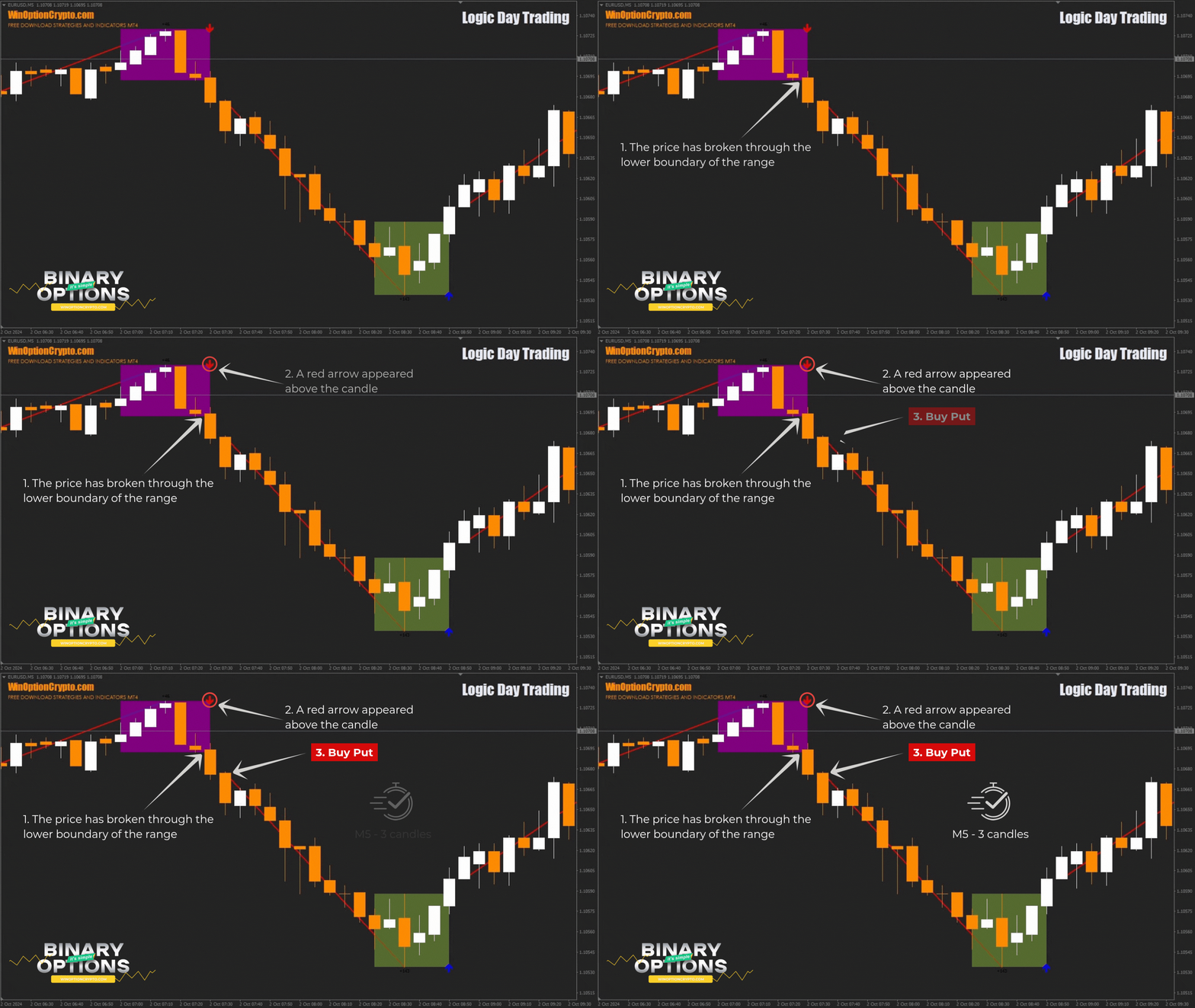
The recommended expiration time is 3 candles. The optimal holding period can be refined through backtesting on historical data.
Specifics of Using the Logic Day Trading Indicator
The Logic Day Trading indicator can be used in several modes, including with a trend filter. When enabled, signals are only generated for breakouts in the direction of the main trend — a feature Forex traders will find particularly useful. For binary options trading, however, this mode is likely too restrictive, as it significantly reduces the number of signals.
Pros of the Logic Day Trading Indicator
The indicator's main strengths are its reliable, clearly interpretable signals. It is easy to trade with, since all a trader needs to do is wait for signals and act on them. The Logic Day Trading indicator includes everything needed for effective trading: multiple operating modes, configurable signal parameters, and alerts.
Cons of the Logic Day Trading Indicator
The main drawback is the appearance of false signals during ranging (flat) market conditions. To minimise this, it is recommended to trade only during active market hours.
Conclusion
The Logic Day Trading indicator is a strong alternative to Donchian channels. It generates signals to open positions when one of the range boundaries is broken, giving the trader a clear instruction to open a Call or Put option depending on the breakout direction. This makes it a useful tool for those who prefer straightforward, rule-based trading decisions.
Given the high win rate that can be achieved when trading binary options using its signals, the $199 price set by the developers seems well justified. You can download the Logic Day Trading indicator free of charge for review purposes. Before trading with real money, test it on a demo account with a broker that offers a low minimum deposit, while observing sound risk and capital management practices. We wish you profitable trading!
Download Logic Day Trading

To leave a comment, you must register or log in to your account.