
The TJ10X Forex Indicator was originally designed for the Forex market but can be readily applied to binary options trading as well. It is a signal indicator with five distinct trading modes, making it suitable for both turbo options traders and those who trade exclusively with the trend.
The TJ10X Forex Indicator v1.0 is a paid product priced at $59, but it can be downloaded for free from our website for evaluation purposes.
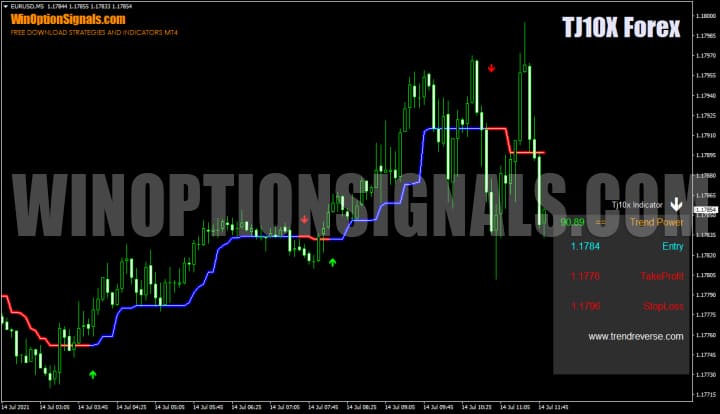
Key Features of the TJ10X Forex Indicator
- Terminal: MetaTrader 4
- Timeframe: M1–D1
- Expiration: 3 or 5 candles
- Option types: Call/Put
- Indicators: Tj10x_Indicator.ex4
- Trading instruments: currency pairs, stocks, cryptocurrencies, commodities
- Trading hours: 08:00–21:00 UTC
- Recommended brokers: Quotex, Pocket Option, Binarium
Installing the TJ10X Forex Indicator in MT4
The indicator is installed using the standard procedure for MetaTrader 4. For full installation instructions, watch our video:
Overview and Settings of the TJ10X Forex Indicator
Before covering the trading modes, let's take a look at the indicator's settings:
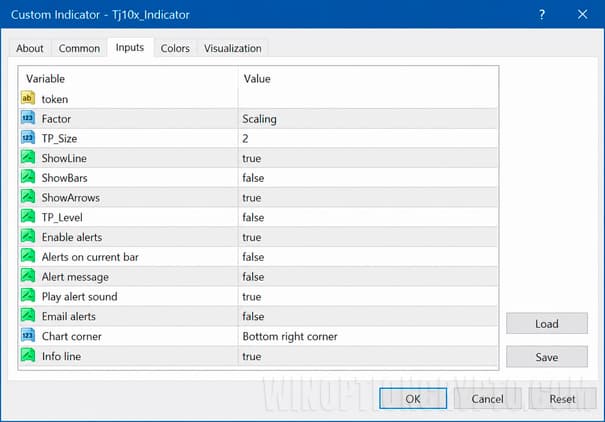
The indicator has relatively few settings of real significance, since most relate to alerts and visual display. The only parameter that controls signal behaviour is the Factor variable, which selects one of five trading modes — covered in detail below.
The ShowLine, ShowBars, and ShowArrows variables toggle the indicator line, bars, and signal arrows on or off.
Alerts can be configured using the Alerts parameter. The position of the information panel on the chart is controlled by the Corner variable, which places it in any of the four corners.
The indicator displays as a line that follows the price, with arrows appearing when the line changes colour to signal a potential entry.
TJ10X Forex Indicator v1.0 is effectively a universal binary options indicator, offering five trading modes:
- Scalping
- Fast Scalper
- Tick Trend
- Swing
- Trend
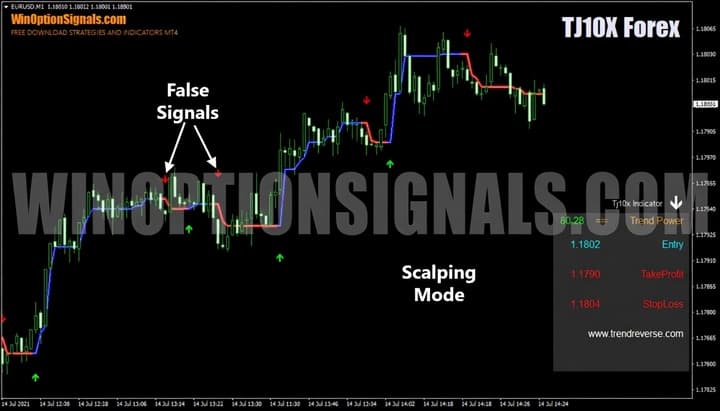
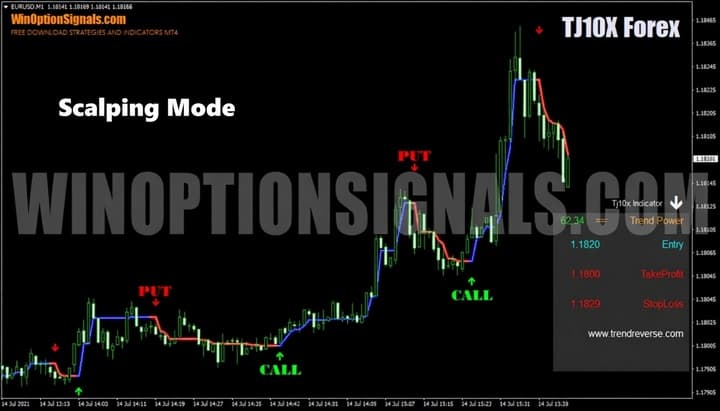
Scalping mode generates frequent signals that respond to minor price fluctuations. Note that false signals are more likely during consolidation:
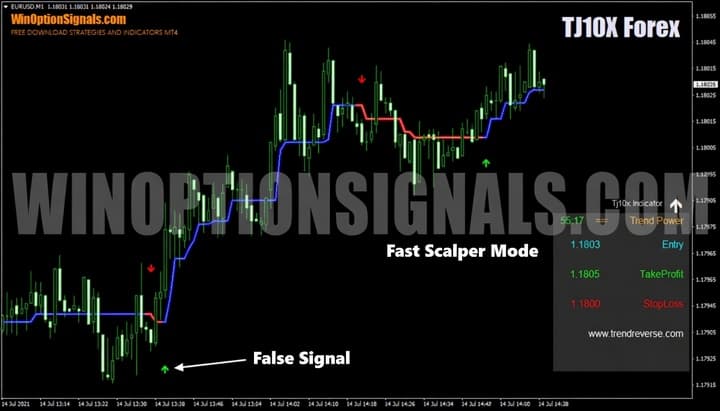
Fast Scalper mode produces fewer signals than Scalping and is not strictly a scalping mode in the traditional sense — though false signals during consolidation remain a factor:
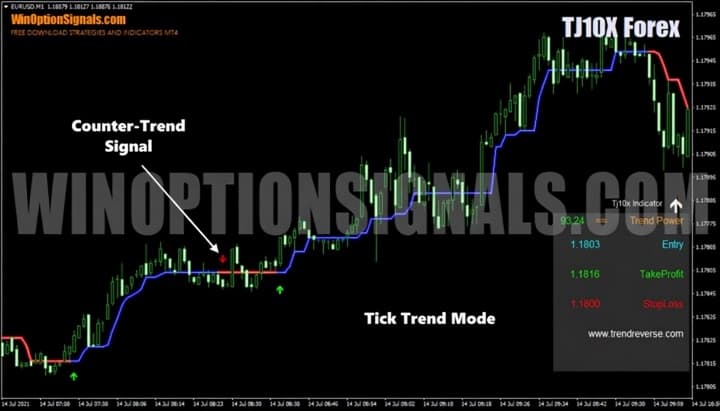
Tick Trend mode is designed for trend trading only. Counter-trend signals are most often false, while signals in the direction of the trend can be highly profitable:
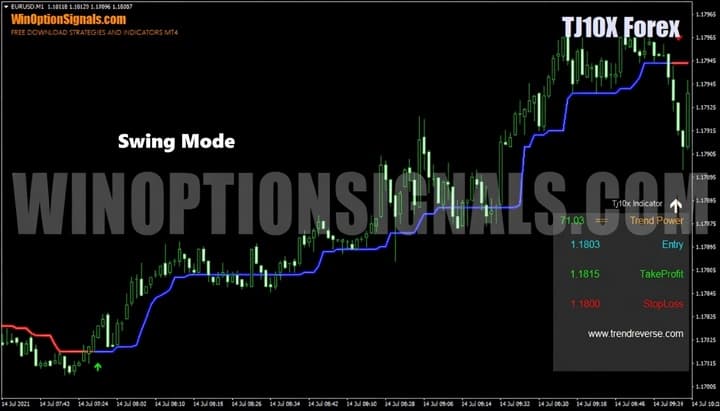
Swing mode is a more trend-oriented mode that reduces the frequency of false signals compared to the scalping modes:
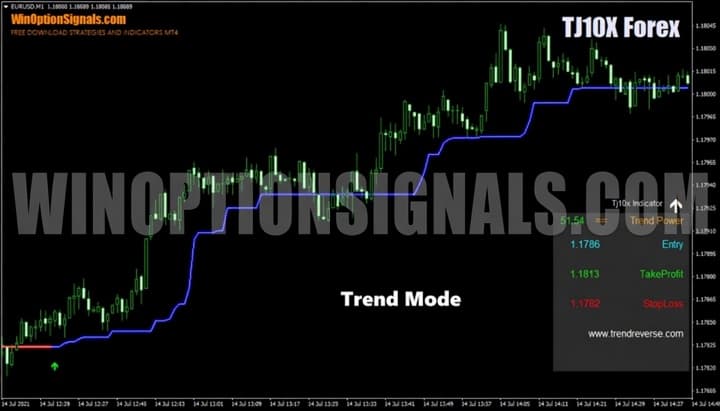
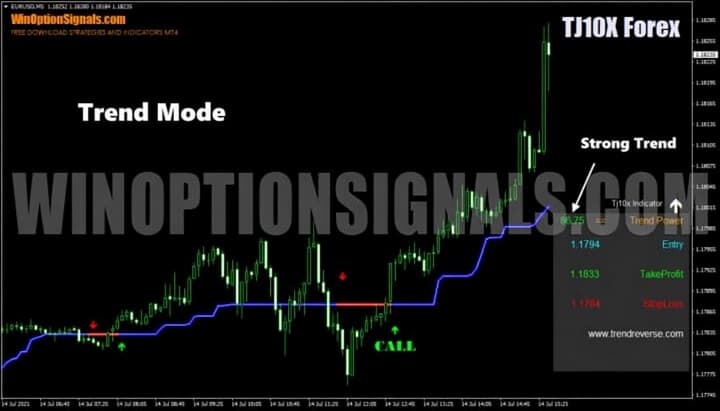
Trend mode is the most trend-focused of all five. It filters out minor price noise and only reacts to extended consolidation periods:
In practice, selecting one or two modes is sufficient — there is little value in using all five, as they share considerable overlap. The practical choice comes down to either a scalping mode for turbo options or a trend mode for longer-horizon trades.
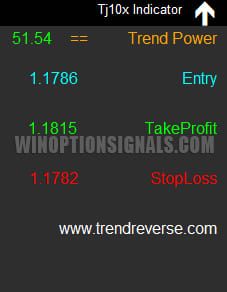
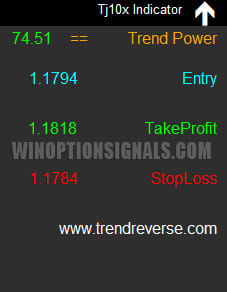
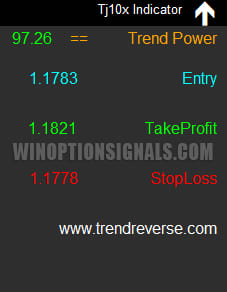
The indicator also includes an information panel. Some of its data is specific to Forex trading, but the Trend Power reading is directly useful for binary options. It is displayed as a white arrow accompanied by a green number: the higher the value, the stronger the trend. An upward arrow indicates a bullish trend; a downward arrow indicates a bearish one.
 |
 |
 |
Trading Rules for the TJ10X Forex Indicator
Since TJ10X Forex Indicator includes several trend-based modes, a solid understanding of how trends work will help you trade with it more effectively:
- How does a trend work in markets?
- Identifying and using bullish and bearish trends
- Market phase changes
- How to identify a consolidating market
To start trading, select the mode that best fits your trading style and set it in the indicator's parameters.
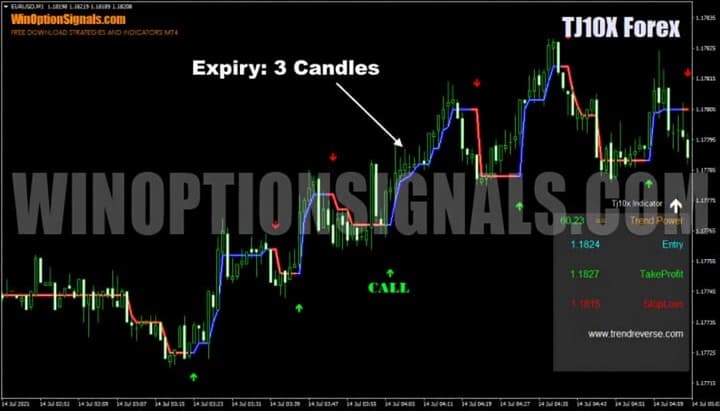
In Scalping mode, the trend direction is not critical. Buy a Call option when a green arrow appears and a Put option when a red arrow appears, using an expiration of 3 candles:
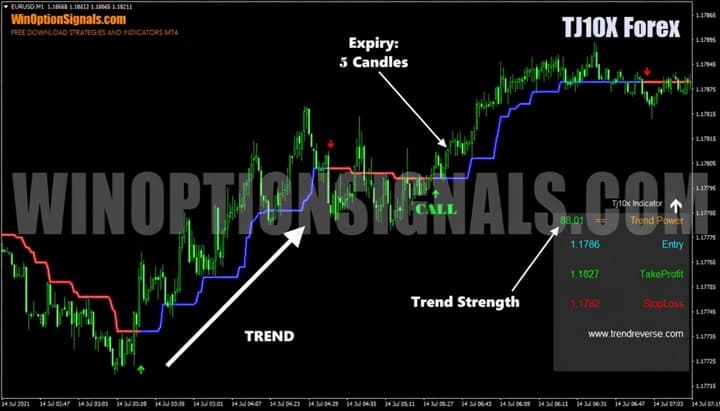
In Trend mode, direction matters. Trade only in the direction of the prevailing trend using an expiration of 5 candles or more, and always check the Trend Power reading on the panel before entering:
Additional Trade Examples
The examples below illustrate trading in both Scalping and Trend modes.
Scalping mode — expiration of 3 candles; trend direction is not a required condition:
Trend mode — entries must align with the trend direction; Trend Power should be checked; expiration of 5 candles or more:
Conclusion
The TJ10X Forex Indicator is a versatile tool suitable for traders of all styles. However, the range of available modes can be confusing for beginners, as some modes produce more false signals than others. It is advisable to test the indicator across different modes on a demo account first, and then begin live trading with small amounts.
Always apply sound money management and risk management principles to protect your capital, and trade only through a reliable broker — our binary options broker ratings are a good starting point.
Download TJ10X Forex Indicator for Free
Have questions about how this indicator works? Leave a comment below, and subscribe to our YouTube channel WinOptionCrypto — we'll answer your questions in upcoming videos.

See Also:
- How to make money on binary options
- Pros and cons of trading binary options
- Binary options broker bonuses
- Books on trading
To leave a comment, you must register or log in to your account.