
The FX VECTOR binary options strategy is a successful combination of a trend indicator, a currency pair scanner, and a control panel for trader convenience. Using the scanner, users can select the most promising assets with the strongest trends in just a few clicks, while the built-in indicator's arrows prompt the optimal moment to enter trades. This review explains how to set up this system for binary options trading.
Contents:
- Key Features
- Installation
- Overview and settings
- FX VECTOR Trading Rules
- Specifics of application
- Conclusion
- Download FX VECTOR
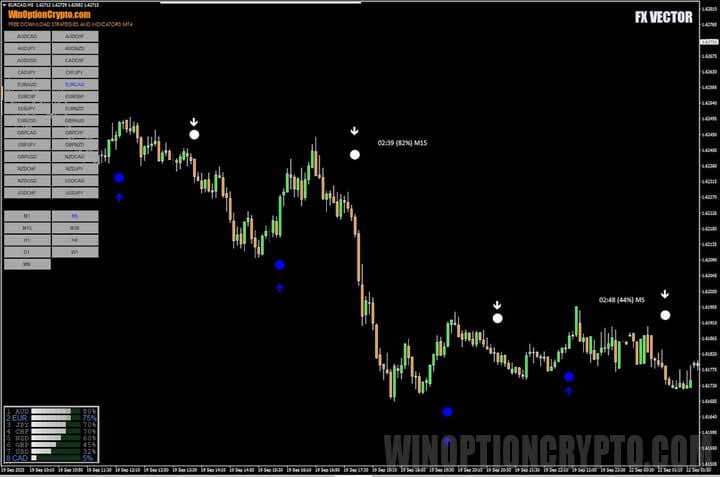
Key Features of the FX VECTOR Binary Options Strategy
- Terminal: MetaTrader 4
- Timeframe: M5
- Expiration: 5 candles
- Option Types: Call/Put
- Built-in indicators: FXVECTOR - Currency POWER.ex4, FXVECTOR - Entry2.ex4, FXVECTOR - Pairs and TF.ex4
- Trading instruments: currency pairs, commodities, cryptocurrencies, stocks
- Trading hours: 08:00–21:00 UTC
- Recommended brokers: Quotex, Pocket Option, Binarium
Installing the FX VECTOR Binary Options Strategy
The FX VECTOR strategy indicators are installed in MetaTrader 4 using the standard method. First, open the terminal and select "File" → "Open Data Folder" from the top menu. In the window that appears, navigate to the MQL4 → Indicators folder and copy all indicator files there.
If the package contains templates, move them to the templates folder in the root directory of the terminal.
After this, restart the platform for the new indicators and templates to appear in the list. For more detailed instructions, watch our video:
FX VECTOR Binary Options Strategy: Overview and Settings
The FX VECTOR strategy includes two indicators — Currency POWER and Entry2 — as well as the Pairs and TF dashboard. The Currency POWER indicator is a classic ranking of currencies by their relative strength.
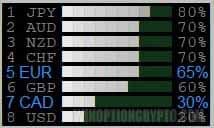
As the image above shows, at the time of writing, the Japanese yen was leading the market with a relative strength index of 80%. It was followed by the Australian and New Zealand dollars, as well as the Swiss franc, each at 70%. The weakest currency during this period was the US dollar, with a relative strength index of 20%.
The table makes it easy to see that we should be looking for Put option trades on the USDJPY currency pair: we are selling a weak US dollar and buying a strong Japanese yen.
The USDJPY currency pair chart confirms this assumption: the rate has dropped significantly, clearly indicating the prevalence of a bearish trend.
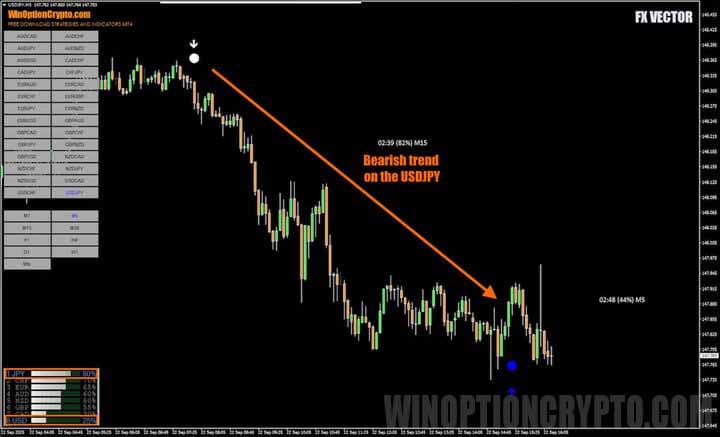
The Entry2 indicator generates signals to open positions, represented by a dot and arrow. A white dot and arrow indicate the purchase of put options, while a blue dot and arrow indicate the purchase of call options.
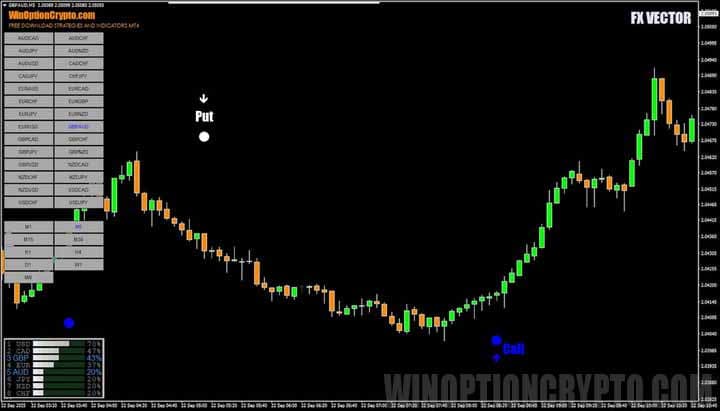
For easy navigation across currency pairs, an interactive Pairs and TF panel is provided, allowing you to select not only the desired asset but also the timeframe.
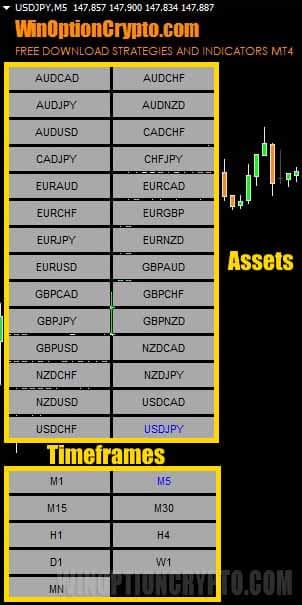
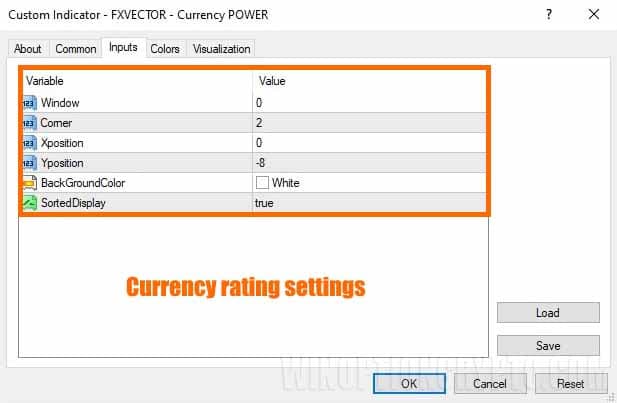
Let's move on to the strategy's basic settings. In the currency pairs leaderboard settings, you can set the display angle, enable or disable sorting, and change the background color.
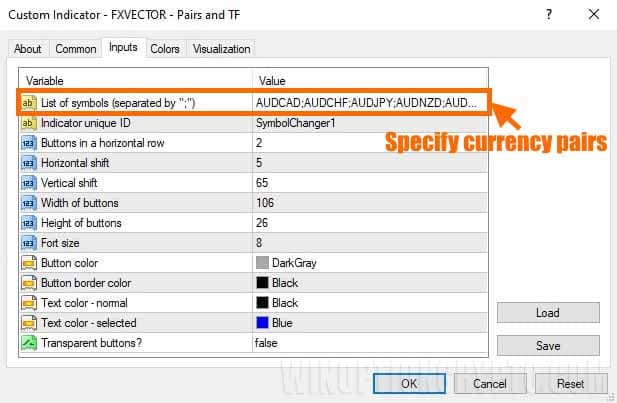
In the FXVECTOR - Pairs and TF.ex4 indicator settings, specify a list of currency pairs of interest by entering their codes as used by your broker, separated by semicolons. Note that some brokers may use prefixes and suffixes in currency symbols. Currency pair names must be entered exactly as they appear in the Market Watch section of the trading terminal.
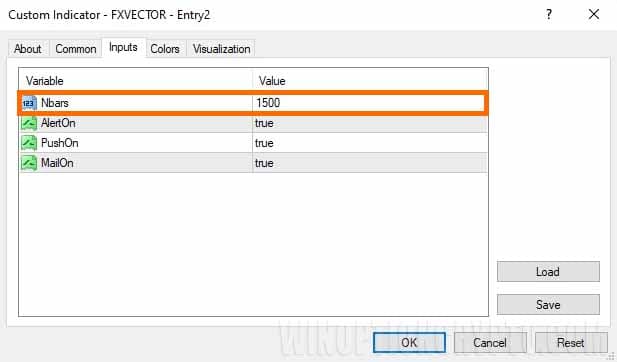
The Entry2 signal indicator has the fewest settings. Users can only set the number of candles on which the indicator is calculated and enable pop-up alerts.
If you'd like to learn more about signal indicators and how to use them correctly in binary options trading, check out our collection of articles on this topic:
- Radar 2022
- SVE Bollinger Band MTF
- "Comet"
- Binary Thunder
It contains a wealth of useful material to help you better understand these techniques and improve your trading skills.
FX VECTOR Trading Rules
Trading with this strategy is straightforward: simply wait for a dot with an arrow of the desired color to appear and open a trade in the indicated direction.
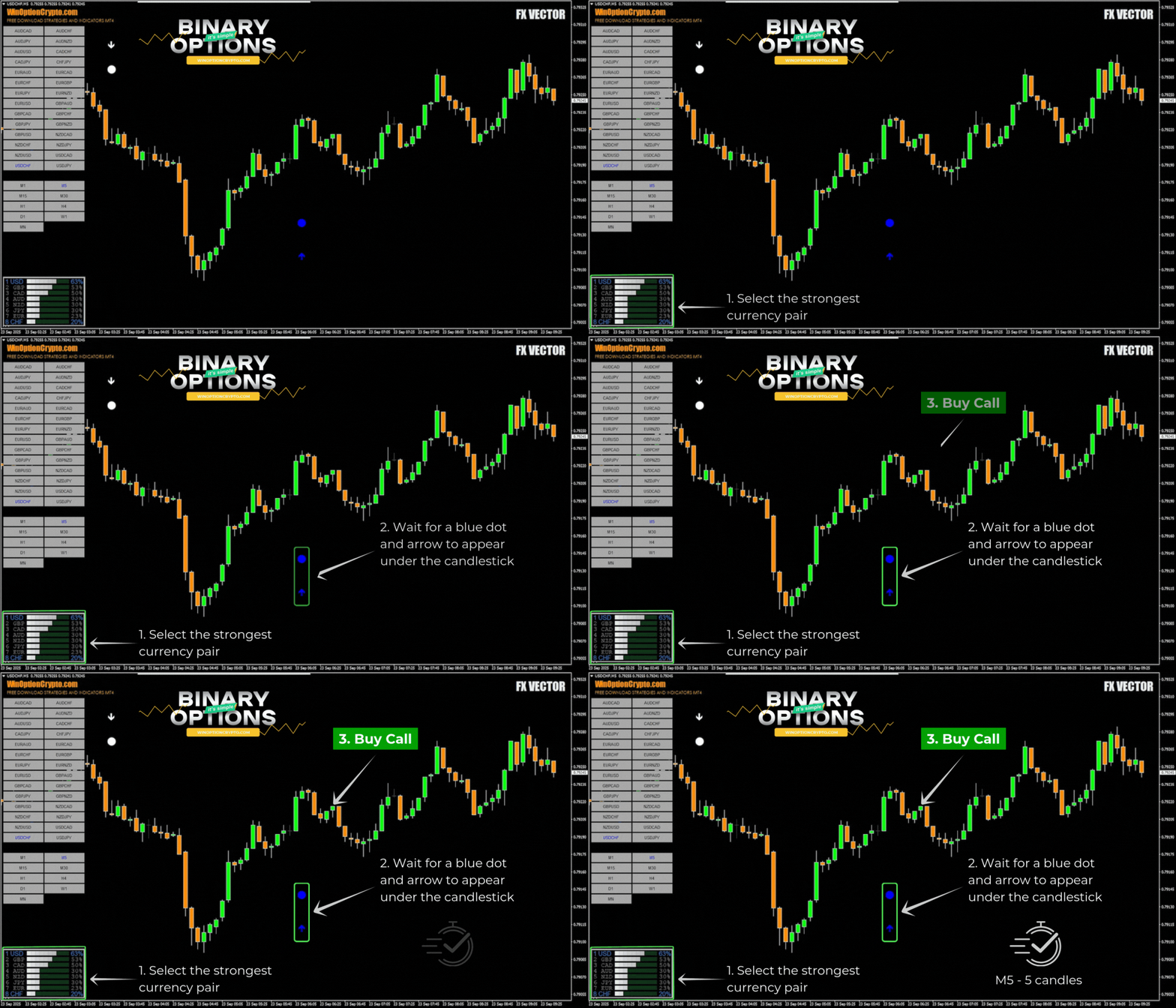
Opening a Call Option
- Select the strongest currency pair from the rating table.
- Wait for a blue dot and arrow to appear below the candle.
- At the opening of the next candle, buy a Call option.
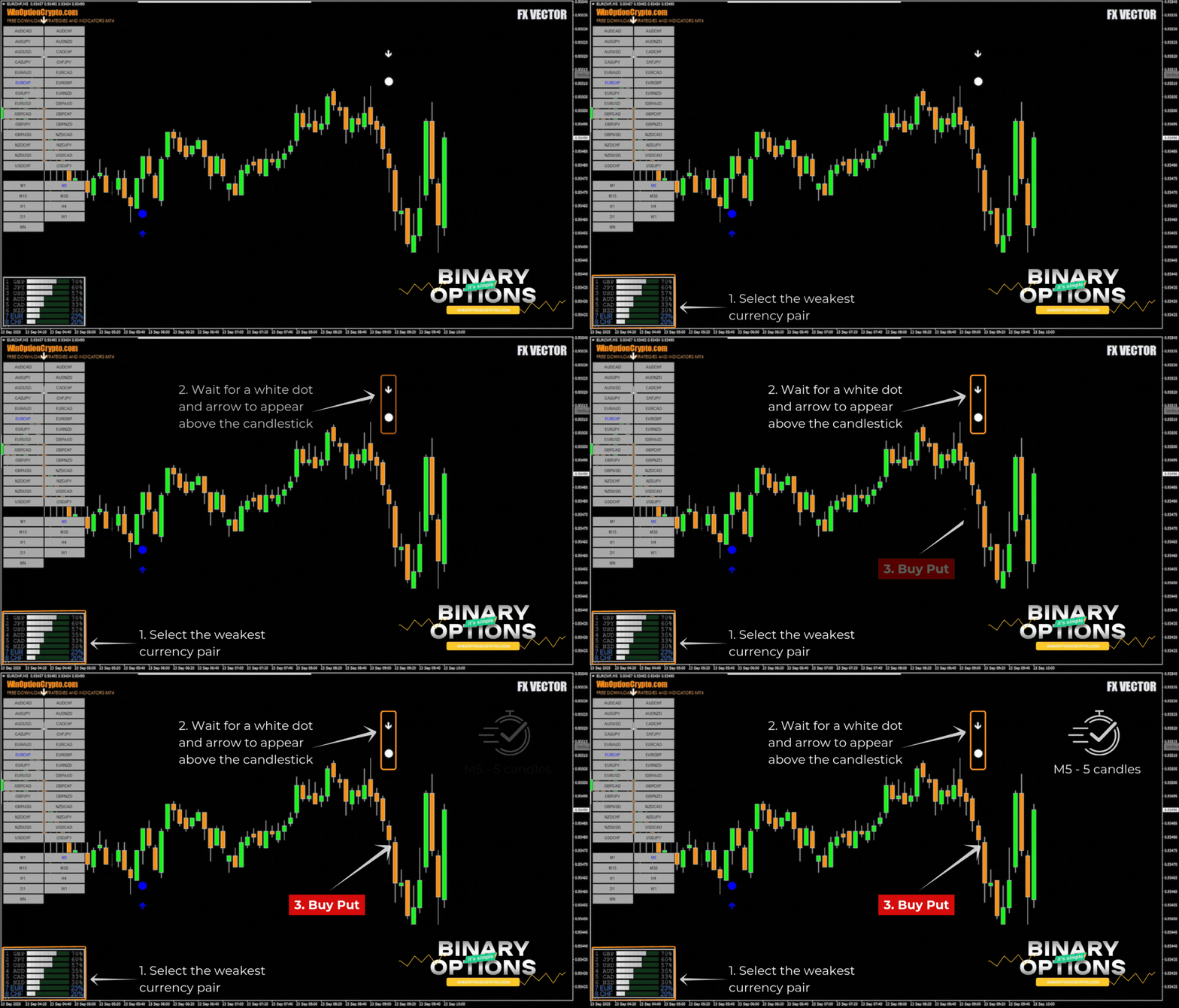
Opening a Put Option
- Select the weakest currency pair from the rating table.
- Wait for a white dot and arrow to appear above the candle.
- At the opening of the next candle, buy a Put option.
We recommend setting the expiration time to two candles. However, the optimal holding period depends on the specific asset and should be determined based on historical data testing. This approach will help tailor the strategy to the characteristics of the chosen instrument and improve its effectiveness.
Specifics of Using the FX VECTOR Binary Options Strategy
A defining feature of the FX VECTOR strategy is its ranking table, calculated using the Currency Power indicator. It shows the strength or weakness of each currency relative to all major currencies. Unlike the familiar RSI oscillator, which analyzes only a single currency pair such as EURUSD, this tool reflects the broader market picture and helps traders quickly identify which currencies are gaining strength and which are losing ground.
This makes it easy to select a trending asset best suited for opening trades in its direction.
Advantages of the FX Vector Strategy
The strategy's advantages include the simplicity and clarity of its trading signals, as well as the ability to filter them using a currency relative strength rating. This tool serves an analytical function, allowing traders to identify the most promising assets for trading. It eliminates the need to monitor dozens of charts simultaneously — all the necessary information is summarized in a compact table.
Disadvantages of the FX Vector Strategy
The system's main drawback is the lagging nature of the Currency Power indicator. It shows which currencies have already become strong or weak, but does not reflect future developments. Relying solely on this tool risks missing a significant portion of a trend move.
Conclusion
The FX VECTOR binary options strategy generates trading signals based on trends identified through the relative strength rating of currency pairs. This approach has both advantages and disadvantages, so relying on it exclusively is not recommended. The relative strength rating should be used as part of a comprehensive trading system that incorporates fundamental analysis, risk and capital management, and other technical analysis methods.
Before using this strategy in live trading, we recommend testing it on a demo account with a reliable broker. Happy trading!
Download FX VECTOR

To leave a comment, you must register or log in to your account.