
The Trend Catcher binary options indicator is a versatile technical analysis tool that helps traders identify the market trend and the right moments to enter trades. Its configurable parameters allow you to set up individual alerts for buy and sell signals, making it a highly practical tool.
This indicator is offered by the developers free of charge, which makes it even more appealing. To maximise the proportion of successful trades, however, certain nuances need to be taken into account — all of which are covered in this review. We recommend reading it through to the end.
Contents:
- Key Features
- Installation
- Overview and Settings
- Trading Rules for Trend Catcher
- Specifics of Application
- Conclusion
- Download Trend Catcher
Key Features of the Trend Catcher Indicator
- Terminal: MetaTrader 4
- Timeframe: H1
- Expiration: 3 candles
- Option types: Call/Put
- Indicators: TrendCatcher.ex4
- Trading instruments: currency pairs, commodities, cryptocurrencies, stocks
- Trading hours: 08:00–21:00 UTC
- Recommended brokers: Quotex, Pocket Option, Binarium
Installing the Trend Catcher Binary Options Indicator
The Trend Catcher indicator is installed using the standard procedure in MetaTrader 4. Copy the indicator files to the terminal's root folder by selecting "File" in MT4, then "Open Data Folder". In the folder that opens, navigate to "MQL4" and then "Indicators", and place all the files there. Templates are installed in the same way, but go into the "Templates" folder. For a full step-by-step walkthrough, see our video:
Overview and Settings of the Trend Catcher Binary Options Indicator
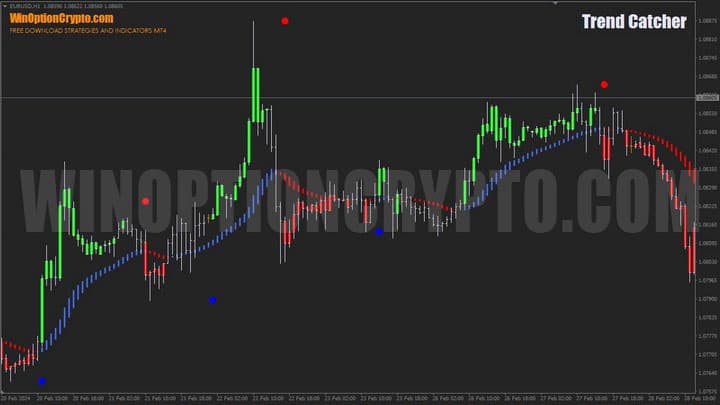
The Trend Catcher indicator generates entry signals directly on the asset chart, marking Call entries with a blue dot and Put entries with a red dot.
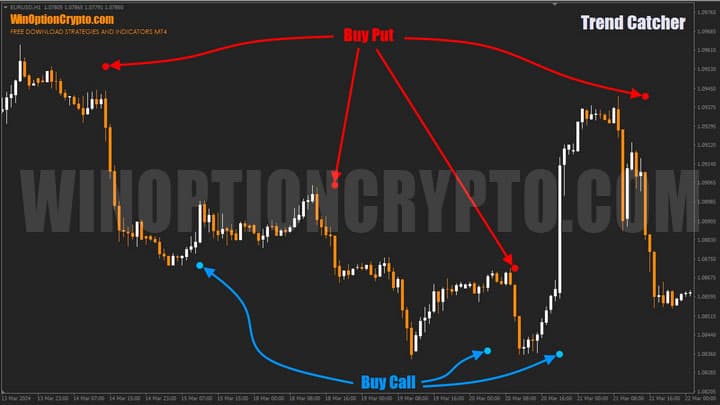
The developers claim that the indicator makes it straightforward to identify the main trend, with advance notification of an upcoming change in price direction. Price bars are also colour-coded to reflect the identified trend. For clearer visual representation, it is recommended to switch the chart display from candlesticks to bars.
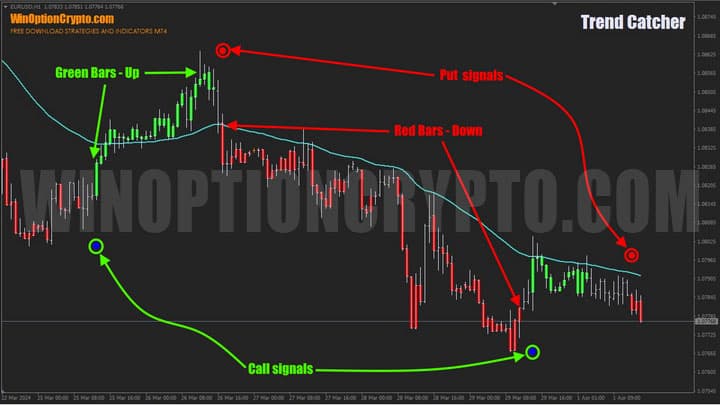
As shown in the screenshot above, after a Call signal (blue dot) appears, the price bars turn green, indicating an uptrend. After a Put signal (red dot), the bars turn red, signalling a developing downtrend. Ranging market bars remain uncoloured.
The indicator's underlying logic is difficult to determine — the developers have hidden most of its parameters, leaving users only the ability to change colours and configure alerts.
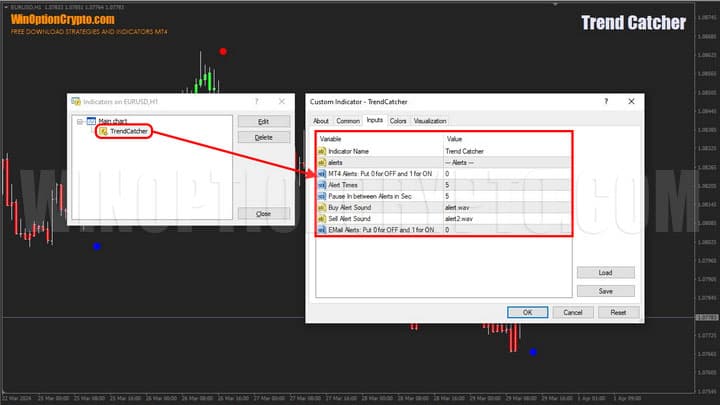
The alert block includes the following settings:
- MT4 Alerts — enable/disable alerts (0 = off, 1 = on)
- Alert Times — number of times the alert repeats
- Pause in between Alerts in Sec — interval between alerts in seconds
- Buy Alert Sound — audio alert for buy signals
- Sell Alert Sound — audio alert for sell signals
- Email Alerts — email notifications (0 = off, 1 = on)
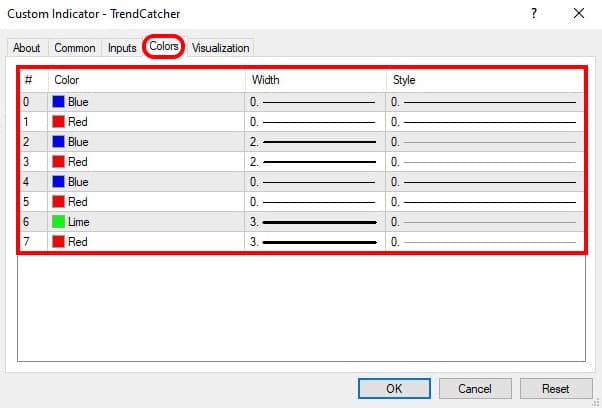
Signal colour settings are available in the "Colors" tab.
Trading Rules for the Trend Catcher Binary Options Indicator
Trend Catcher can be used not only for binary options Call and Put entries, but also as a signal tool in the Forex market. For Forex trading, it is recommended to set a stop-loss at the candle on which the dot appeared, or at the nearest price pullback level, after receiving the alert. The trader then simply waits for price to move in the anticipated direction.
Binary options traders, however, cannot wait and must rely on the quality of the indicator's signals alone. If you are uncertain about your approach and are considering purchasing signals from external providers, the following articles are worth reading first:
- Is it worth buying binary options trading signals?
- Pocket Option Signals
- WinOptionSignals Signals Review
- Profitable signals for binary options
As noted above, signal quality is key to using Trend Catcher effectively. It is therefore recommended to apply an additional filter to improve the proportion of successful trades. A good option for this is a simple moving average alternative — the HAMA indicator.
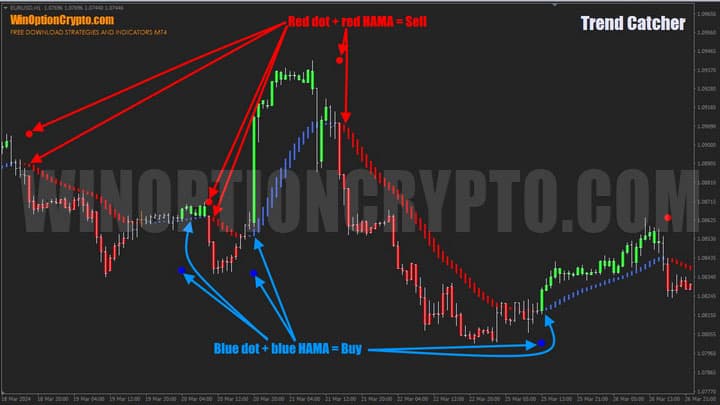
Only signals that align with the corresponding HAMA colour should be taken: blue HAMA for Call entries, red HAMA for Put entries.
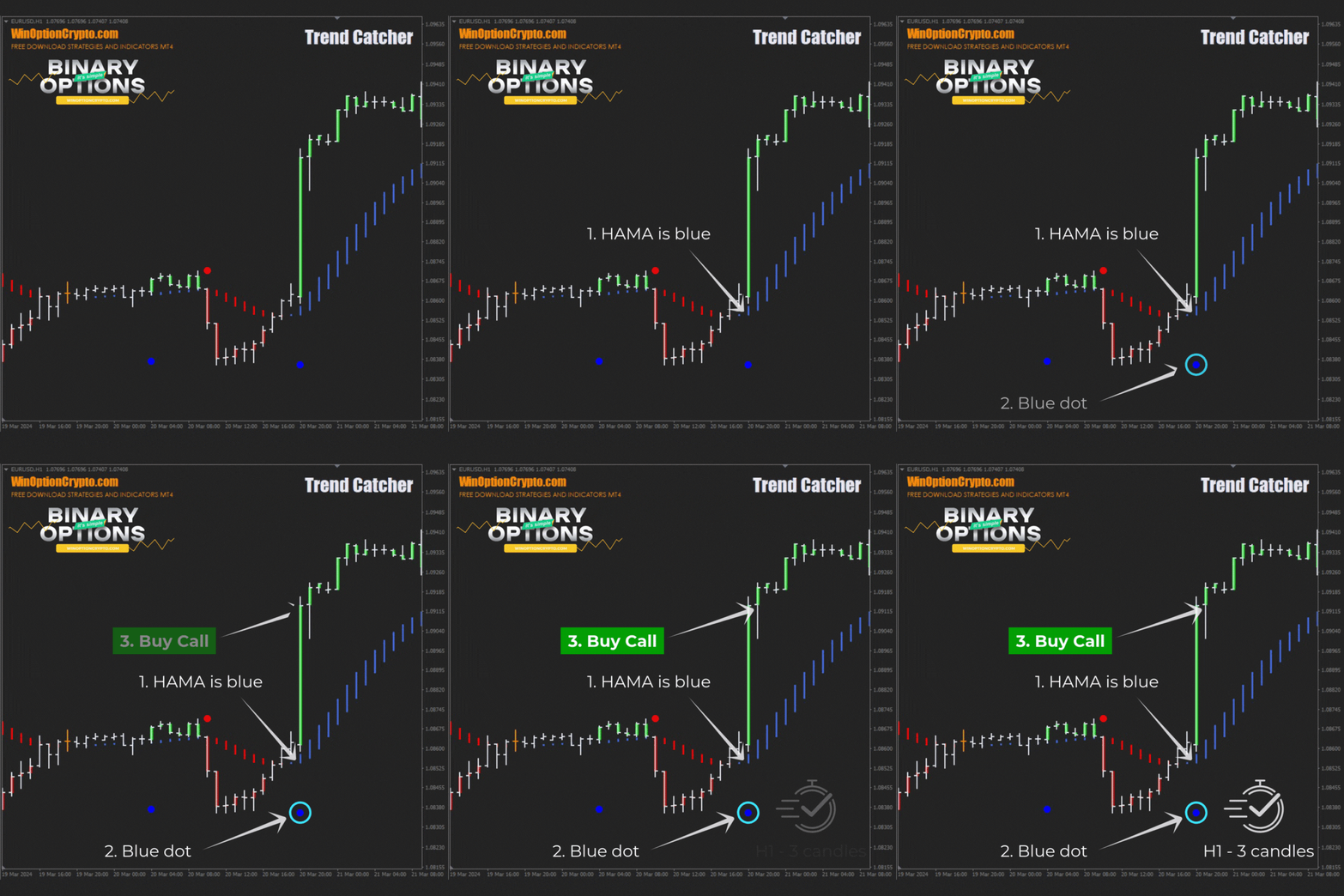
Opening a Call Option
- HAMA is blue.
- A blue dot has appeared below the candle.
- Open a Call option at the start of the next candle.
Opening a Put Option
- HAMA is red.
- A red dot has appeared above the candle.
- Open a Put option at the start of the next candle.
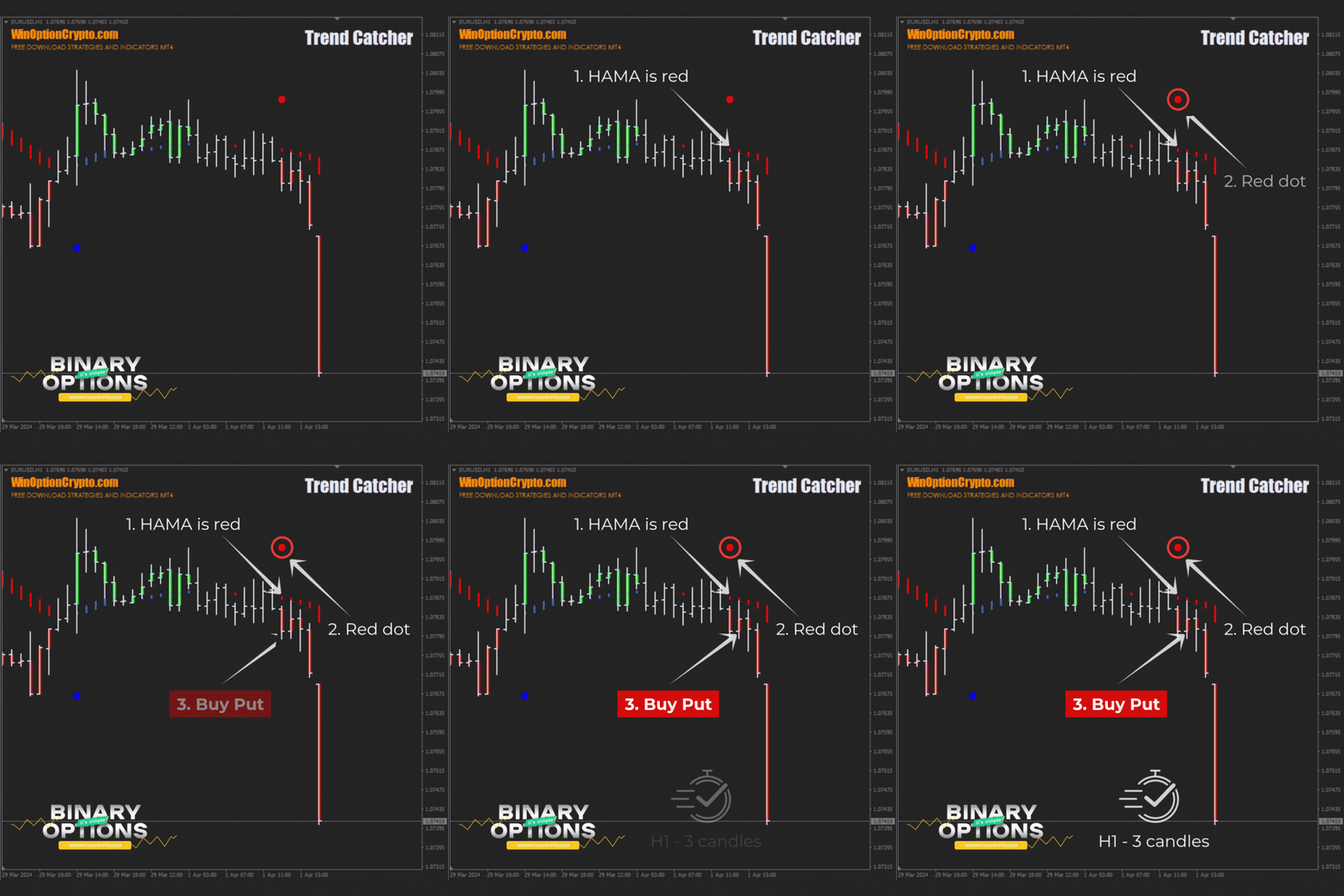
The recommended expiration time is 3 candles. Adjust the holding period based on the financial instrument and the results of backtesting on historical data.
Specifics of Using the Trend Catcher Binary Options Indicator
To get the best results from Trend Catcher, it is recommended to enter trades mid-trend rather than at the very beginning of a move. We have covered bearish and bullish trends in detail across multiple articles on our website. This indicator is particularly effective at identifying the end of a correction and the emergence of a new price impulse in the direction of the main trend — which underscores once again the importance of trading with the trend. Trading during active market hours is also recommended to reduce the likelihood of price manipulation and false signals.
Advantages of the Trend Catcher Indicator
The indicator not only helps identify the right moment to open a position, but also distinguishes between bullish (upward) and bearish (downward) trends — supporting more informed trading decisions. It also provides advance warning of potential price reversals when bar colour shifts from bullish (green) to bearish (red), or vice versa, helping traders spot potential turning points in market direction. In addition, Trend Catcher generates real-time alerts with timely information about the start of a new trend, allowing traders to react promptly to changing market conditions.
Disadvantages of the Trend Catcher Indicator
This indicator is not recommended for use on lower timeframes, where the rate of false signals increases significantly. It is best applied on H1 and above. The indicator's algorithm is also not transparent — its hidden parameters limit the ability to fine-tune its behaviour for different financial instruments and timeframes.
Conclusion
The Trend Catcher binary options indicator alerts traders to potential price reversals, generates real-time signals, and provides timely information about the start of a new trend — all of which improve the chances of successful trading.
Trend Catcher is a free tool with genuine potential to improve trading results. For further information and practical guidance, follow the links in this review. As always, we recommend starting on a demo account with a reliable broker, and applying sound risk and capital management principles. We wish you a favourable trend!
Download the Trend Catcher Binary Options Indicator

To leave a comment, you must register or log in to your account.