
The Golden Trend binary options indicator, a member of the "arrow" family, will provide you with high-quality signals not only for active scalping on the minute timeframe but also reliable entry points for longer expiration periods. Its unique ability to adjust signal frequency with a single parameter will appeal to traders who prefer not to wait long between trades. Read our review to learn how to configure the Golden Trend indicator correctly for binary options trading.
Content:
- Key features
- Installation
- Golden Trend: Overview and Settings
- Trading rules
- Opening a Call Option
- Opening a Put Option
- Conclusion
- Download Golden Trend
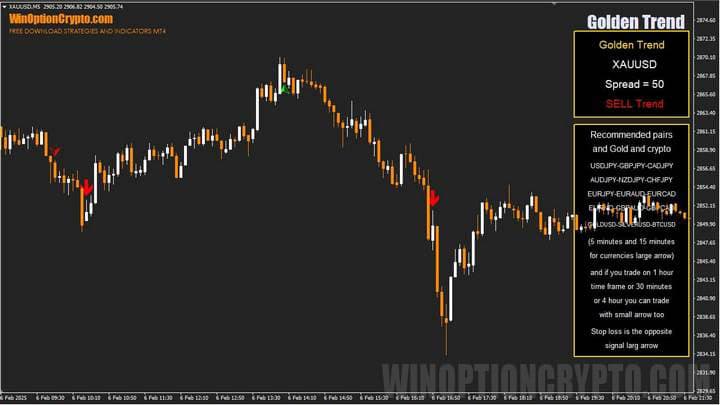
Key Features of the Golden Trend Indicator
- Terminal: MetaTrader 4
- Timeframe: M5
- Expiration: 3 candles
- Option Types: Call/Put
- Indicators: Golden Trend.ex4
- Trading instruments: currency pairs, commodities, cryptocurrencies, stocks
- Trading hours: 08:00–21:00 UTC
- Recommended brokers: Quotex, Pocket Option, Binarium
Installing the Golden Trend Binary Options Indicator
The Golden Trend indicator is installed on the MetaTrader 4 platform using the standard method. To do this, add the indicator to the terminal's root folder: open the "File" menu in MetaTrader 4 and select "Open Data Folder." In the window that opens, navigate to "MQL4" → "Indicators" and move all files there. Templates are installed in the same way, but should be placed in the "templates" folder. For more information on installation, watch our video:
Golden Trend Indicator: Overview and Settings
The Golden Trend binary options indicator is an interesting solution for trend forecasting. While many similar tools exist, Golden Trend stands out for its accuracy and ease of use in live trading. It generates trading signals in the form of two arrows: a large one and a small one. Each arrow serves a distinct purpose.
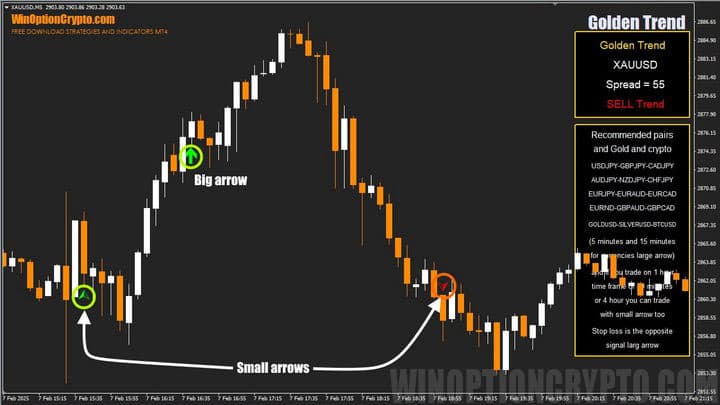
According to the developers, the large arrow signals are best suited for trading currency pairs on the M5 and M15 timeframes, while M1 or M5 are recommended for cryptocurrencies and gold. The small arrow is better suited to the M30, H1, and H4 timeframes. If you prefer short-term trading, focus on the large arrow signals; for medium-term trading, look to the small arrow.
Arrow indicators typically offer limited settings, and Golden Trend is no exception.
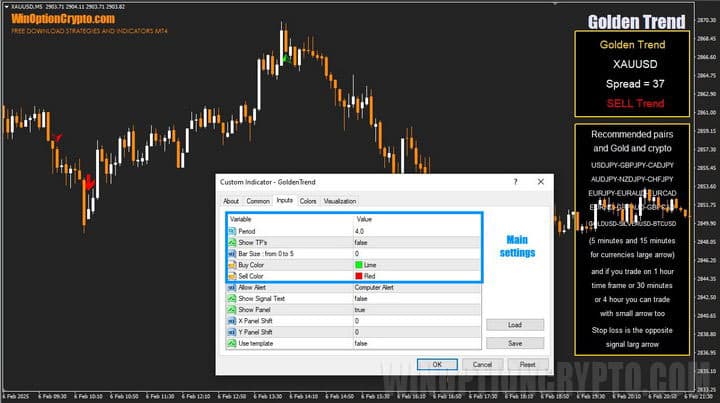
The Golden Trend indicator's settings are divided into primary and secondary. Primary settings cover the calculation period, the display of take-profit levels for the Forex market, and the size and color of the arrows. The remaining settings relate to additional functions that simplify how the indicator operates but do not affect its signals.
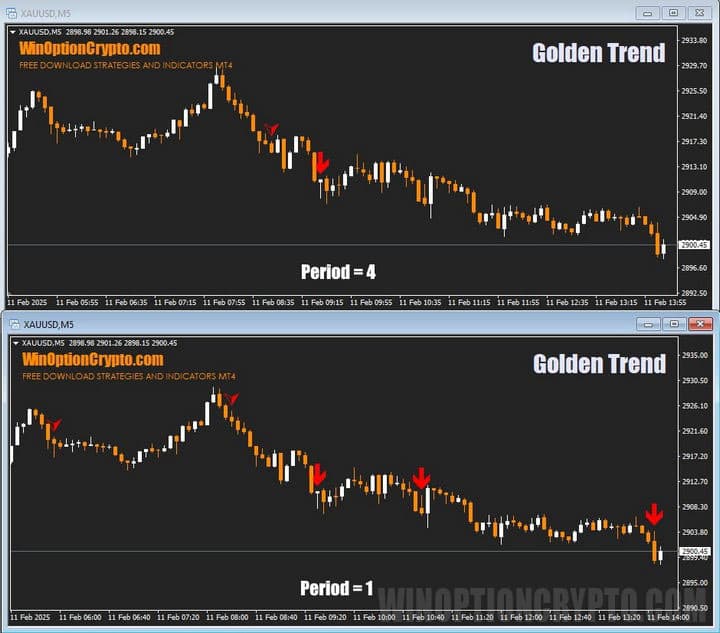
Please note: the shorter the calculation period, the more signals the indicator generates. In practice, we have found that leaving this value at 4 works best. However, if the indicator produces few signals on your chosen assets, you can reduce it to increase trade frequency.
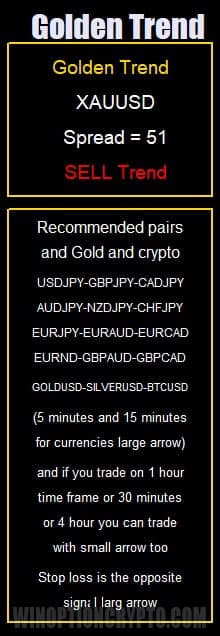
Also worth noting is the indicator's information panel, which displays the ticker, spread, and current trend direction.
Golden Trend Trading Rules
As mentioned earlier, the Golden Trend binary options indicator is a strong choice for traders who favor trend-following strategies. As its name suggests, it performs particularly well when trading gold. Extensive testing has also confirmed its effectiveness on the USD/JPY and EUR/AUD currency pairs, as well as BTC/USD.
Of the two use cases described in the previous section, we will focus on large arrow trading signals, as these are the most popular among binary options traders who prefer short expiration times.
If you are currently finding it difficult to trade on lower timeframes due to psychological challenges or a lack of discipline, we recommend the following articles on our website:
- Capital management. Money management principles.
- How to keep losses under control? Risk management.
- Psychology and trading discipline.
- Trader's diary as a tool for improving trading strategies.
Technical indicators, discussed in detail in the article "The Best Trend Indicators for Binary Options," can be used as additional trend filters. In our opinion, however, Golden Trend requires no additional filtering — its signals can be acted on immediately after installation.
Opening a Call Option
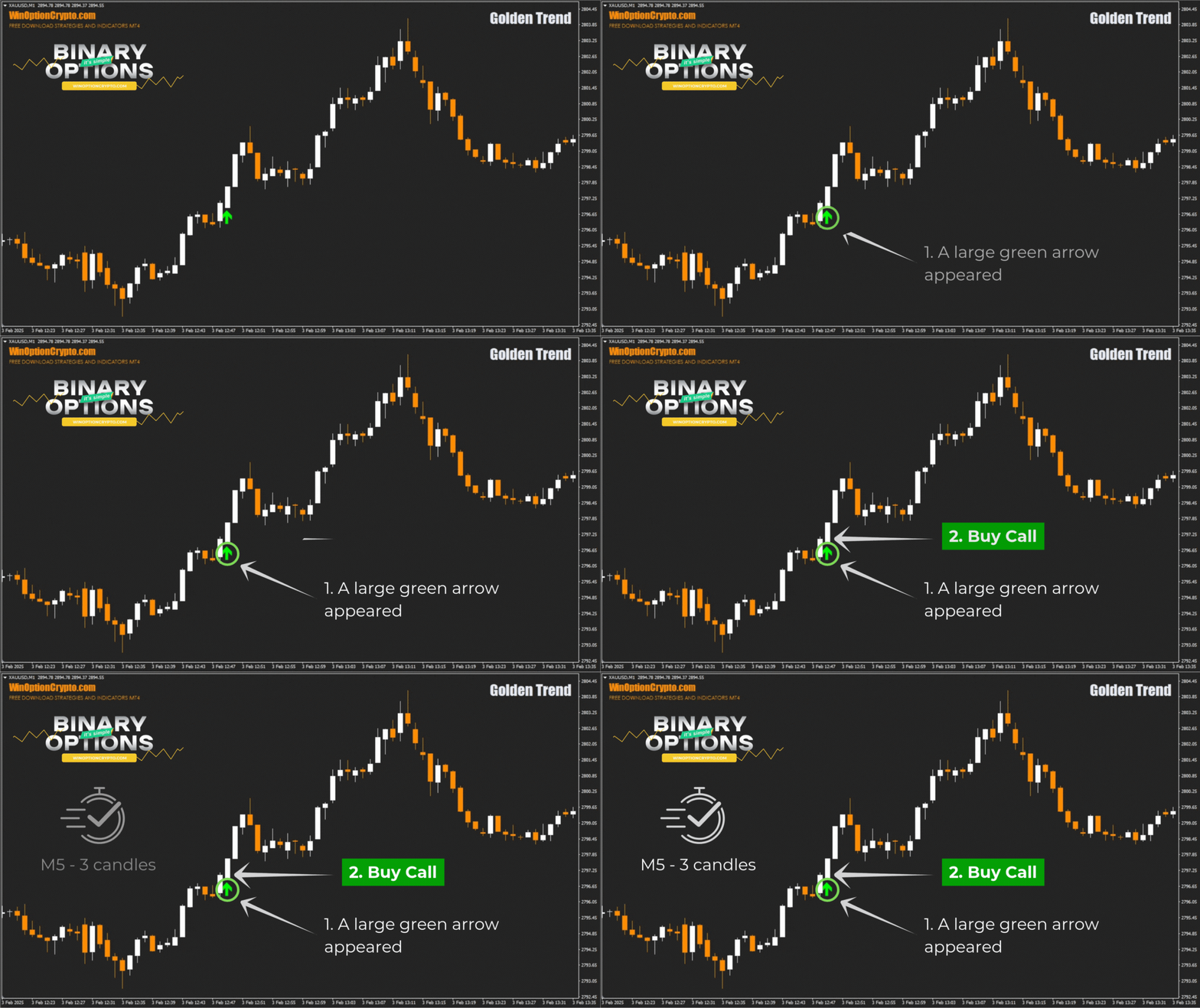
- Wait for the large green arrow to appear on the M1 timeframe for XAUUSD.
- At the opening of the next candle, buy a Call option.
Opening a Put Option
- Wait for the large red arrow to appear on the M1 timeframe for XAUUSD.
- At the opening of the next candle, buy a Put option.
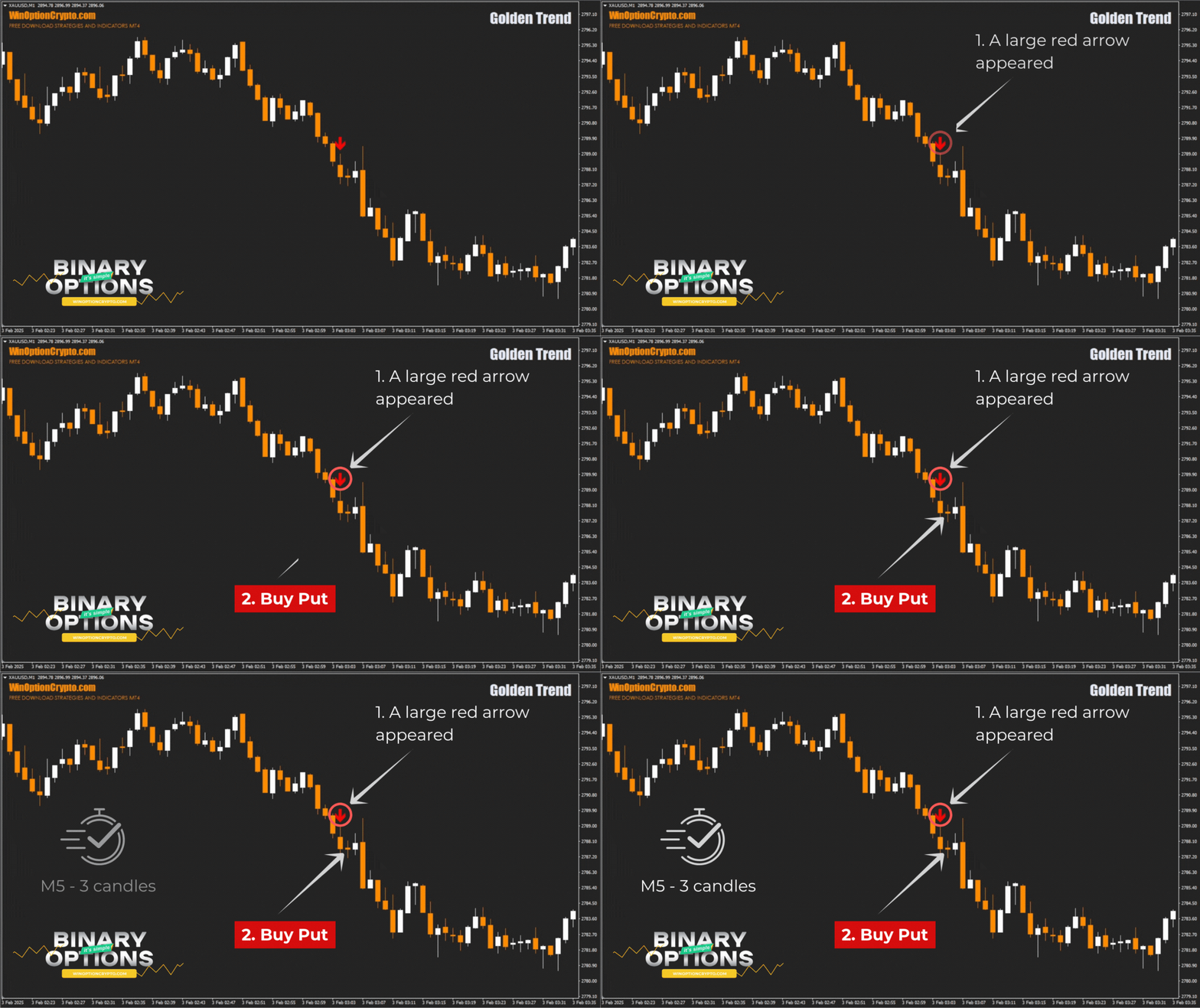
We recommend an expiration time of 3 candles. The optimal holding period should be determined based on backtesting results.
How to Get the Most Out of the Golden Trend Indicator
The Golden Trend binary options indicator has proven effective on assets with a tendency for sustained trends — including currency pairs, indices, gold, and cryptocurrencies. Selecting the right instrument and timeframe will help you reduce false signals, so we recommend paying close attention to this.
The built-in dashboard can serve as an additional filter. In this case, open Call options only when the dashboard confirms a bullish trend, and Put options only when it indicates a bearish trend.
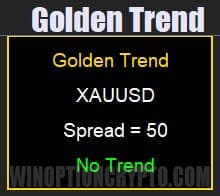
If the "No Trend" message appears on the panel, it is best to avoid trading. In that case, consider switching to a different timeframe or using a different analysis tool.
Advantages of the Golden Trend Indicator
The indicator's key strength is the precision of its entry signals. Additionally, the arrows do not repaint or disappear when historical data for the instrument being analyzed is updated.
Golden Trend is suitable for both scalping and hourly timeframe trading with longer expiration periods. For Forex traders, the indicator provides seven take-profit levels for each signal.
Alert customization and trade frequency adjustment are also available.
Disadvantages of the Golden Trend Indicator
The indicator's main limitation is a reduction in signal count during weak, trendless markets. This is often the underlying cause of false Golden Trend signals.
Conclusion
On the surface, the Golden Trend binary options indicator may look similar to many other arrow-based tools, but it has meaningful differences. The most important is the availability of two distinct signal types, allowing the indicator to be used effectively for both active intraday trading and medium-term positions on higher timeframes.
Flexible trade frequency adjustment gives experienced traders more control over their strategies, while the built-in dashboard filtering makes Golden Trend a practical tool for binary options trading. Open a demo account with a reliable broker and see for yourself. Keep risk and money management in mind. Happy trading!
Download the Golden Trend Binary Options Indicator

See Also:
- 5 Best Binary Options Trading Apps
- How to Install an Indicator in MT4
- How Do Binary Options Brokers Make Money
- Precise Arrow Indicators (Selection)
- List of Scam Brokers
To leave a comment, you must register or log in to your account.