
Among all the tools available to binary options traders, arrow indicators are especially popular. They provide signals for binary options with high accuracy, indicating the right moment to enter a trade. As a result, traders do not need to spend additional time on market analysis.
Instructions for installing indicators in MetaTrader 4:
It is important to understand that arrow indicators for binary options do not always generate correct signals. The final decision and the associated risk remain with the trader.
How to Use Arrow Indicators for Binary Options
These indicators appear on the chart in the form of arrows:
1. Red arrows pointing downward signal a potential opportunity to open a Put option.
2. Green or blue arrows pointing upward indicate a potential opportunity to open a Call option.
It is worth noting that some trading systems use circles instead of arrows — in which case red indicates Put and green indicates Call.
It is recommended to enter a trade when the candle on which the signal appeared closes. Regardless of the indicator type or trading system, signals from these tools are interpreted in the same way.
Common Arrow Indicators for Binary Options
Traders today have a wide range of arrow indicators to choose from. Some tools are free, while others are paid. Below we cover several of the most accurate arrow indicators available as free downloads.
BrainTrend2Sig Indicator
BrainTrend2Sig combines the functionality of Stochastic and ATR. Neither of these underlying indicators is displayed on the chart directly — the tool shows only their combined output in the form of red and blue dots. BrainTrend2Sig is compatible with a range of trading platforms.
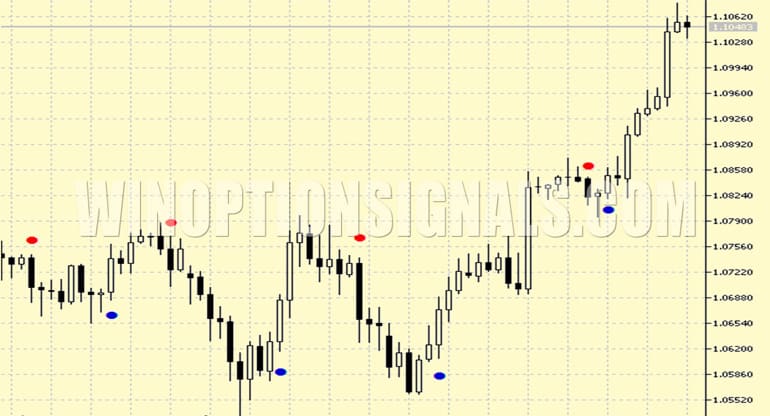
Unlike many similar tools, this indicator produces reliable forecasts across both short and long timeframes. Analysts attribute this to a key feature of BrainTrend2Sig: it signals trade entry at the point of a trend reversal. Signals follow the standard interpretation — a red dot means open a Put option, and a blue dot means open a Call option.
Download the BrainTrend2Sig Indicator

KillBinarySignals-2 Indicator
KillBinarySignals-2 is regarded as a highly effective arrow indicator. It performs well when trading various financial assets across both short and long timeframes. The algorithm was originally developed for MT4. Compared to the classic version, KillBinarySignals-2 factors in a greater number of parameters when generating signals — for example, it can display support and resistance levels on the chart without repainting.
The recommended approach for working with KillBinarySignals-2 is as follows:
1. If a blue arrow appears below the price chart, open a Call position.
2. If a red arrow appears above the price chart, open a Put position.
When the price enters a ranging period and asset values remain largely unchanged, KillBinarySignals-2 tends to generate a higher number of false signals. In such conditions, it is advisable to confirm the trend direction using trend indicators.
Download the KillBinarySignals-2 Indicator
QQE Arrows MTF Indicator
QQE arrows MTF is particularly well suited for use with Renko charts, though it remains effective in other conditions too. The indicator is based on ATR and RSI. It displays signals on the chart as standard red and blue arrows, accompanied by an audio alert.
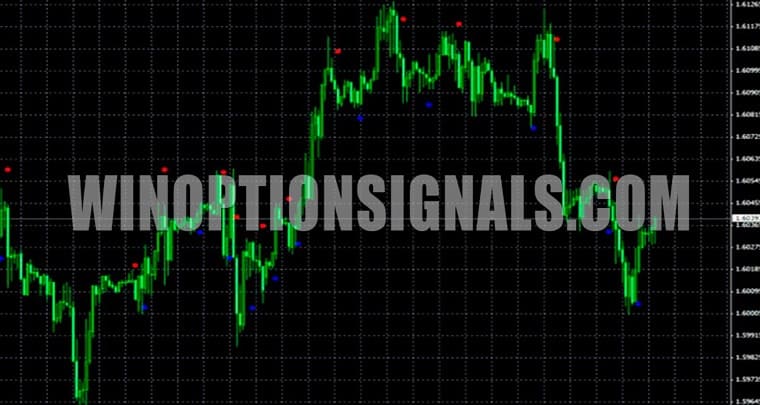
QQE arrows MTF signals are interpreted in the same way as those of other arrow indicators. The tool works best with currency pairs and can be applied on any timeframe, including the one-minute chart.
Download the QQE Arrows MTF Indicator
SixtySecondTrends Indicator
SixtySecondTrends was developed specifically for short-term options trading. It is considered particularly well suited for the EUR/USD currency pair, though it also performs well with other assets. The indicator is based on MA and ADX, and generates a signal when the probability of a trend direction change exceeds 60%.
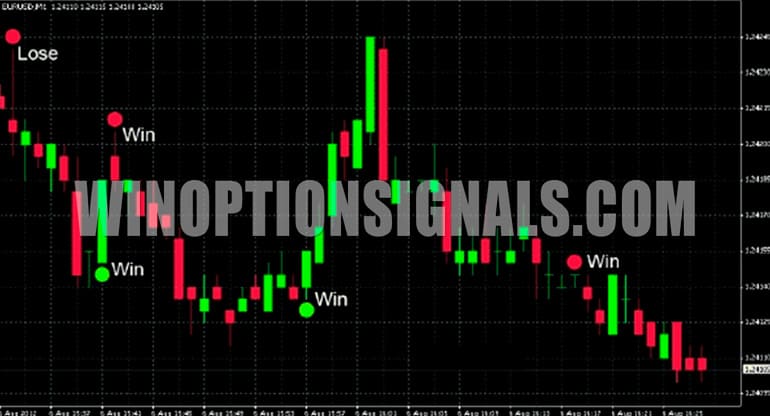
SixtySecondTrends signals appear on the chart as green and red circles, indicating Call and Put opportunities respectively. The indicator can be used as part of a broader strategy or as a standalone tool. When used within a strategy, it is recommended to act on SixtySecondTrends signals only when other indicators point in the same direction.
Download the SixtySecondTrends Indicator
Advantages and Disadvantages of Arrow Indicators in Binary Options Trading
Despite their efficiency and versatility, arrow indicators are not without drawbacks.
One notable limitation is inconsistent accuracy. Each arrow indicator operates on its own algorithm, and performance varies accordingly. Paid tools do not always deliver accurate signals either — some developers claim accuracy rates of up to 90%, but in practice, results typically fall in the 60–70% range. For this reason, it is advisable to cross-check arrow indicator signals using additional tools or indicators.

Another common issue is repainting — where an arrow disappears from the chart or changes direction after it has appeared. This can affect not only the most recent signal, but all previous ones as well, making chart analysis more difficult and reducing overall trading performance.
These drawbacks apply to most trading tools and should always be kept in mind. To improve results, it is worth selecting arrow indicators that do not repaint and incorporating them into broader trading strategies. That said, no approach guarantees consistent profits. It is essential to analyse the market continuously and make decisions that reflect current conditions, rather than following indicator signals blindly.
One clear advantage of arrow indicators is their accessibility — they can be used effectively without deep knowledge of exchange trading fundamentals. They perform consistently across timeframes, with the exception of tools designed specifically for 60-second options.
High-quality arrow indicators can be applied to virtually any asset and remain effective when combined with most technical analysis tools.
Bottom Line
Arrow indicators deliver reliable results when they:
- do not repaint;
- operate independently of the trading account or broker;
- allow parameter adjustments to reflect current market conditions;
- generate signals promptly, in sufficient quantity, and with a low error rate.
Before trading with a specific arrow indicator, it is recommended to test it across different timeframes. It should also be noted that signal accuracy tends to decrease during periods of low volatility, around major economic news releases, and in response to unexpected events or force majeure situations.
Not sure how a particular strategy or indicator works? Leave a comment below, and subscribe to our YouTube channel WinOptionCrypto — we'll answer your questions in upcoming videos.
See Also:
- How to make money on binary options
- How to Make a Profit Trading Clean Charts
- How to adapt a Forex strategy to Binary Options?
- Pros and Cons of Binary Options Trading
To leave a comment, you must register or log in to your account.