
The Binary Trend Scanner indicator for binary options is ideal for beginner traders. Those taking their first steps in the financial markets typically struggle with identifying the direction of a trade — and this analytical tool is designed to address exactly that.
With only a single parameter in its settings, the indicator is straightforward enough that beginners won't feel overwhelmed. Experienced binary options traders can use it to add another reliable trend-detection tool to their arsenal. The developers charge $14.99 for it; however, you can download the trend scanner from our website free of charge for evaluation purposes.
Content:
- Key Features
- Installation
- Binary Trend Scanner Overview and Settings
- Trading Rules Using Binary Trend Scanner
- Opening a Call Option
- Opening a Put Option
- Conclusion
- Download Binary Trend Scanner
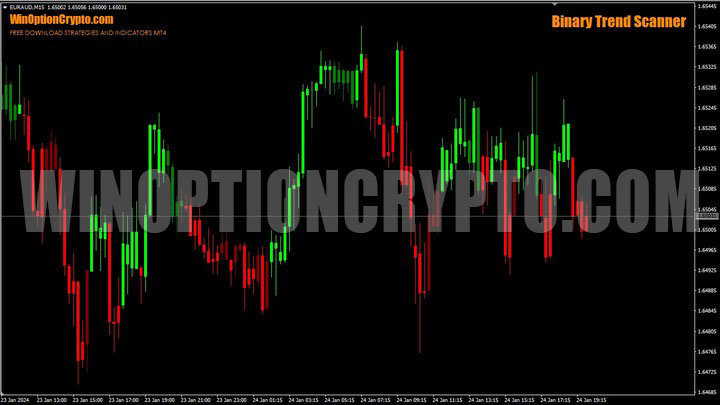
Key Features of the Binary Trend Scanner Indicator
- Terminal: MetaTrader 4;
- Timeframe: M15;
- Expiration: 4 candles, depending on the instrument;
- Option types: Call/Put;
- Indicators: Binarytrendscanner.ex4;
- Trading instruments: currency pairs, commodities, cryptocurrencies, stocks;
- Trading hours: 08:00–21:00 UTC;
- Recommended brokers: Quotex, Pocket Option, Binarium.
Installing the Binary Trend Scanner Indicator
The Binary Trend Scanner indicator is installed using the standard MetaTrader 4 procedure. Open MT4, select "File", then "Open Data Folder". In the directory that opens, navigate to the "MQL4" folder, then "Indicators", and copy the indicator file there. Templates are installed the same way, but go into the "templates" folder instead. For more detailed installation instructions, see our video:
Binary Trend Scanner Overview and Settings
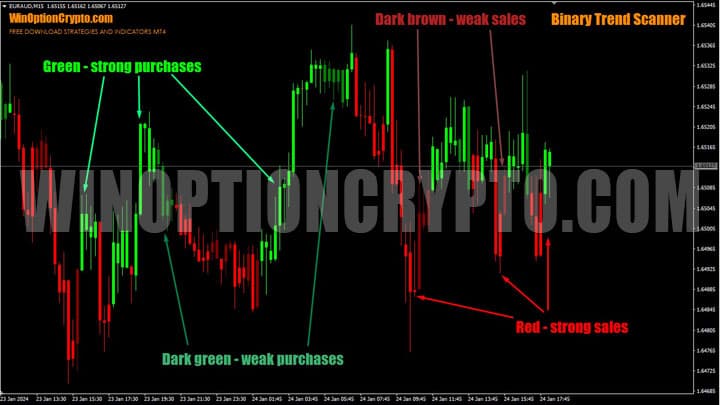
Binary Trend Scanner is a trend-identification indicator for binary options based on a price-following principle. Market trend direction is displayed visually through color-coded candlestick bars:
- Green – strong bullish signal;
- Red – strong bearish signal;
- Dark green – weak bullish signal;
- Dark brown – weak bearish signal.
The scanner's settings are extremely simple — the only adjustable parameter is the sensitivity level, which determines how price movement direction is identified. It is worth noting that this value has very little effect on candle color changes.
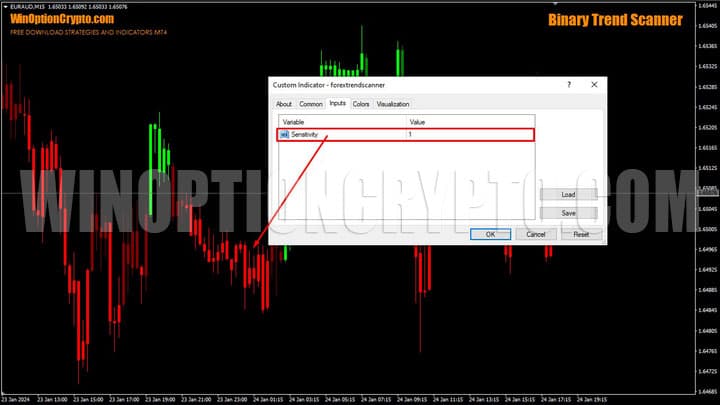
The Sensitivity parameter can be left at its default value; its influence on candle color is minimal and will not significantly affect the chart. Success when trading binary options with Binary Trend Scanner depends far more on your ability to read the trend on higher timeframes.
Trading Rules Using the Binary Trend Scanner Indicator
Signals from the Binary Trend Scanner should be used for trend trading. You can learn how to correctly identify market trends and apply that knowledge to grow your account through a series of articles on our website:
- How does a trend work in markets?
- Identifying and using bullish and bearish trends.
- Market phase changes.
- How to determine a flat in the market?
To maximize the number of profitable trades based on this scanner's signals, you need to identify the broader trend using technical analysis tools. Understanding the current state of your chosen asset and the phase of the market cycle it is in is essential for successful binary options trading. Pullbacks and corrections within the main trend should not mislead you about the most favorable direction for opening Call or Put options.
One effective approach is the multi-timeframe method: before opening a trade, the trader first identifies the overall direction on the H4 timeframe, then switches to the lower M15 timeframe and opens a position only if a Binary Trend Scanner signal appears in the same direction.
This method is quite effective, but keep in mind that any filter has a trade-off: alongside unprofitable signals, some profitable trades will also be filtered out. This is the cost of trading reliability. Finding the right balance depends on your individual risk tolerance and financial goals.
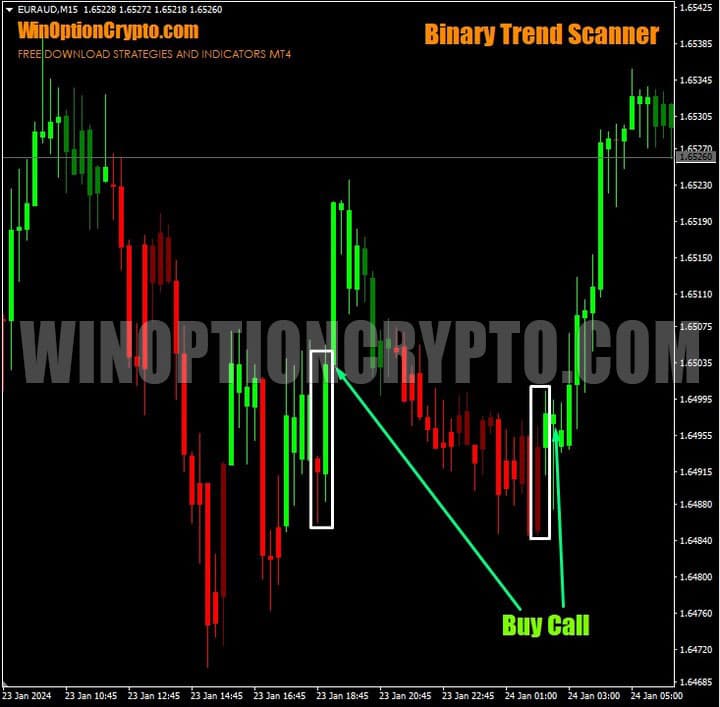
Buying a Call Option
A signal to open a trade is generated when the candle color changes from red or dark red to green. The trader opens a Call option at the start of the second bar after the color change.
Buying a Put Option
A signal to open a trade is generated when the candle color changes from green or dark green to red. The trader opens a Put option at the start of the second bar after the color change.
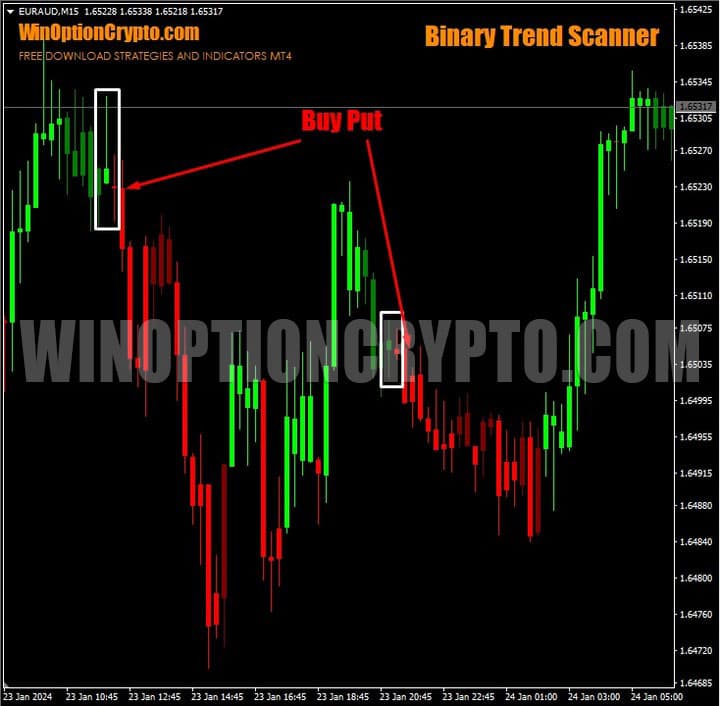
The recommended expiration is 4 candles, but this can be adjusted depending on the asset being traded.
Conclusion
The Binary Trend Scanner is a promising and genuinely useful tool for technical analysis. It is worth its modest price and can meaningfully improve trading results for traders of any level. Beginners in particular will appreciate its clear, reliable signals about changes in market direction.
The Binary Trend Scanner Indicator Serves Two Purposes:
- It functions as a standalone trading system in the FX market;
- It provides effective signals for binary options trading.
Before using this indicator in live trading, we strongly recommend testing it on a demo account. Only once you are fully comfortable with the system should you move on to trading with reliable brokers, following strict risk management and money management rules.
Download the Binary Trend Scanner Indicator for Free

To leave a comment, you must register or log in to your account.