
The Vortex binary options indicator consists of two oscillators moving in opposite directions, both based on the volatility of the trading asset. Its parameters can be configured for medium- and long-term trades as well as short-term trading.
The indicator also offers three types of signals, which improves the likelihood of a positive outcome.
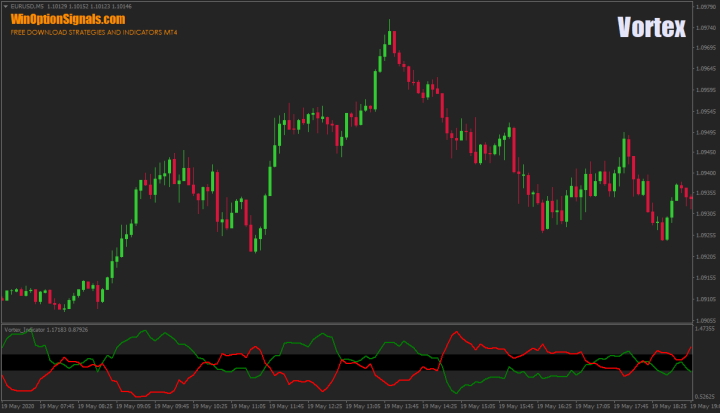
Key Features of the Vortex Binary Options Indicator
- Terminal: MetaTrader 4.
- Timeframe: M1–D1.
- Expiration: 1 candle or 10 candles.
- Option types: Call/Put.
- Indicators: Vortex.
- Trading instruments: all currency pairs.
- Trading hours: 08:00–21:00 UTC.
- Recommended brokers: Quotex, PocketOption, Binarium.
Installing the Vortex Binary Options Indicator in MT4
The indicator is installed using the standard procedure in MetaTrader 4.
To reduce the number of signals and improve their quality, the single adjustable parameter can be set to a higher value.
A template with all the necessary levels and settings can also be downloaded at the end of this article.
The Vortex indicator can also be used without MetaTrader 4. On the live chart for binary options, it is available in the "Indicators" section.
Instructions for installing indicators in MetaTrader 4:
Trading Rules and Signal Examples for the Vortex Binary Options Indicator
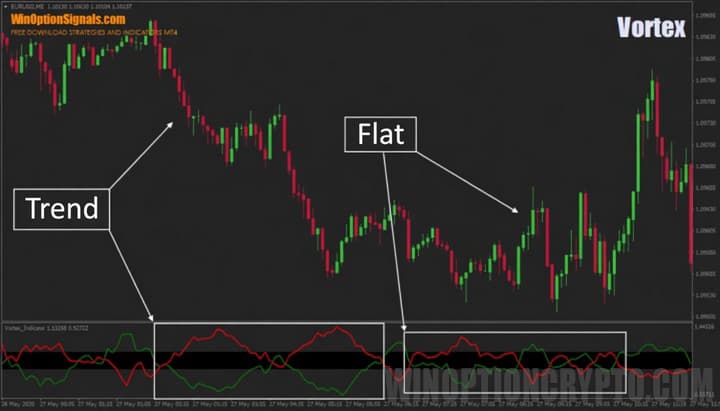
The indicator derives its values from the volatility of the currency pair or instrument in use. The more active the market, the wider the amplitude of the indicator's oscillations; in a ranging market, the indicator stays within a narrow channel with the lines continuously intertwining:
For all signal types covered below, an expiration time of 10 candles or more is recommended. Scalpers may experiment with a 1-candle expiration, but this requires adjusting the indicator settings accordingly.
Line Crossover Signal
The first and simplest signal is a line crossover. To enter a Call option, the green line must cross the red line from below; to enter a Put option, the green line must cross the red line from above:
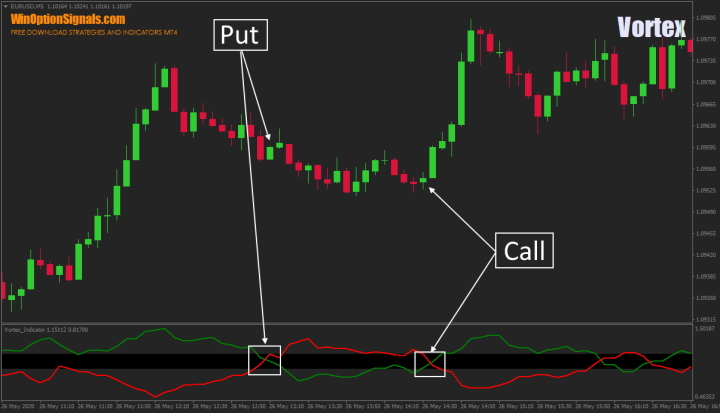
During normal market activity, line crossovers reliably indicate the likely direction of the next price move.
Range Breakout Signal
The second signal type occurs when the indicator lines break out of the range (the black channel in the Vortex indicator window). After the breakout, a Call signal requires the green line to be above the red line, and a Put signal requires the green line to be below the red line:
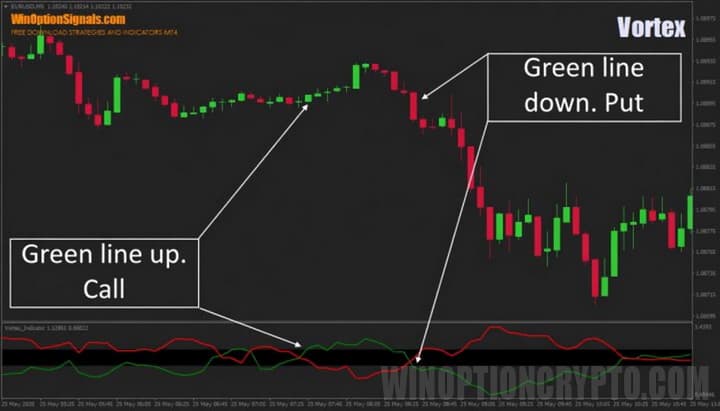
This method does not require the lines to cross before the breakout, but if a crossover occurs prior to the range exit, it strengthens the signal.
Oversold and Overbought Zone Signal
The third signal type involves entries from oversold and overbought levels — a concept also used in the Stochastic Oscillator, RSI, and the combined Stochastic RSI.
In this case, the green line is more useful to watch, as the red line is inverted. Buy a Call option when the green line has exited or is moving away from the oversold zone; buy a Put option when it has exited or is moving away from the overbought zone:
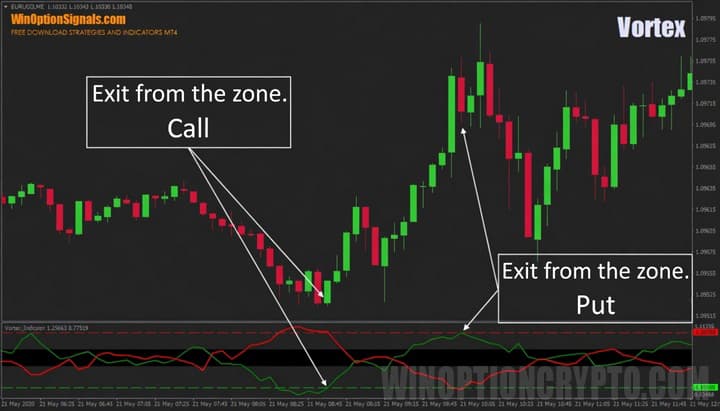
Note that the line should ideally touch the level rather than merely approach it.
It is also worth noting that the level values differ across timeframes. It is advisable to test this signal type separately on each timeframe to determine the most effective settings.
Conclusion
Used correctly, the Vortex indicator can generate accurate signals for binary options trading. Remember to trade with the trend and apply sound money management principles.
It is also recommended to trade through a reliable broker. You can find one in our binary options broker ratings. We wish you successful trading!
Download the Vortex Indicator and Template
Not sure how a particular strategy or indicator works? Leave a comment on this article, and subscribe to our YouTube channel WinOptionCrypto — we answer questions in our videos.

To leave a comment, you must register or log in to your account.