
The Vega binary options indicator is a signal indicator with built-in filters and levels, created specifically for binary options trading.
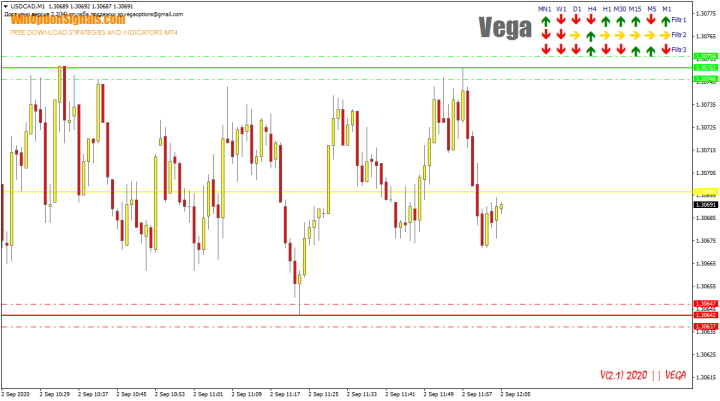
Its main advantage is the presence of three filters for each timeframe, which allows traders to identify trend direction and strength at a glance using the signal panel.
The Vega indicator is sold online for around $45, but you can download it for free from our website at the end of this article for evaluation purposes.
Key Features of the Vega Indicator
- Terminal: MetaTrader 4.
- Timeframe: M5.
- Expiration: 5 minutes.
- Option types: Call/Put.
- Indicators: Vega.
- Trading instruments: all currency pairs.
- Trading hours: 08:00–21:00 UTC.
- Recommended brokers: Quotex, PocketOption, Binarium.
Installing the Vega Indicator in MT4
The indicator is installed using the standard procedure in the MetaTrader 4 terminal.
MetaTrader 4 instructions for installing indicators:
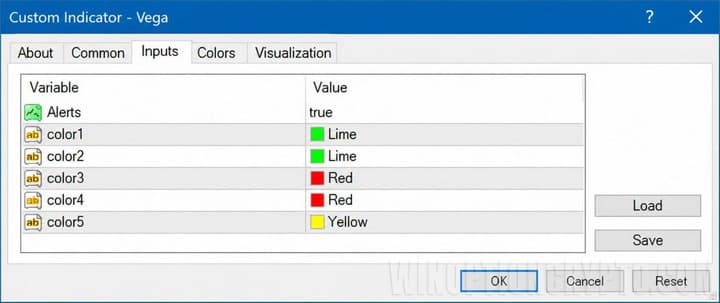
The Vega indicator has no configurable parameters beyond color customization and alerts, making it straightforward to use for both beginners and experienced traders. You can adjust level colors or disable alerts as needed:
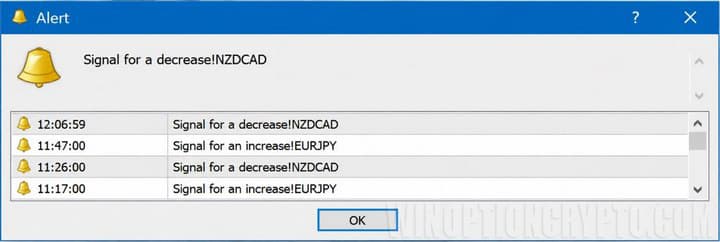
When alerts are enabled, a notification will appear each time a signal is generated:
Vega Indicator Trading Rules and Description
The author of the Vega indicator places particular emphasis on trend trading, since understanding the trend is fundamental to successful trading across any market or timeframe. Before using the indicator, it is worth familiarizing yourself with what a trend is and how to identify it, how to identify a flat market, and what bullish and bearish trends are.
Once you understand the basics of trend analysis, the trading rules are straightforward. To buy a Call option, identify an uptrend — either manually or using the panel — then wait for a blue upward arrow. For a Put option, the same logic applies in reverse: wait for a red downward arrow in a downtrend.
These are not the only rules to follow. To achieve the most accurate entries when trading with the Vega indicator, you also need to consider:
- Which currency pairs to trade.
- How to use the indicator panel correctly.
- The position of price relative to the levels.
The author recommends 16 currency pairs for trading, as he considers them the most predictable:
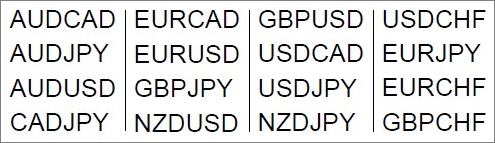
Other currency pairs can also be used, but their performance with the indicator should be verified through testing beforehand.
In addition to identifying trends manually, the panel in the upper right corner can be used as a supplementary tool. Note that the panel reflects only short-term direction and should be used for quick, short-duration trades:
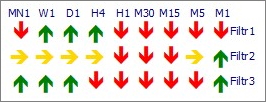
For the best results, look for two or three panel arrows pointing in the same direction as the chart signal:
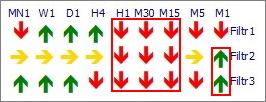
If only one filter aligns with the chart signal, it is better to skip the trade.
Note: The strongest signal occurs when all three filters point in the same direction.
It is also important to pay attention to the levels that the indicator plots automatically:
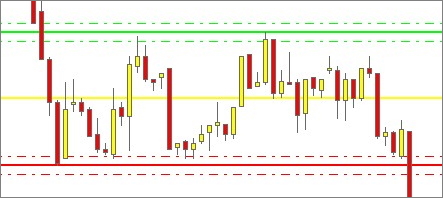
According to the author, when price is within the channel, all arrow signals are worth considering. If price has moved outside the channel, it is generally better to avoid trading that pair, as the levels lose their significance. That said, signals beyond the levels can still perform well on some pairs, so this rule can be applied at your own discretion:
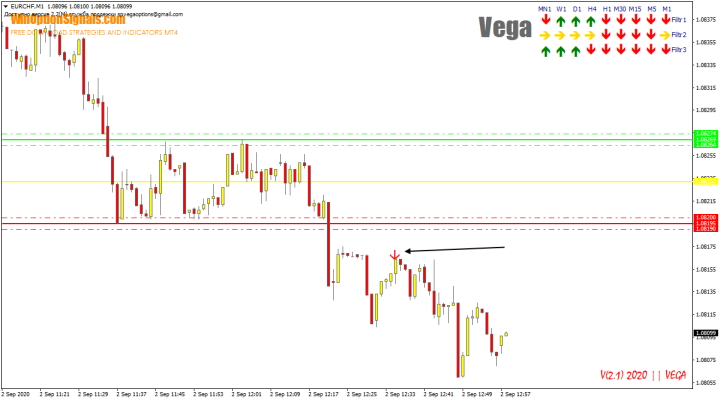
Before acting on such signals, it is worth testing them as well, since their long-term effectiveness is unknown. Also keep in mind that the panel should confirm the direction of the signal.
In summary, the most reliable signals occur when:
- A trend is present, identified either manually or using the panel.
- Price is between the levels.
- An arrow signal appears.
The recommended expiration when trading with the Vega indicator is 5 minutes, on the M5 timeframe.
Trading Examples with the Vega Indicator
Below are several trading examples across different currency pairs on the M5 timeframe.
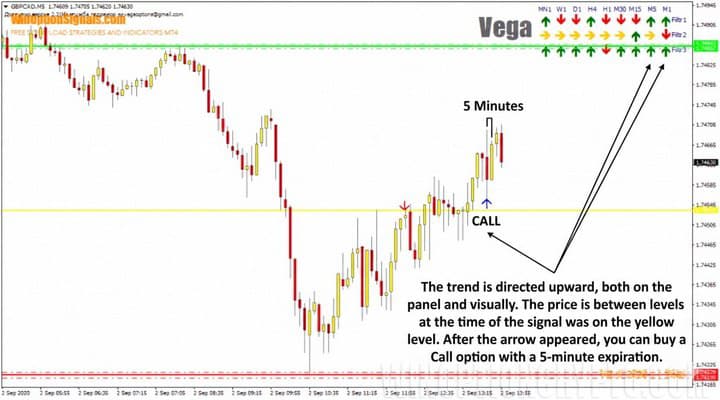
Opening a Call Option
Price was near the mid-level, the trend was pointing upward, and a signal appeared — indicating a Call option entry:
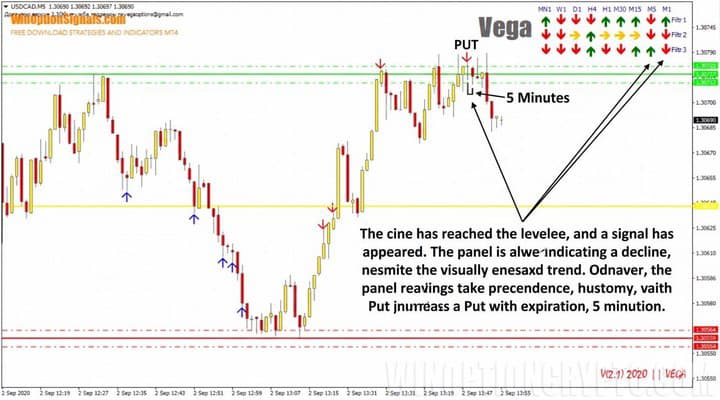
Opening a Put Option
In this case, price was near the upper level, a signal appeared, and the panel was also indicating a move to the downside:
Vega Indicator Reviews
Reviews of the Vega indicator found on trading forums suggest that the levels it plots are genuinely useful and can add value to binary options trading:
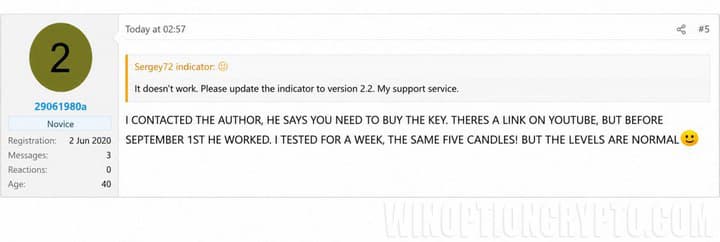
The reviewer tested the indicator over one week. Unfortunately, no conclusions were shared regarding signal accuracy specifically.
Other reviews of the Vega indicator can be found online, and what stands out is the near-absence of negative feedback. Overall, user sentiment toward the Vega indicator appears to be quite positive.
Conclusion
The Vega binary options indicator can be used in trading without difficulty, but despite some positive reviews and accurate signals, it should not be relied upon without proper verification. Be sure to test it in a strategy tester and on a demo account before using it with real funds.
The indicator can also be incorporated into an existing binary options strategy or used as the foundation for building a new one.
Always apply sound money management and risk management principles, and trade only through a reliable broker, which you can find in our binary options broker ratings.
Download the Vega Indicator and Template
Not sure how this strategy or indicator works? Leave a comment on this article, and subscribe to our YouTube channel WinOptionCrypto, where we'll answer all your questions in our videos.

To leave a comment, you must register or log in to your account.