
One of the main problems with using indicators when trading binary options is history repainting. The technical tool first shows a signal to open a trade. But after the trader places the corresponding order, the indicator repaints — and the signal that was previously expected to be profitable becomes a losing one.
Instructions for installing indicators in MetaTrader 4:
Effective Non-Repainting Indicators
The list of non-repainting indicators is quite short. These tools identify the optimal moment to place an order by displaying an arrow on the chart — the direction of which indicates which type of option to open (up — Call, down — Put).
BiforexPro
BiforexPro is one of the few arrow indicators for binary options that never repaints. The tool was originally created for the Forex market. It provides entry signals in three ways: as an arrow on the chart, as a mobile push notification, and via email.
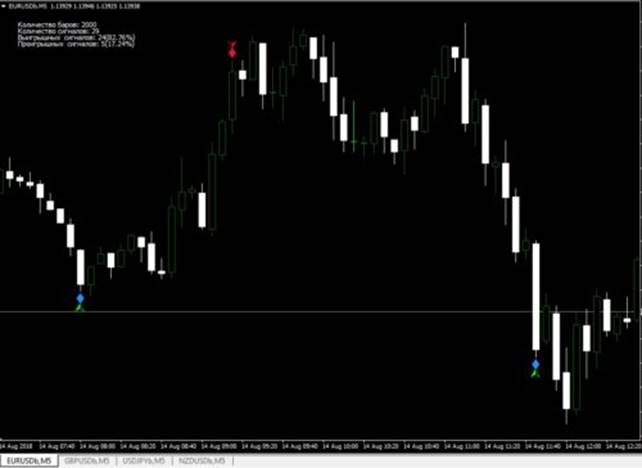
BiforexPro can be used on any timeframe across a variety of currency pairs. The indicator generates signals for binary options infrequently — on average once every 2–4 hours. However, this selectivity is part of what keeps its win rate at 73–75%.
Download BiforexPro Indicator

Binary Option Arrows
This indicator is based on the analysis of harami candlestick patterns — two consecutive candles of opposite directions and different sizes. It provides fairly accurate binary options signals that do not change over time. Binary Option Arrows is available, among other places, on a live chart — simply enter the indicator's name in the search field and select it from the list.
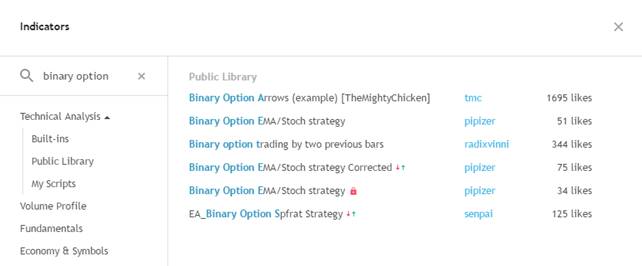
(More information about the features of the live chart can be found in the corresponding article.)
A key feature of this indicator is that it not only avoids repainting, but also preserves the history of previous signals on the chart. Red arrows mark losing trades, while green arrows indicate potentially profitable entry points:
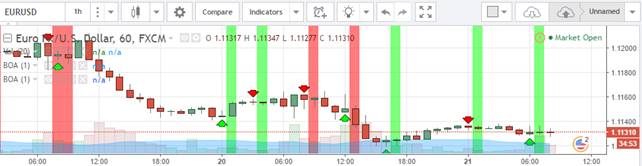
Binary Option Arrows is highly customizable, allowing traders to tailor it to their own binary options strategy. You can adjust the time interval and the number of candles factored into the analysis. The time interval is configured in the indicator settings, while the candle count is set at the broker level. For short-term trading, a timeframe of 1 or 5 minutes is recommended.
In practice, the indicator tends to produce its most accurate signals following a sequence of red arrows. We recommend opening a trade after two or three consecutive red arrows, and confirming the signal with additional indicators.
Download Binary Option Arrows Indicator for MT4

T3MA-Alarm
This indicator was also developed for the Forex market, but traders have since adapted it for binary options trading — a use case that actually suits it well, as it tends to generate accurate signals more frequently in this context. The indicator analyses current RSI readings alongside moving average values over a defined time interval.
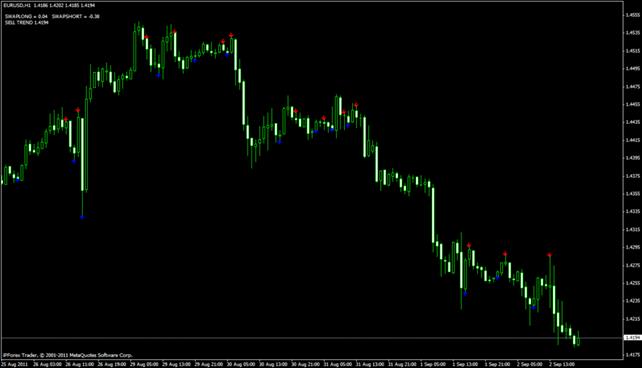
The trading strategy built around this indicator uses an additional moving average with a period of 50. The entry rules are as follows:
- Place a Put order when downward-pointing arrows appear below the moving average.
- Place a Call order when upward-pointing arrows appear above the moving average line.
The optimal timeframe for this strategy is 5–15 minutes. The expiration time should be shorter than the selected timeframe.
Download the T3MA-Alarm Indicator
QQE-New
QQE-New is based on a smoothed RSI, which improves forecast accuracy. A key advantage of QQE-New is its lack of lag: it generates a signal precisely at the moment a trade should be opened, whereas many other tools only identify a profitable entry point after the fact.
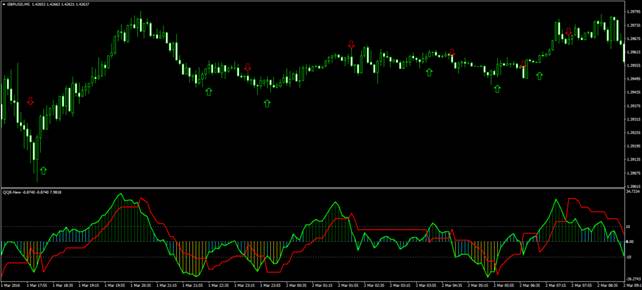
Another notable feature of QQE-New is its audio alert, which notifies the trader when a good market entry opportunity arises. Red and green arrows also appear on the chart, with their color and direction indicating which type of trade to open.
Do you trust your broker? Find them in our 2026 ranking of the best brokers.
QQE-New integrates with the MT4 trading platform and is installed using the standard procedure.
Download the QQE-New Indicator
Profit Sunrise
Profit Sunrise was originally developed for Forex trading and is supported by the MT4 platform. Its distinguishing feature is noise filtering, which improves the reliability of the signals it generates.
Prior to release, Profit Sunrise underwent several months of testing across various currency pairs. The results indicated an accuracy rate of 91%.
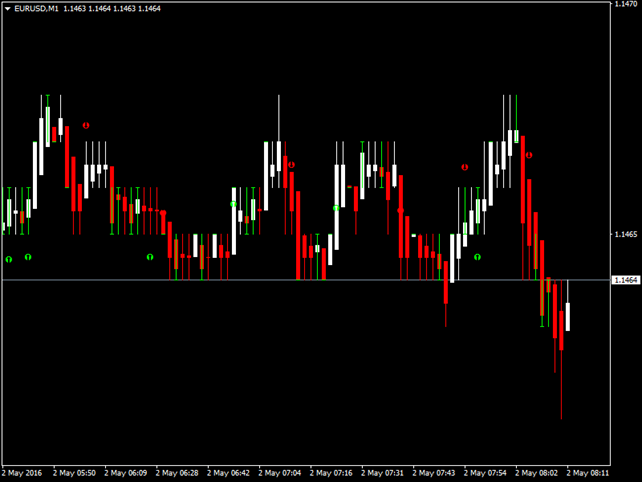
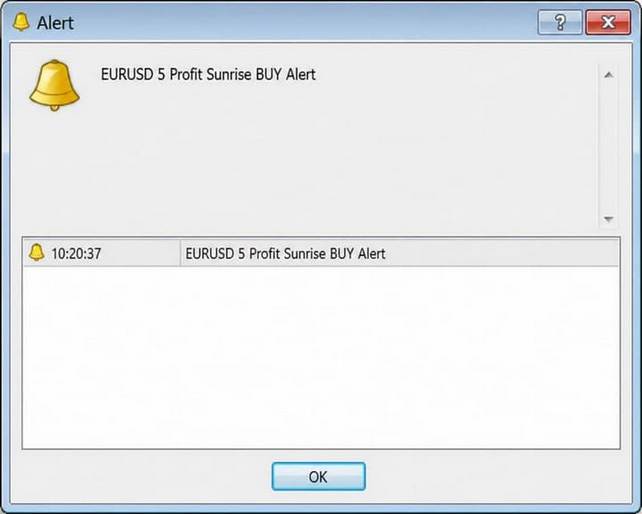
Profit Sunrise signals market entry points by drawing directional arrows on the chart, showing the anticipated reversal direction. The indicator also supports text and audio alerts.
Download the Profit Sunrise Indicator
KillBinarySignals-2
KillBinarySignals-2 is an updated version of the well-regarded indicator of the same name. It does not repaint and delivers signals with high accuracy. The tool analyses multiple indicators simultaneously, generating forecasts based on support and resistance levels, daily price data, asset volatility, proximity to key price levels, and the likelihood of a breakout or a bounce.
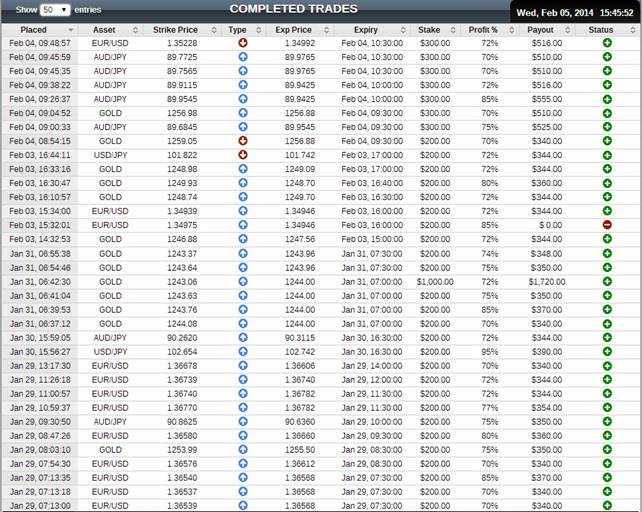
Testing results indicate that KillBinarySignals-2 produces accurate signals in 97% of cases.
Download the KillBinarySignals-2 Indicator
BrainTrend2Sig
BrainTrend2Sig analyses the Stochastic indicator alongside average ATR values.
More detailed information about Stochastic and ATR can be found in the article on indicators for binary options.
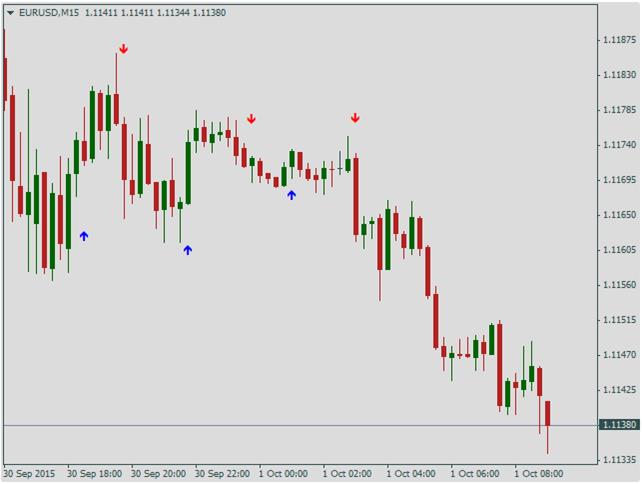
BrainTrend2Sig is a trend indicator that does not repaint. It integrates with the MT4 trading terminal and marks trade entry points on the chart with arrows, accompanied by an audio alert. The indicator is particularly effective at identifying trend reversals.
Download the BrainTrend2Sig Indicator
Candlestick Pattern Indicator (CPI)
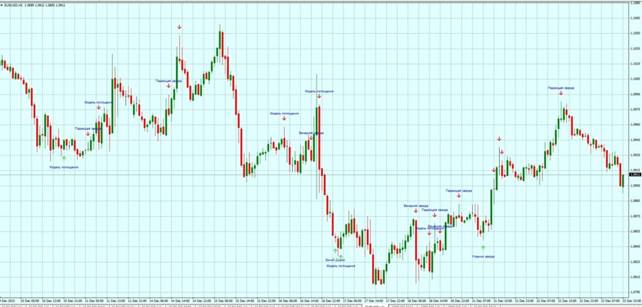
What sets CPI apart from other non-repainting arrow indicators is its ability to analyse multiple candlestick patterns, including harami, shooting star, doji, and others. The tool identifies each pattern on the chart and marks it with an arrow, accompanied by an audio alert.
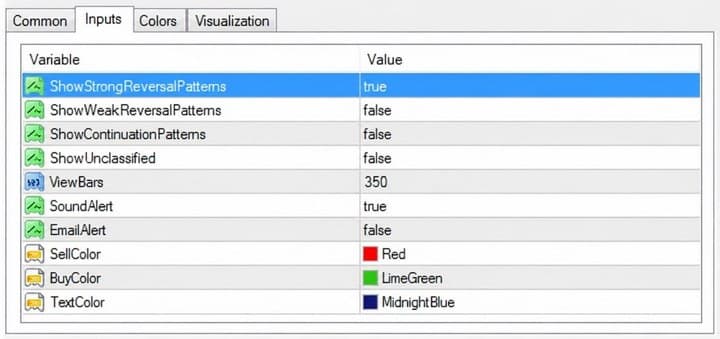
CPI's behaviour can be adjusted through its settings:
- enable or disable the search for strong patterns; enable the search for trend continuation or trend reversal patterns;
- select the notification method (email or audio alert);
- set the arrow color on the chart;
- enable the search for weak reversal patterns;
- enable the search for rare patterns.
Download the Candlestick Pattern Indicator (CPI)
The non-repainting indicators listed above are suited to different trading strategies. Before using any of them in live trading, we recommend testing on a demo account first.
Not sure how a particular strategy or indicator works? Leave a comment on this article, and subscribe to our YouTube channel WinOptionCrypto — we answer questions in our videos.
To leave a comment, you must register or log in to your account.