
Looking for a reliable trading tool? The free Magnetic Levels binary options indicator plots clear horizontal support and resistance levels, helping you identify the right moments to buy Call and Put options. Find out how this tool can improve your binary options trading and how its built-in alerts ensure you never miss a trading signal. Read our independent review and discover everything Magnetic Levels has to offer.
Contents:
- Key Features
- Installation
- Magnetic Levels: Overview and Settings
- Trading Rules
- Specifics of Application
- Conclusion
- Download Magnetic Levels
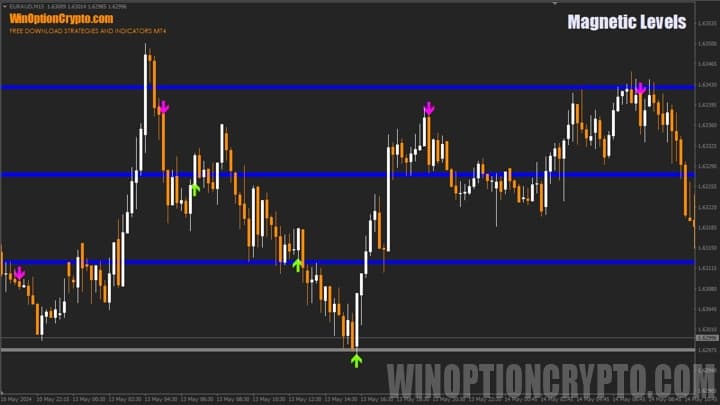
Key Features of the Magnetic Levels Indicator
- Terminal: MetaTrader 4
- Timeframe: M15
- Expiration: 5 candles
- Option types: Call/Put
- Indicators: TrendCatcher.ex4
- Trading instruments: currency pairs, commodities, cryptocurrencies, stocks
- Trading hours: 08:00–21:00 UTC
- Recommended brokers: Quotex, Pocket Option, Binarium
Installing the Magnetic Levels Binary Options Indicator
The Magnetic Levels indicator is installed using the standard procedure in MetaTrader 4. Copy the indicator files to the terminal's root folder by selecting "File" in MT4, then "Open Data Folder". In the folder that opens, navigate to "MQL4" and then "Indicators", and place all the files there. Templates are installed in the same way, but go into the "Templates" folder. For a full step-by-step walkthrough, see our video:
Magnetic Levels Indicator: Overview and Settings
The Magnetic Levels indicator displays key support and resistance levels on the chart, from which traders can look to open Call or Put option trades. The indicator calculates these levels in real time, showing how far the asset price may rise or fall.
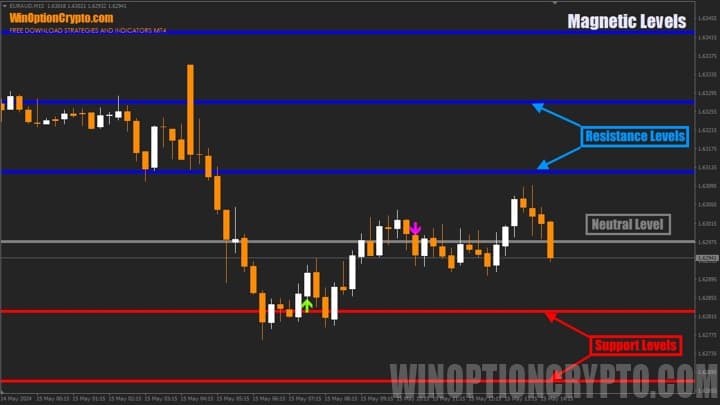
Magnetic Levels generates three types of price levels:
- Resistance levels (blue) — used for Put option signals.
- Neutral level (grey) — marks the midpoint of the trading range and does not generate trading signals.
- Support levels (red) — used for Call option signals.
The colour coding may seem counterintuitive. Typically, Put signals are highlighted in red and Call signals in green or blue — not the other way around. However, the indicator does not allow the colours of the horizontal levels to be changed, so traders need to work with the scheme the developer has implemented.
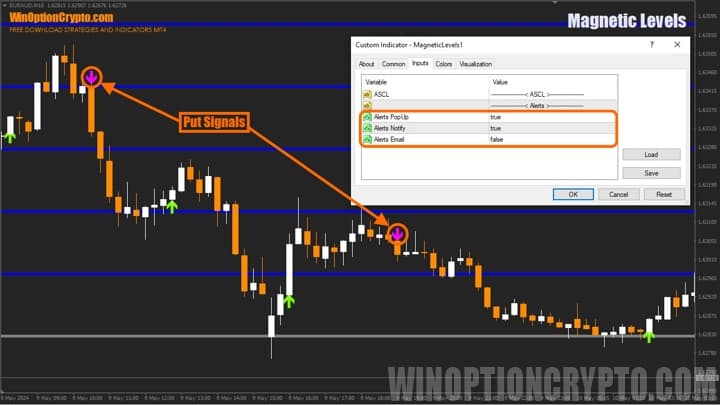
The indicator's settings are minimal. The only option available to the user is enabling alerts. All other parameters that govern how the entry arrows are generated are fixed and cannot be adjusted.
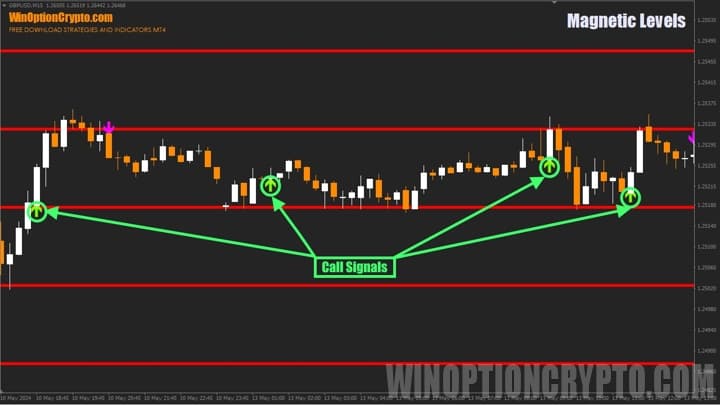
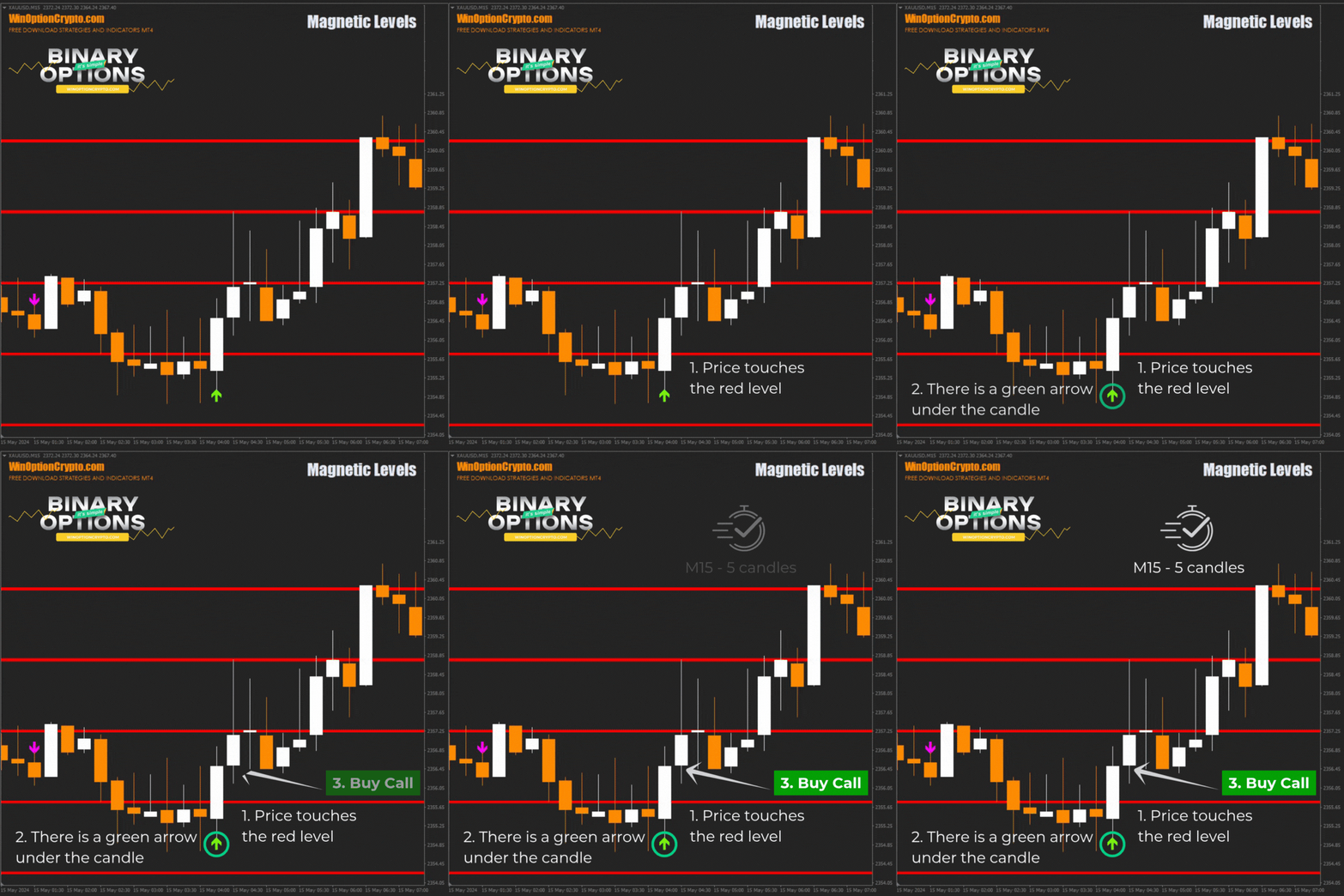
To open a Call, wait for price to touch a red level and for a green arrow to appear below the candle.
It can be assumed that Average True Range (ATR) is used to calculate the spacing between levels, with its value determining the step at which horizontal lines are drawn on the chart.
Trading Rules for the Magnetic Levels Binary Options Indicator
The levels generated by Magnetic Levels can be used not only as trade entry points, but also as take-profit targets and stop-loss references for open positions — particularly useful for Forex traders. Binary options traders, however, should focus on the indicator's arrow signals. If you are uncertain about your approach and are considering purchasing signals from external providers, we recommend reading our articles on the subject, or exploring the well-tested WinProfit80 V3 x2 mod signal indicator:
- Is it worth buying binary options trading signals?
- Pocket Option Signals
- Profitable signals for binary options
Opening a Call Option
- Price touches the red level.
- A green arrow appears below the candle.
- Open a Call option at the start of the next candle.
Opening a Put Option
- Price touches the blue level.
- A purple arrow appears above the candle.
- Open a Put option at the start of the next candle.
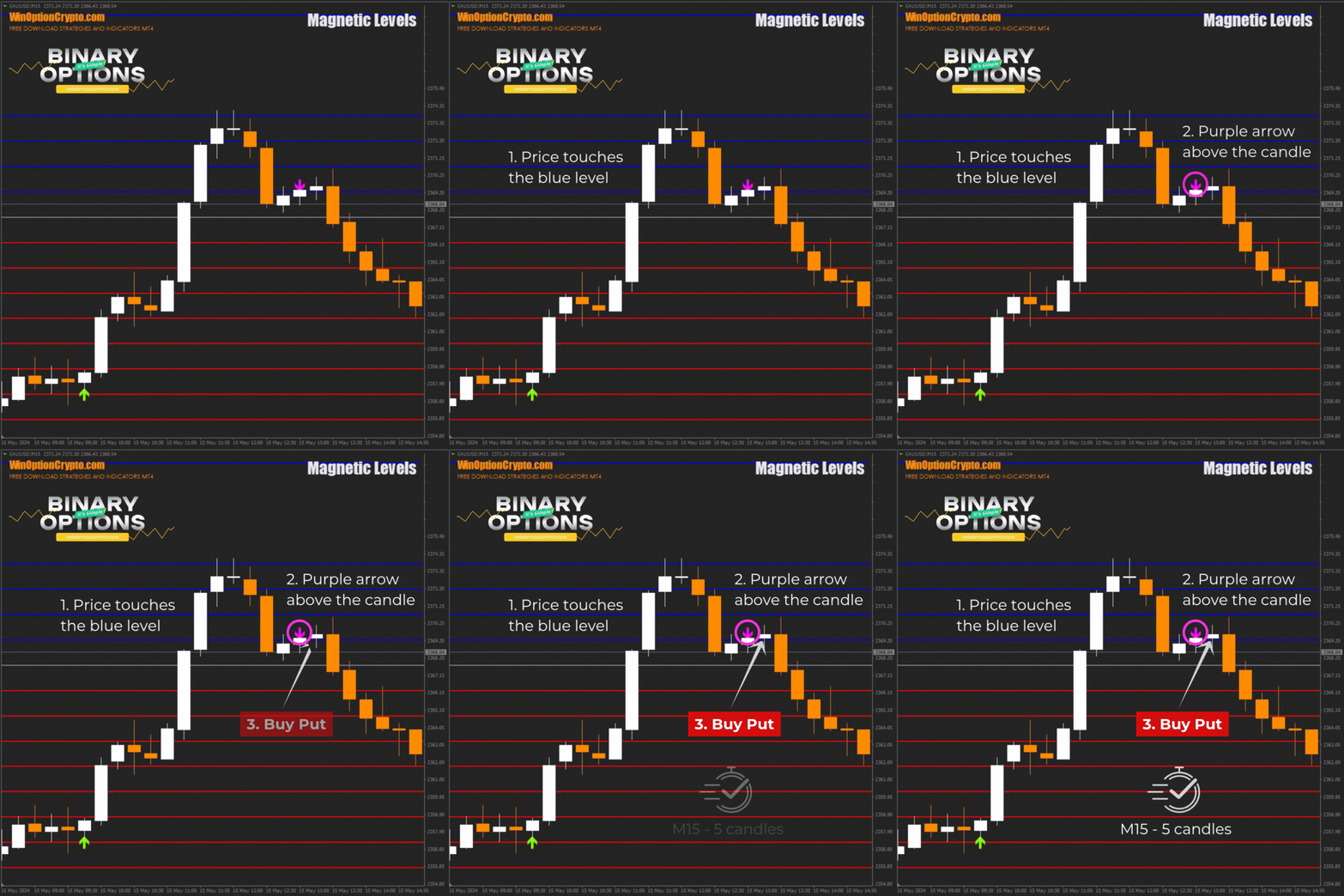
The recommended expiration time is 5 candles. Adjust the holding period based on the financial instrument and the results of backtesting on historical data.
Specifics of Using the Magnetic Levels Binary Options Indicator
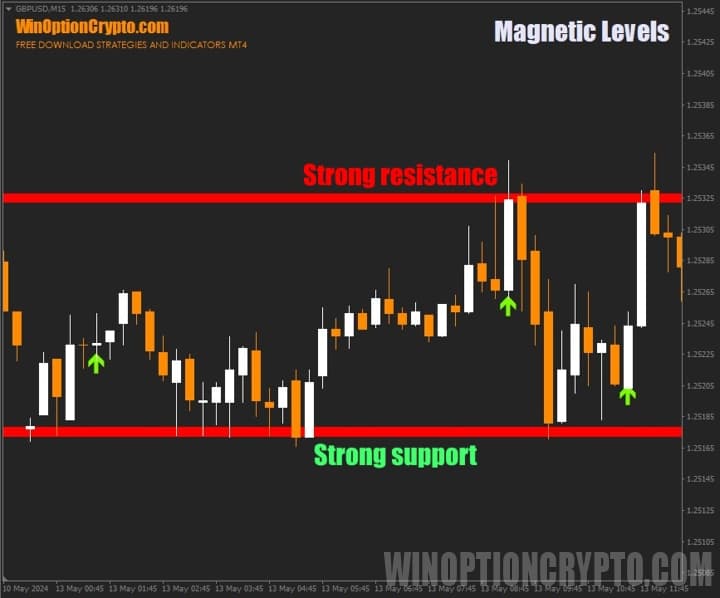
The levels produced by Magnetic Levels can be used as classic technical analysis tools. Level strength is determined by the number of times price has touched it — the more candle shadows that have tested a horizontal level, the more significant it becomes to market participants, and the stronger the resulting price move is likely to be when the level breaks. Related trading strategies based on support and resistance levels are covered in our article "How to Use Support and Resistance Levels in Binary Options".
Pros of the Magnetic Levels Indicator
One of the main advantages of Magnetic Levels is the simplicity and clarity of the horizontal levels it plots. These lines clearly mark areas where price is likely to find buyer support or seller resistance. The indicator is versatile and applicable to any asset and timeframe. It is effective for identifying Call and Put option entry points, and the built-in alerts ensure you never miss them.
Disadvantages of the Magnetic Levels Indicator
Horizontal levels are not always reliable — price frequently breaks through them or ignores them entirely, which can leave traders in a difficult position. Such levels also do not account for other important factors that influence price behaviour, such as news events, fundamental analysis, and other technical indicators. It is also worth noting that support and resistance levels are generally better suited to short-term trading than to longer-term position holding.
Conclusion
The Magnetic Levels binary options indicator is a convenient market analysis tool. Its clear, easy-to-read horizontal support and resistance levels help traders identify potential trade entry points. The indicator is versatile and works across a range of currency pairs and timeframes, making it a useful addition to a variety of trading strategies. It can be used to generate Call and Put option signals, and its built-in alerts help traders respond to market changes promptly.
That said, before using Magnetic Levels with real funds, it is strongly recommended to test it on a demo account with a reliable broker. This will help you understand its signals and settings, and develop sound risk and capital management practices. The indicator is free and offers solid entry points — but a careful, tested approach is the foundation of consistent trading. We also invite you to explore the educational articles on our website to deepen your knowledge and refine your toolkit. We wish you successful trading!
Download the Magnetic Levels Binary Options Indicator

To leave a comment, you must register or log in to your account.