
 |
ExpertOption: Short OverviewSince entering the market, broker ExpertOption has built a strong following among traders. This review covers the platform's key advantages, the main aspects of trading on financial markets, its drawbacks, and the withdrawal process. ExpertOption Reviews |
There is no shortage of opinions about the binary options broker ExpertOption. The platform offers attractive trading conditions, yet it has also received its share of mixed reviews. Want to know where the facts end and the fiction begins? This ExpertOption review takes a thorough look at all aspects of the broker's operations so you can make an informed decision about whether to use it.
Table of contents:
- ExpertOption Fees & Commissions
- Demo Account
- Trading Platforms
- Mobile App
- Technical Platform Issues
- Tournaments
- Bonuses and Promotions
- ExpertOption Affiliate Program
- Customer Support
- Research & Education
- Is It Easy to Open an ExpertOption Account?
- How to Trade on ExpertOption?
- Who Should Consider Using ExpertOption?
- Pros and Cons of ExpertOption
- Should You Trade Binary Options on ExpertOption?
- FAQ
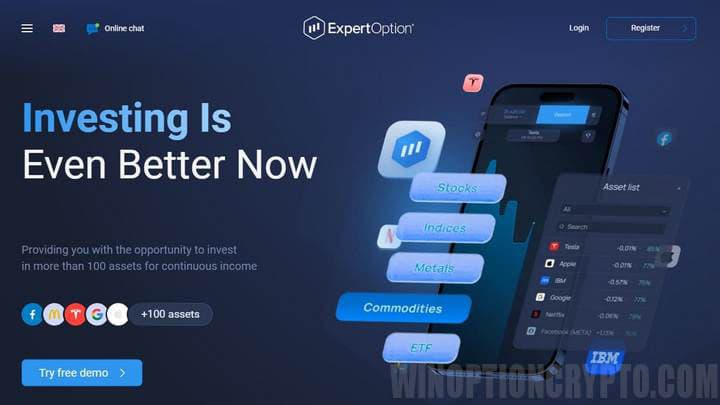
Is ExpertOption Legit?
ExpertOption is a binary options platform with a member status in The Financial Commission, a self-regulatory organisation. Its intuitive interface and a focused set of built-in technical indicators make it particularly accessible to beginner traders. In this ExpertOption review, we examined all aspects of the broker in detail. Here are the key points:
- The broker offers a diverse range of trading assets, including currency pairs, stocks, indices, commodities, cryptocurrencies, and ETFs.
- Traders generally praise the ExpertOption platform for its intuitive interface and useful features, including four chart types, social trading, and a mobile app.
- The availability of a demo account helps beginners explore the platform and practise trading strategies without risking real funds.
- ExpertOption offers deposit bonuses, promotions for new clients, and incentives for active traders.
- Many users highlight the fast trade execution, which is critical for successful intraday trading.
- ExpertOption supports a wide range of payment methods, making it straightforward for traders to deposit funds and withdraw earnings.
Numerous positive trader reviews confirm that ExpertOption is among the leading binary options trading platforms available today.
What Is ExpertOption?
The binary options broker ExpertOption launched in 2014. The brand belongs to EOLabs LLC, a company registered in Saint Vincent and the Grenadines. From the outset, the broker attracted traders through reliable operations, responsive customer support, and membership in the self-regulatory organisation The Financial Commission.
Another advantage of ExpertOption is its social trading feature. The platform has surpassed 70 million registered users.
History and Statistics
ExpertOption has developed steadily, adding new features to its platform each year.
|
Year |
Events |
|
2014 |
Launched the trading platform and introduced social trading. |
|
2020 |
ExpertOption ranked among the world's top 3 most downloaded financial apps on Google Play. |
|
2023 |
ExpertOption surpassed 70 million registered users, establishing itself as one of the largest social trading networks. |
Regulation
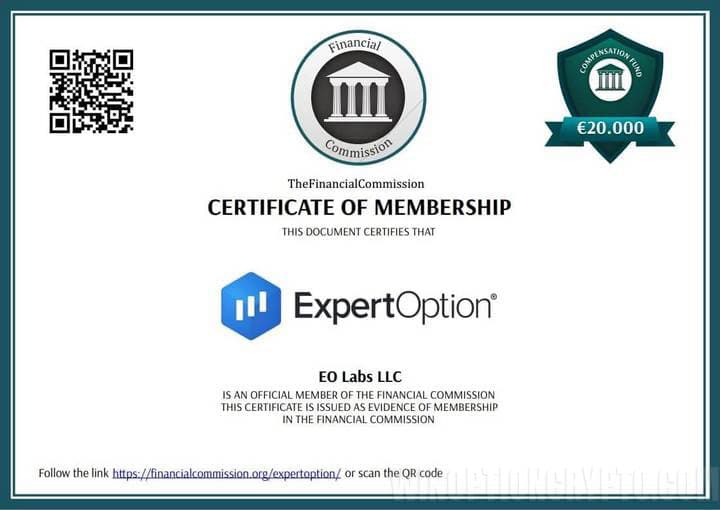 The binary options broker ExpertOption is a member of the self-regulatory organisation The Financial Commission. The commission's primary purpose is to resolve disputes between traders and its member brokers. It is not a government regulatory body and does not claim to be one.
Even so, ExpertOption's membership in this SRO offers meaningful protection for traders. In 2023 alone, the organisation resolved over 2,100 disputes and awarded traders compensation totalling more than $783,000. The Financial Commission accepts complaints within 45 days of the disputed event, but only after the trader has first attempted to resolve the matter directly with the broker.
Jurisdictional Considerations
EOLabs LLC, the company behind ExpertOption, is registered at First Floor, First St. Vincent Bank Ltd., James Street, PO Box 1574, Kingstown, St. Vincent and the Grenadines.
Restricted Jurisdictions
ExpertOption is not available to residents or citizens of the following countries: Australia, Austria, Belarus, Belgium, Bulgaria, Canada, Croatia, Cyprus, Czech Republic, Denmark, Estonia, Finland, France, Germany, Greece, Hungary, Iceland, Iran, Ireland, Israel, Italy, Latvia, Liechtenstein, Lithuania, Luxembourg, Malta, Myanmar, Netherlands, New Zealand, North Korea, Norway, Poland, Portugal, Puerto Rico, Romania, Russia, Singapore, Slovakia, Slovenia, South Sudan, Spain, Sudan, Sweden, Switzerland, the United Kingdom, Ukraine, the United States, or Yemen.
Security of Funds and User Data

ExpertOption insures all trader funds under The Financial Commission's Compensation Fund for up to €20,000. This amount is payable to a trader if the broker fails to comply with a decision issued by The Financial Commission — a key benefit of the broker's membership in this self-regulatory organisation.
 VerifyMyTrade, a partner of The Financial Commission, independently audits the platform by reviewing 5,000 executed trades to verify that customer service quality standards are being met.
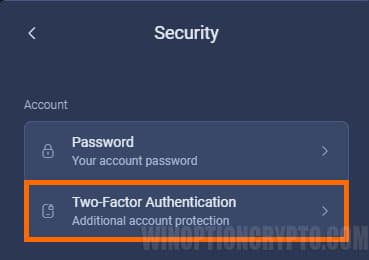
To strengthen the security of your account, enable two-factor authentication on the platform. Go to the "Security" menu in the "Profile" section and select "Two-Factor Authentication."
You can authenticate via email or the Google Authenticator app.
We recommend the Google Authenticator option, as it provides a higher level of security.
Also, make sure to use a strong, unique password for your account.
User Satisfaction
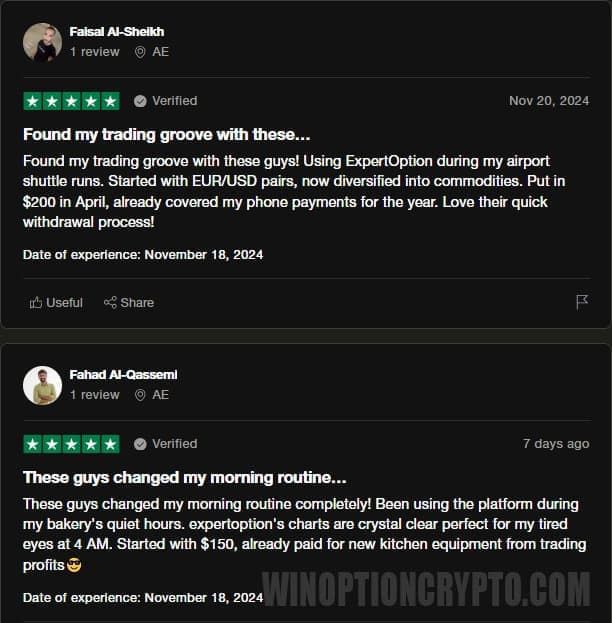
To form an unbiased view of ExpertOption, we researched user reviews across reputable third-party platforms. Here's what we found.

Account Types
ExpertOption offers seven account types: Micro, Basic, Silver, Gold, Platinum, Exclusive, and Demo. The table below describes each one.
|
Account type |
Description |
|
MICRO |
Educational materials: ✔️ Daily Market Reviews and Financial Research: ❌ Priority withdrawal: ❌ Maximum simultaneous open trades: 5 Maximum trade amount: $10 Increased asset return: 0 |
|
BASIC |
Educational materials: ✔️ Daily Market Reviews and Financial Research: ❌ Priority withdrawal: ❌ Maximum simultaneous open trades: 10 Maximum trade amount: $25 Increased asset return: 0 |
|
SILVER |
Educational materials: ✔️ Daily Market Reviews and Financial Research: ✔️ Priority withdrawal: ❌ Maximum simultaneous open trades: 15 Maximum trade amount: $250 Increased asset return: 0 |
|
GOLD |
Educational materials: ✔️ Daily Market Reviews and Financial Research: ✔️ Priority withdrawal: ✔️ Maximum simultaneous open trades: 30 Maximum trade amount: $1,000 Increased asset return: up to 2% |
|
PLATINUM |
Educational materials: ✔️ Daily Market Reviews and Financial Research: ✔️ Priority withdrawal: ✔️ Maximum simultaneous open trades: unlimited Maximum trade amount: $2,000 Increased asset return: up to 4% |
|
EXCLUSIVE |
Educational materials: ✔️ Daily Market Reviews and Financial Research: ✔️ Priority withdrawal: ✔️ Maximum simultaneous open trades: unlimited Maximum trade amount: $3,000 Increased asset return: up to 6% |
|
DEMO |
Educational materials: ✔️ Daily Market Reviews and Financial Research: ❌ Priority withdrawal: ❌ Maximum simultaneous open trades: unlimited Maximum trade amount: unlimited Increased asset return: 0 |
The Micro account is designed for traders new to financial markets. It provides access to the broker's educational resources and allows you to practise trading with a maximum trade size of just $10.
The Basic account is the natural next step. We recommend it for beginners who have some trading experience under their belt but still benefit from ExpertOption's responsive customer support.
The Silver account is the most popular choice among ExpertOption clients, largely because it includes access to free consultations.
More experienced traders can upgrade to the Gold account, which unlocks a broader range of platform tools and features.
The Platinum account is tailored for higher-volume investors who prefer a more personalised experience, including direct access to a dedicated account manager.
The Exclusive account is available by invitation only. Contact your account manager for details on the terms and conditions.
If you're new to binary options trading, the Demo account is the ideal starting point. It provides unlimited access to the platform's educational resources, letting you build your trading skills without any financial risk.
Trading Assets
ExpertOption clients have access to over 70 financial instruments, including currency pairs, commodities, stocks, indices, and other assets. At the time of writing, the broker offered digital options exclusively on assets with live market quotes; instruments with OTC quotes were not available.
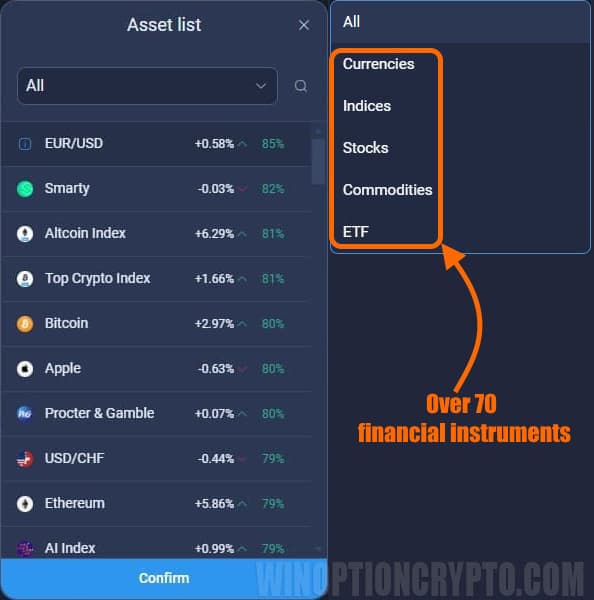
The maximum payout per trade is 85%.
ExpertOption Trading Hours (GMT)
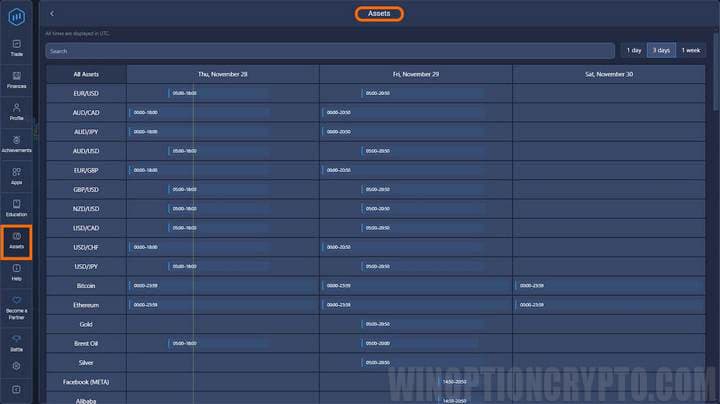
Trading hours on the ExpertOption platform vary by instrument. Each underlying asset has its own schedule. For example, on Thursday, November 28, 2024, the EUR/USD pair was available from 05:00 to 18:00 GMT, while AUD/CAD traded from 00:00 to 18:00. The following day, Friday, November 29, EUR/USD was available from 05:00 to 20:50 GMT, and AUD/CAD from 00:00 to 20:50.
Trading hours are updated daily. Check the "Assets" section in the trading platform for the current schedule.
Deposits and Withdrawals
 Before submitting a withdrawal request, please ensure you have completed the identity verification process and submitted the required documents to ExpertOption's financial department. This is a standard requirement to prevent fraud and money laundering.
Accepted Payment Methods
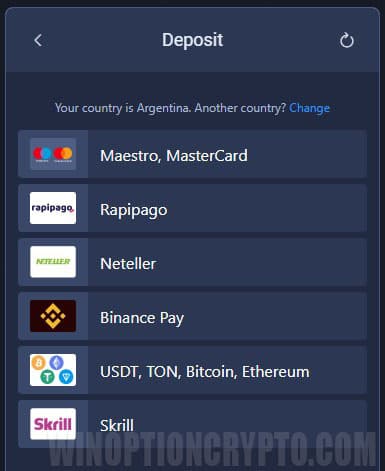
E-wallets such as Skrill and Neteller, as well as cryptocurrencies, are among the most popular payment options for deposits and withdrawals on ExpertOption. The platform also supports credit and debit cards, Rapipago service points, and Binance Pay — the payment solution from the Binance cryptocurrency exchange.
The minimum deposit is $10. The minimum trade size is $1, and the maximum varies by account type, up to $3,000.
Withdrawal requests are submitted directly from your account. The initial status will be "Requested." Once the financial department begins processing it, the status changes to "In Progress."
At this stage, the requested amount is deducted from your trading account and sent to the payment method you used to fund it. When the transaction is complete, the status updates to "Processed."
Please note: Your first withdrawal must be made to the same bank card or e-wallet used for the deposit. If withdrawing to a bank card, the withdrawal amount cannot exceed the original deposit amount. Any remaining balance (including profits) can be withdrawn to any available e-wallet, such as Skrill or Neteller.
Withdrawals are typically processed within two business days. The minimum withdrawal amount is $10.
Currencies
The primary account currency on ExpertOption is US dollars. The support team confirmed that the account currency is set at the time of the first deposit and cannot be changed afterwards. Available currencies vary by region and are displayed on the deposit page. If your local currency is not supported, you can deposit in any available currency — the system will automatically convert the payment to USD.
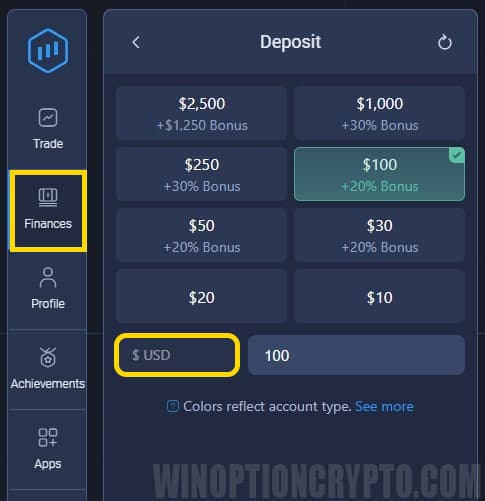
ExpertOption Fees & Commissions
ExpertOption does not charge its own fees or commissions. However, individual payment providers such as e-wallets may apply their own charges. We recommend checking the fee schedule of your chosen payment method before making a transaction.
Demo Account
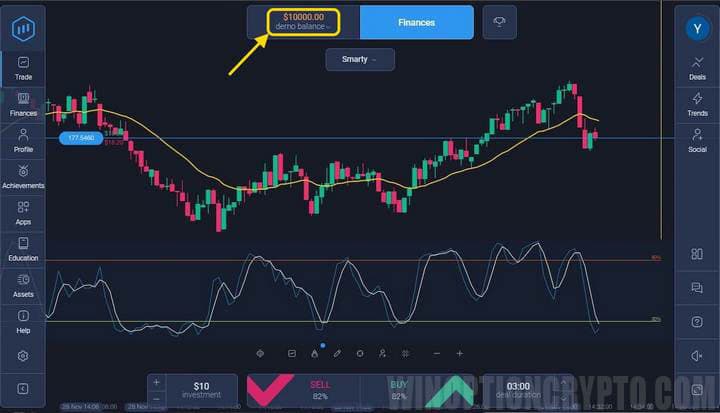
A free demo account is available to all registered users. Whether you are a beginner or an experienced trader, the demo lets you explore the platform's interface using virtual funds. It also allows you to test trading strategies without any risk to real capital.
In addition to strategy testing, the demo account is a good environment to practise technical analysis. By analysing market conditions, you can learn to identify trends using the platform's built-in indicators and charting tools.
Trading Platforms
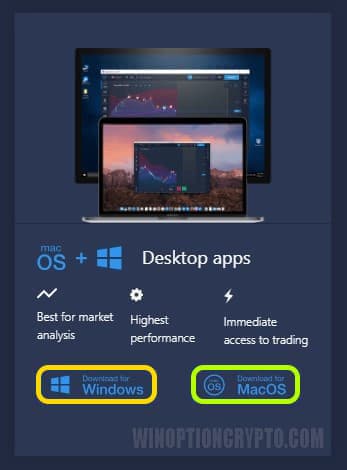 ExpertOption clients can choose a trading platform based on their operating system.
Desktop terminals are available for both Windows and macOS. They are functionally identical, giving traders a consistent experience regardless of which system they use.
If you plan to trade actively, consider the execution speed on your operating system and your computer's hardware specifications.
Both desktop versions of the platform have remained consistent in their feature set.
The web-based platform works seamlessly across all major browsers.
Mobile App
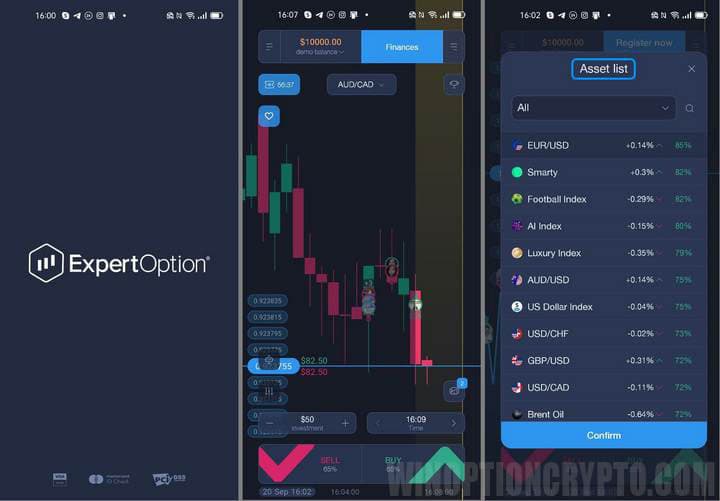
The ExpertOption mobile app lets traders monitor market movements and place trades quickly and conveniently. It is available for Android and iOS and features an intuitive interface that mirrors the browser-based trading terminal — useful if you switch between devices regularly.
All of the platform's core features are available in both the mobile and web versions. The one limitation of the mobile app is screen size: a smaller display naturally restricts how many charts you can view at once.
In addition to the standard app store versions, you can download the APK file (Android Package Kit), which allows you to install the trading terminal directly, bypassing Google Play or the App Store. This is useful in regions where the app is restricted or where only an outdated version is available through official channels.
Technical Platform Issues
As with any actively developed platform, ExpertOption has experienced its share of technical issues. Reported problems include:
- Some users believe the demo account produces results that do not accurately reflect live trading conditions, creating an overly optimistic impression of potential profits.
- Users report repeated document rejections with no clear explanation of the reasons.
- The company has cited terms of use violations without providing specific details.
- Support responses are often generic and do not adequately address users' questions.
- Some traders have experienced deposits that did not appear in their accounts.
- There are concerns that demo account performance may be optimised to attract new investors.
- Some users in certain countries have been unable to access the platform after successfully making a deposit.
Many of these issues emerged during periods of rapid platform development. Thorough software testing and prompt resolution of reported problems have since addressed the majority of them.
Tournaments
 ExpertOption invites clients to compete in trading tournaments to add an extra dimension to live account trading. The winner is the trader who generates the highest return within the tournament period. Similar contests are also available on demo accounts.
One standout feature is the availability of short-format tournaments lasting just 10 minutes. Simply choose a battle and start trading for a chance to win cash prizes and trading benefits.
The table below outlines the participation conditions and prize distribution for the available tournaments.
|
Prize Positions |
Social Race to Success [DEMO] |
Infinity Battle [DEMO] |
Social Race to Success [LIVE] |
|
1st Place |
50% |
38% |
50% |
|
2nd Place |
30% |
35% |
30% |
|
3rd Place |
20% |
31% |
20% |
|
- |
- |
- |
- |
|
30th Place |
- |
2% |
- |
The percentages above represent each prize position's share of the total tournament prize pool. For example, in the Social Race to Success [LIVE] tournament with a $500 prize pool, the winner receives $250. In the Infinity Battle [DEMO], the top 30 finishers all receive a payout: first place takes 38%, while 30th place receives 2% of the prize pool.
Bonuses and Promotions
Taking advantage of ExpertOption's bonus offers can make trading more rewarding. Below is an overview of the bonuses available to all clients.
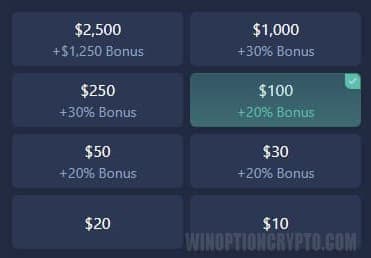
Achievements
In addition to the welcome bonus on the first deposit, ExpertOption allows traders to unlock improved trading conditions by completing specific tasks and earning achievement rewards. The table below lists available achievements, ranging from risk-free trades to exclusive promo codes.
|
Achievement |
Description |
Reward |
|
Deal Maker |
Complete 50 successful trades. |
Mystery Box S |
|
Volume Mover |
Reach a trading volume of $100. |
Mystery Box S |
|
First Step |
Place your first trade. |
Mystery Box S, Profit Boost |
|
Day-2-Day Master |
Stay active for seven consecutive days. |
Mystery Box S |
|
IntraDay Ninja |
Complete ten trades in a single day. |
Mystery Box S |
|
Social Trader |
Enter your first Battle. |
Mystery Box S |
|
Battle Boss |
Win a Battle. |
Mystery Box S |
|
Revenue Ranger |
Earn $100 in revenue from referred traders. |
Mystery Box S |
|
Market Explorer |
Trade across five different asset types. |
Mystery Box S |
|
Streak Master |
Complete five consecutive successful trades. |
Mystery Box S |
Profit Boost: Increases your earnings over a set period.
Mystery Box S: Contains a surprise trading benefit, from risk-free trades to exclusive promo codes.
ExpertOption Affiliate ProgramWhether you have your own traffic source, work in affiliate marketing, or promote binary options and forex trading services, you can earn with the ExpertOption affiliate program. How to Get Started with the ExpertOption Affiliate ProgramGetting started is straightforward:
|
 |
Customer Support
 ExpertOption clients can reach the support team with any questions. The most effective channels are the live chat within the trading platform and the chat on the broker's website.
You can also submit inquiries by email.
Some users report difficulties getting useful responses from support. However, we cannot confirm this based on our own experience — all of our test inquiries received prompt replies.
Research & Education
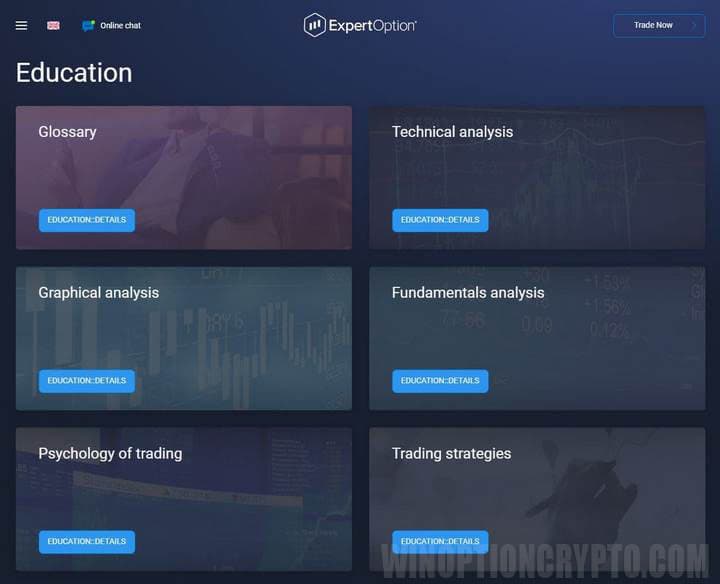
The broker's website and trading platform offer a range of educational materials, including articles, videos, and webinars. The Education section covers technical analysis, fundamental analysis, chart analysis, trading psychology, strategy development, and more.
Is It Easy to Open an ExpertOption Account?
Opening an account on ExpertOption is straightforward. Before you begin, confirm that the broker is available in your country and that you meet the minimum age requirement of 18.
How to Open a Trading Account
The registration form requires your first and last name, email address, and a secure password. Once registered, we strongly recommend completing identity verification before making any deposit. This requires a scan of your passport or another government-issued ID, along with proof of address, such as a recent bank statement.
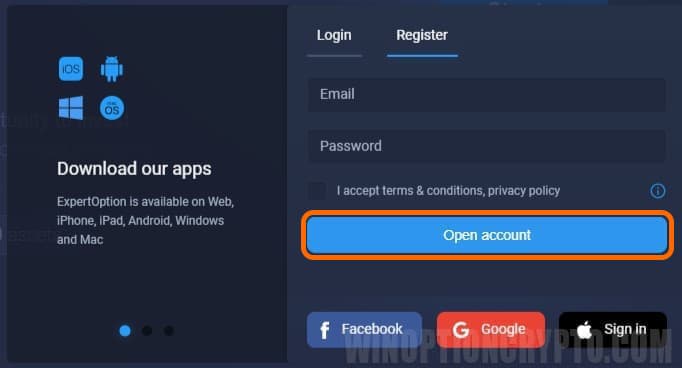
This is a standard procedure across the industry, designed to prevent fraud. Complete verification first — then fund your account. Doing it in the wrong order carries real risk: if verification fails after you've deposited (because the broker doesn't support your country, your documents are not accepted, or for other reasons), you may be unable to withdraw your funds, as the broker only permits withdrawals from verified accounts under its user agreement.
Documents typically required for verification:
- Proof of identity: A scan or photo of a valid government-issued ID, such as a passport or national ID card.
- Proof of address: A bank statement, utility bill, or similar document confirming your current address.
The platform is available in 19 languages, making registration accessible to users from a wide range of countries. Customer support is available if you have any questions during the process.
How to Trade on ExpertOption?
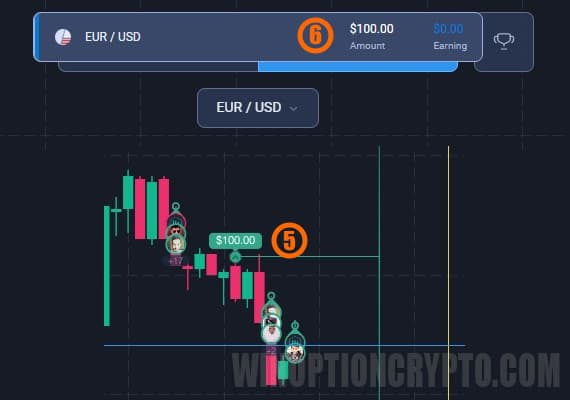
Placing trades on ExpertOption follows the same straightforward process as on most binary options platforms:
- Choose an asset: Select the instrument you want to trade from the platform's asset list.
- Set the direction: Predict whether the asset's price will be higher or lower at expiration.
- Set the expiration time: Choose when the trade will automatically close.
- Set the trade amount: Enter the amount you wish to invest.
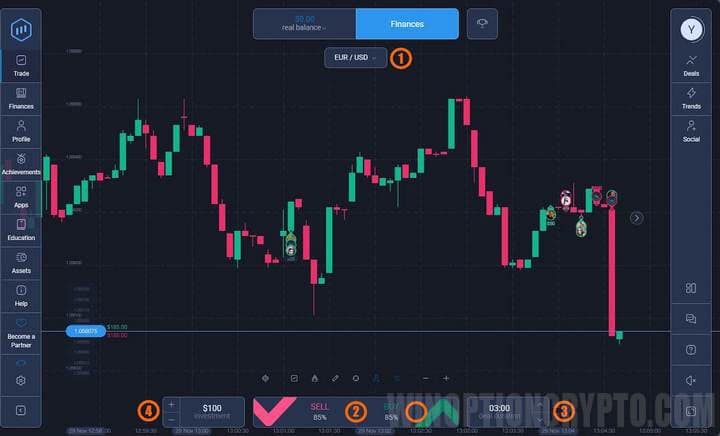
- Open the trade: Confirm the parameters and execute the trade.
- Wait for the result: At expiration, the outcome of the trade is determined.
Who Should Consider Using ExpertOption?
ExpertOption suits both beginner and experienced binary options traders pursuing a range of strategies and goals.
For Beginner Traders
The demo account is the primary draw for newcomers. It allows them to explore the platform's core features and test strategies without any financial risk. Beginners can start with familiar asset classes such as major currency pairs or blue-chip stocks, helping them build foundational trading knowledge while limiting exposure. The platform's educational resources and $10 minimum deposit keep the barrier to entry low.
For Experienced Traders
Experienced traders will find value in ExpertOption's technical analysis tools, which support the development and testing of complex strategies. We tested the platform's execution speed and found it adequate for short-term trading. Higher-tier accounts also unlock additional features suited to professional-level use.
Pros and Cons of ExpertOption
|
✔️ Pros |
❌ Cons |
|
Fast trade execution with accurate price quotes. |
Some users believe demo account results are inflated, creating an unrealistic expectation of live trading performance. |
|
24/7 platform access with no scheduled downtime. |
Some traders report being unable to use the platform in certain countries, even after successfully funding their accounts. |
|
Round-the-clock customer support. |
Accepting bonuses can complicate the withdrawal process. |
|
Comprehensive technical analysis tools: four chart types, eight indicators, and trendline drawing functionality. |
Customer support responses are sometimes generic and fail to resolve the issue at hand. |
|
Social trading lets you follow and observe trades made by successful traders around the world, or compete with friends. |
Document submissions are sometimes rejected repeatedly without clear explanation. |
Should You Trade Binary Options on ExpertOption?
ExpertOption is a mixed proposition. On one hand, it offers a broad range of trading instruments, a low entry threshold, and regular platform improvements. On the other hand, geographic restrictions and friction in the identity verification process may put off some potential clients. Traders evaluating ExpertOption should pay particular attention to the available deposit currencies (primarily USD) and take advantage of the demo account to explore the platform before committing real funds.
FAQ
Who Owns ExpertOption?
ExpertOption is a trademark of EOLabs LLC, registered at First Floor, First St. Vincent Bank Ltd., James Street, PO Box 1574, Kingstown, St. Vincent and the Grenadines.
Can You Make Money with ExpertOption?
Yes, it is possible to make money on ExpertOption. The platform is a binary options broker where traders speculate on the price direction of an underlying asset at a specific point in time. A correct prediction results in a profit.
Can I Trade on ExpertOption from My Country?
Access to ExpertOption depends on your nationality and country of residence. Before opening an account, check whether your country is on the list of restricted jurisdictions, which is available on the broker's official website.
What Is the Minimum Deposit on ExpertOption?
The minimum deposit on ExpertOption is $10. This is enough to explore the platform, test your strategy using the available indicators, and get started with live trading at minimal financial risk.
How Does ExpertOption Compare to Other Binary Options Brokers?
ExpertOption is one of many brokers operating in the binary options market, each with its own conditions, platform, and toolset. The right broker depends on what you prioritise: asset variety, low fees, platform usability, or something else. We recommend comparing several brokers across the criteria that matter most to you before making a decision.
Is ExpertOption a Good Broker?
Opinions are divided. Some traders value the wide asset selection and intuitive platform. Others have raised concerns about withdrawal difficulties and unclear bonus conditions. We recommend reading verified trader reviews carefully before deciding whether to open an account.
Does ExpertOption Support Automated Trading Bots?
ExpertOption does not officially support or endorse the use of trading bots. Traders who use automated tools do so at their own risk, as this violates the platform's terms of use and may result in account suspension.
Are There Trading Strategies for ExpertOption?
Yes, there are many strategies applicable to ExpertOption, based on technical indicator signals, chart patterns, and fundamental analysis. No strategy guarantees consistent profits, however. We recommend testing any strategy thoroughly on a demo account before applying it to live trading.
Is ExpertOption Suitable for Beginners?
ExpertOption is widely considered beginner-friendly, thanks to its intuitive interface and the availability of a demo account. New traders can familiarise themselves with the platform without risking real money. We also recommend that beginners study the basics of technical analysis and risk management before trading live.

See Also:
- Best Binary Options Broker
- Live chart for binary options
- How to make money on binary options
- What to do if your broker won't process withdrawals
ExpertOption reviews
To leave a comment, you must register or log in to your account.