
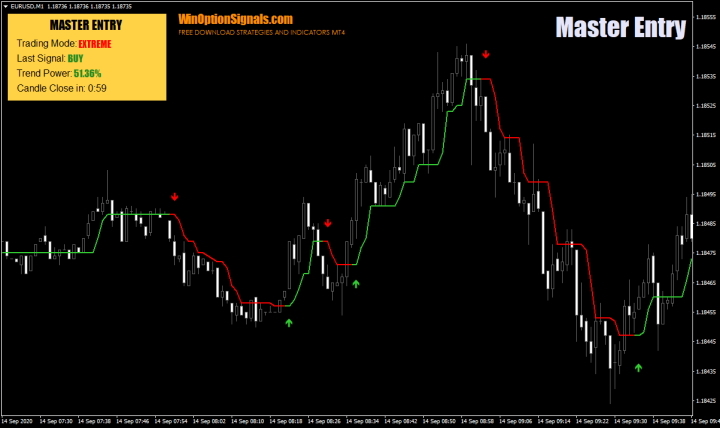
The Master Entry binary options indicator is a signal indicator that can function as both a trend and a scalping tool, thanks to four distinct trading modes.
The indicator also includes a trading panel that displays basic information and can assist with decision-making when entering trades.
It is worth noting that this is a paid indicator, priced at $97 on the developer's website, but you can download it from our website free of charge for evaluation purposes.
Key Features of the Master Entry Indicator
- Terminal: MetaTrader 4.
- Timeframe: M1–H4.
- Expiration: depends on the trading mode.
- Option types: Call/Put.
- Indicators: master entry.
- Trading instruments: any.
- Trading hours: 08:00–21:00 UTC.
- Recommended brokers: Quotex, PocketOption, Binarium.
Installing the Master Entry Binary Options Indicator in MT4
The indicator is installed using the standard procedure in MetaTrader 4.
MetaTrader 4 instructions for installing indicators:
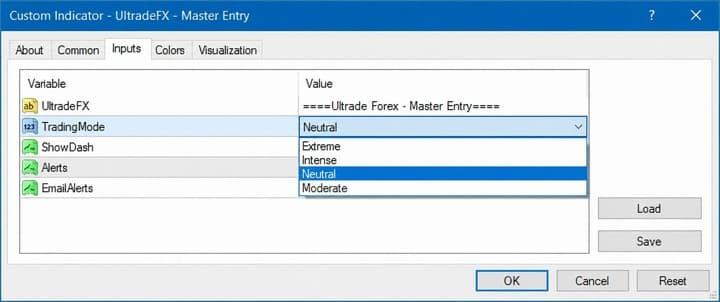
In the Master Entry settings, you can enable alerts and select a trading mode (each mode is described in detail below):
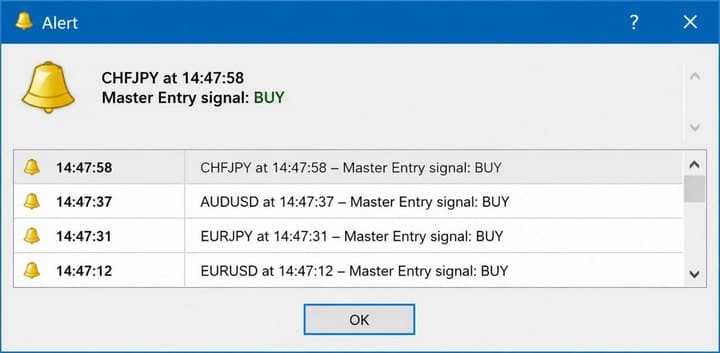
When the alert value is set to "true", alerts will appear on the chart — a convenient feature when working with signal indicators:
Trading Rules and Overview of the Master Entry Indicator
At its core, Master Entry is a trend indicator — its signals are based on trend-following movements regardless of the selected trading mode. Understanding what a trend is and how to identify one, as well as what a ranging market looks like and how to recognise it, will therefore be a significant advantage. A solid grasp of the trend and its components benefits not just Master Entry trading, but any binary options trading strategy.
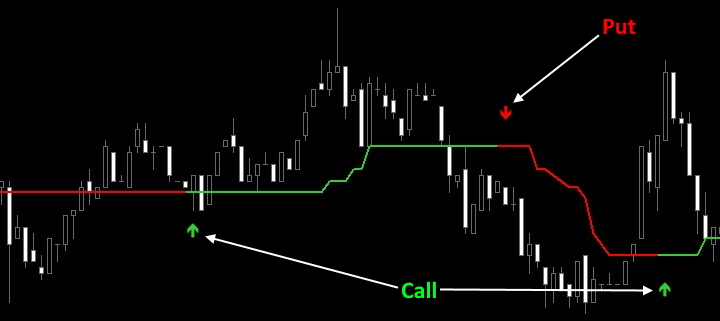
The trading rules are straightforward enough for beginners: the indicator uses arrow signals. When the indicator line turns green and a green arrow appears, buy a Call option; when the line turns red and a red arrow appears, buy a Put option. Expiration times are covered below, as they vary by trading mode:
As noted above, Master Entry has four trading modes that can be selected in the settings:
- Extreme.
- Intense.
- Neutral.
- Moderate.
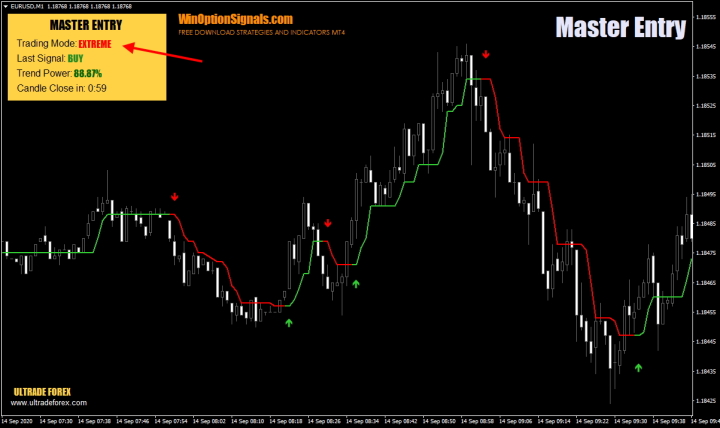
Extreme mode is designed for aggressive, scalping-style trading. In this mode, signals are generated frequently, including on minor corrections. In most cases, trend direction is less critical here, as counter-trend trades are also viable — but the risks are significantly higher than in other modes, so this mode should be used with care. The recommended expiration in Extreme mode is 1–3 candles:
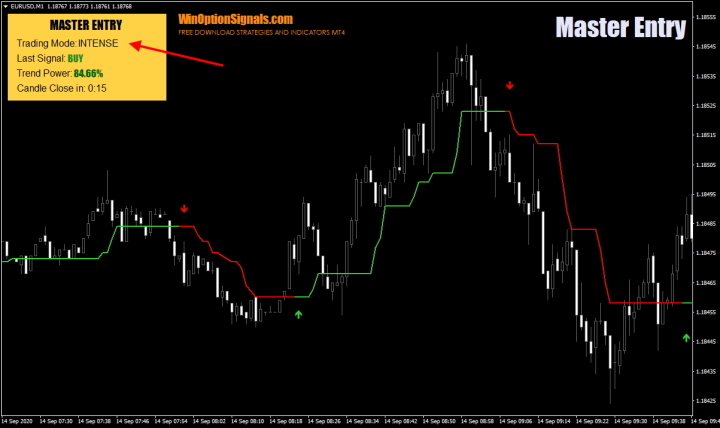
Intense mode sits between scalping and a conservative trading approach. Compared to Extreme, it generates fewer signals and ignores minor corrections — but signals still appear relatively early, which can be an advantage or a drawback depending on the situation. The recommended expiration in this mode is 10 candles:
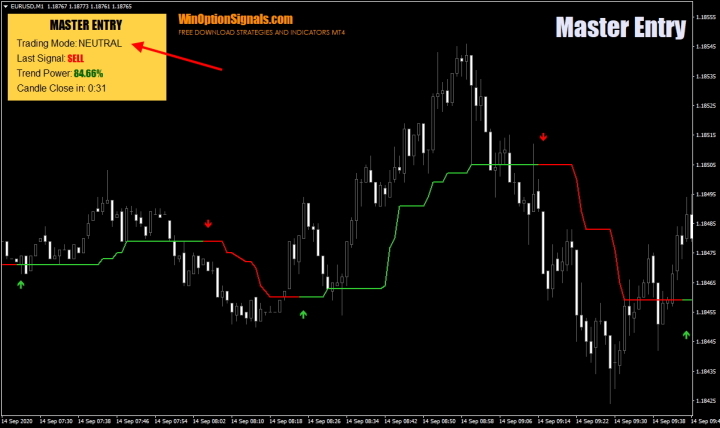
Neutral mode takes a more measured approach. Signals are not generated immediately but only after price movement has been confirmed, making this mode well suited to traders who prefer longer-duration trades with lower risk. The recommended expiration in Neutral mode is 15 candles.
Moderate mode is the most conservative of the four. Signals can appear with some delay — by the time the arrow forms, price has already moved a certain distance. This mode is best suited to traders who prefer longer-duration trades and swing trading. The recommended expiration is 20 candles:
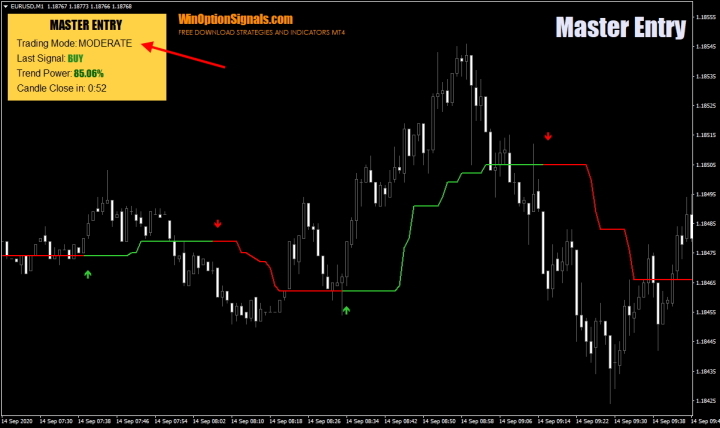
Note that all four mode examples above use the same section of the chart, allowing for a direct comparison of signal generation across modes.
In addition to the trading modes, Master Entry includes an information panel. While it does not provide a great deal of data, it does display trend strength as a percentage ("Trend Power"):
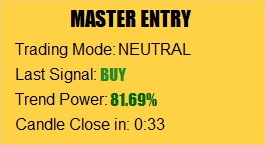
The panel also shows the name of the active trading mode, the type of the last signal (Call/Buy or Put/Sell), and the time remaining until the candle closes.
Before reviewing trade examples, it is also worth highlighting one of the indicator's key strengths: signals do not repaint after the candle closes.
With a clear picture of how the indicator works, let's look at some trade examples.
Trade Examples Using the Master Entry Binary Options Indicator
The examples below use Extreme mode with a short expiration. The underlying logic applies across all modes, so the choice of mode for illustrative purposes is not significant.
Buying a Call and Put Option
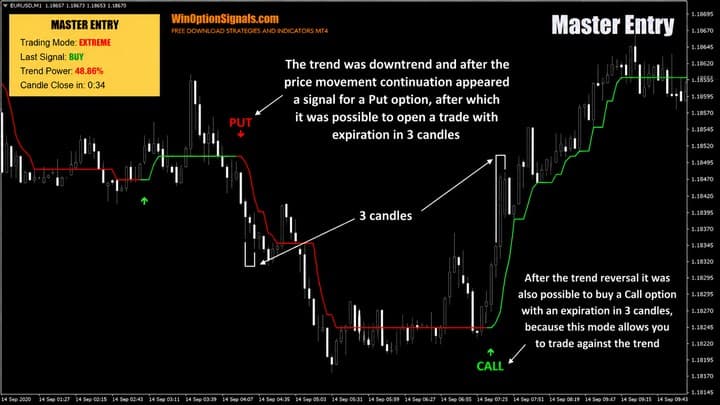
In Extreme mode, both trend-following and counter-trend trades are possible (though trading with the prevailing direction is always preferable). When signals appeared in the example below, trades could be entered with an expiration of 3 candles — though a profit could also have been achieved with just 1 candle:
Conclusion
In summary, Master Entry's key strengths are its non-repainting signals and its four trading modes, which cover a range of trading styles.
One point worth noting is that the indicator's internal settings are hidden, making it unclear which algorithm it uses. Given that many paid indicators are built on simple Moving Averages, the same may be true here. It is therefore important to test each mode separately on a demo account before moving to live trading.
Sound money management and risk management practices are also essential — they are what allow traders to use their capital effectively over the long term.
A reliable broker for binary options trading can always be found in our binary options broker ratings.
Download the Master Entry Indicator for Free
Not sure how a particular strategy or indicator works? Leave a comment on this article, and subscribe to our YouTube channel WinOptionCrypto — we answer questions in our videos.

To leave a comment, you must register or log in to your account.