
The Crystal binary options indicator is a signal indicator that displays support and resistance lines as trade signals. Signals are generated based on patterns collected and analyzed from historical data over previous years. According to the developer, the indicator is capable of producing profitable results on 80% of trades (this is a developer claim; actual results may vary, and trading involves risk).
It is also worth noting that this is a paid indicator — but you can download it from our website free of charge for evaluation purposes.
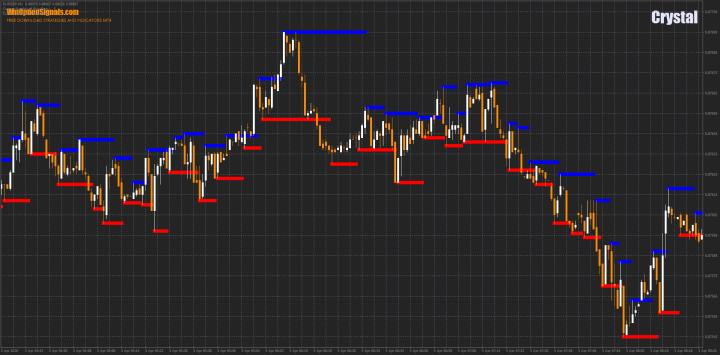
Key Features of the Crystal Indicator
- Terminal: MetaTrader 4.
- Timeframe: M1–H1.
- Expiration: 1 candle.
- Option types: Call/Put.
- Indicators: Crystal.
- Trading instruments: all currency pairs.
- Trading hours: 08:00–21:00 UTC.
- Recommended brokers: Quotex, PocketOption, Binarium.
Installing the Crystal Binary Options Indicator
The Crystal indicator is installed using the standard procedure in MetaTrader 4.
Leave the indicator settings at their defaults.
To avoid configuring the chart manually, you can download the indicator and template at the end of this article.
Instructions for installing indicators in MetaTrader 4:
Crystal Indicator Trading Rules
The Crystal indicator works by collecting statistics through candle (bar) analysis and then calculating the relative strength of buyers and sellers at a given point in time.
When the ratio of buyers to sellers reaches a point where one side outnumbers the other by 50%, a signal is generated. If buyers dominate, the indicator plots a support level and signals a Call entry; if sellers dominate, the indicator plots a resistance level and signals a Put entry.
Although Crystal is better suited to scalping and turbo options, understanding what a trend is and how to identify one will still be beneficial.
The specific entry rules are as follows. To open a Call option:
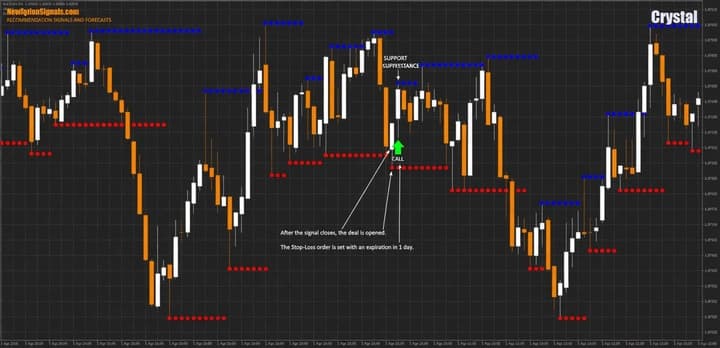
- The Crystal indicator has plotted a red support level on the chart.
To open a Put option:
- The Crystal indicator has plotted a blue resistance level on the chart.
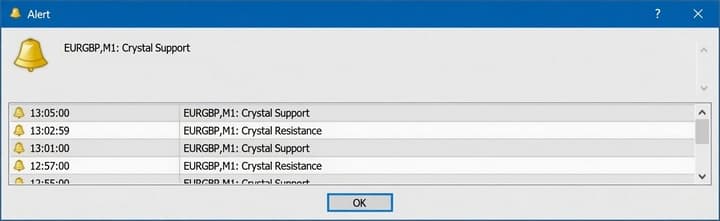
The indicator also generates an audio alert when a signal appears, so there is no need to monitor the chart continuously:
Trade Examples Using the Crystal Indicator
Below are a few examples on a live chart.
Timeframe: M1, expiration: one candle.
Currency pair: EUR/GBP.
Opening a Call Option
Note that signals do not appear at the very start of a move, but after some initial price action — this is by design, as the indicator completes its analysis before issuing a signal:
Opening a Put Option
The same applies to Put trades, shown here with an expiration of three candles:
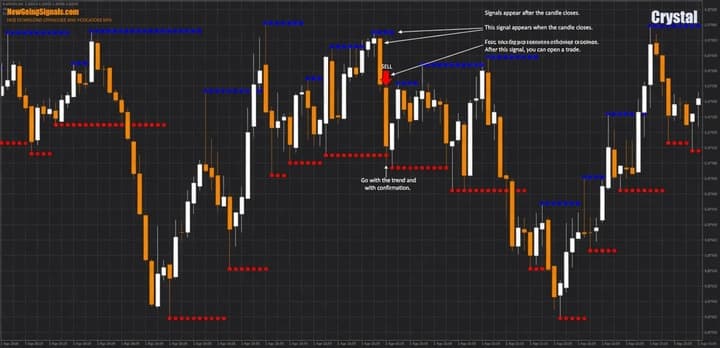
The developer also recommends continuing to trade in the same direction until a reversal signal appears:
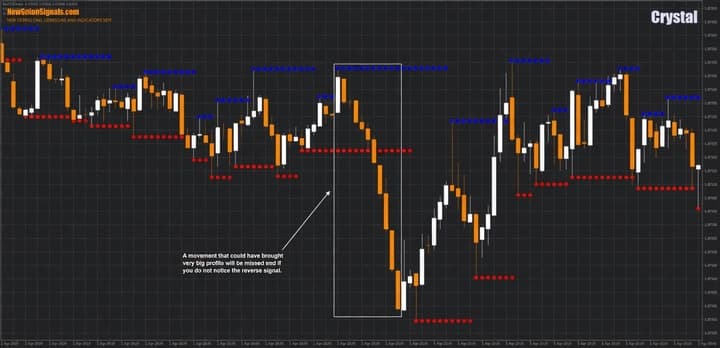
Note: this approach carries elevated risk and should be used with caution. In a ranging market, conditions can reverse quickly. Always test all approaches on a demo account first.
Conclusion
The Crystal indicator has the potential to generate strong returns when its rules are followed — particularly the rules of money management. As always, all indicators and strategies should be tested on a demo account before moving to live trading.
For successful trading, it is also recommended to use a reliable broker. If you have not yet found one, our binary options broker ratings are a good place to start.
Download the Crystal Binary Options Indicator and Template
Not sure how a particular strategy or indicator works? Leave a comment below, and subscribe to our YouTube channel WinOptionCrypto — we'll answer your questions in upcoming videos.

To leave a comment, you must register or log in to your account.