
To start trading binary options with Pocket Option, you will need to complete several steps: registering a new account, verifying it (which is not mandatory at this stage), and — most importantly — funding the account. If a trader wants to earn real profits, making a deposit is essentially unavoidable.
The deposit process on Pocket Option is straightforward and takes very little time. Many funding methods are available, and every trader can find one that suits them best.
Important: when you open and fund a new account on the Pocket Option platform using links from our website, you not only secure safer trading but also receive a full package of free bonus promotional codes from us — including a promo code for a cancel loss trade $10. Simply open an account from our website and send us your ID.
Open an Account with Pocket Option with Bonuses
Every client also has access to promotional codes for funding their account and to free gifts that can be used to gain trading advantages.
Contents:
- How to fund your account
- How to fund your account with a card
- How to fund your account via e-wallet
- How to fund your account with cryptocurrency
How to Fund an Account with the Binary Options Broker Pocket Option
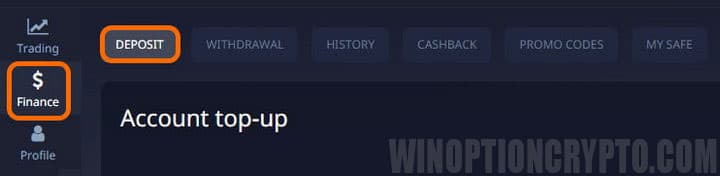
To make a deposit, open the "Finance" section in the left-side menu, then select the "Balance replenishment" tab:
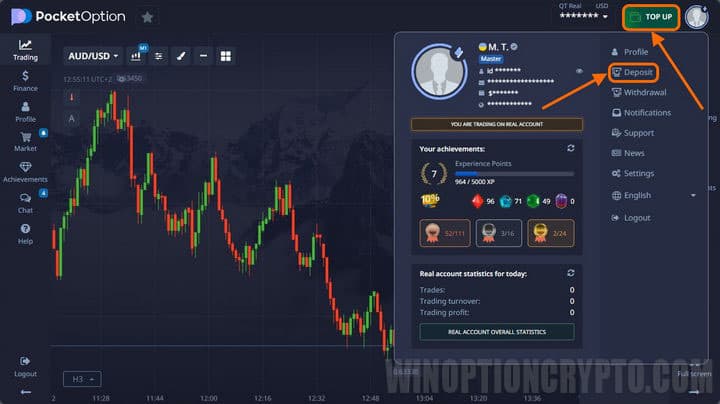
You can also access the deposit section by clicking your profile icon at the top of the terminal and selecting "Top up balance" from the menu, or simply by clicking the large "Top up account" button:
Deposit Methods at the Binary Options Broker Pocket Option
To fund your account, select a payment method and follow the on-screen instructions. The minimum deposit is $5, though the actual minimum may vary depending on the chosen method and the user's country of residence. The deposit section lets you choose whichever method is most convenient, and there are quite a few options available:
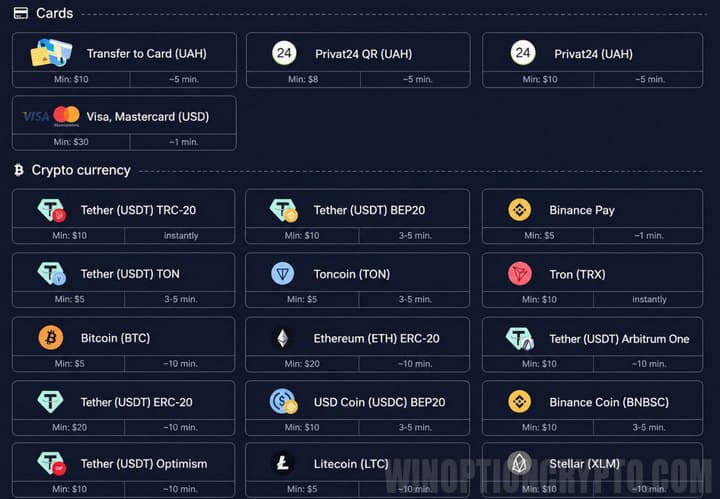
More than 20 deposit methods are available, including the most popular and convenient payment systems. You can fund your account with bank cards, e-wallets, mobile payments, or cryptocurrencies.
Every payment is fully protected against fraud and uses 3D Secure technology.
Please note that your chosen deposit method will also be used for withdrawals — so if you funded your account with a card, you will only be able to withdraw funds back to that same card.
Top Up Your Account Using a Bank Card
To transfer funds from a Visa or Mastercard bank card, open the "Deposit" section and select the appropriate card option. Depending on your country of residence, you may be able to pay in one or more currencies — but regardless of the method chosen, funds will be converted into US dollars at the current exchange rate.
In some regions, users must verify their card when depositing via Visa or Mastercard. Both debit and credit cards are accepted. To complete the payment, fill in all required details, click "Continue," and enter the code sent to you by SMS.
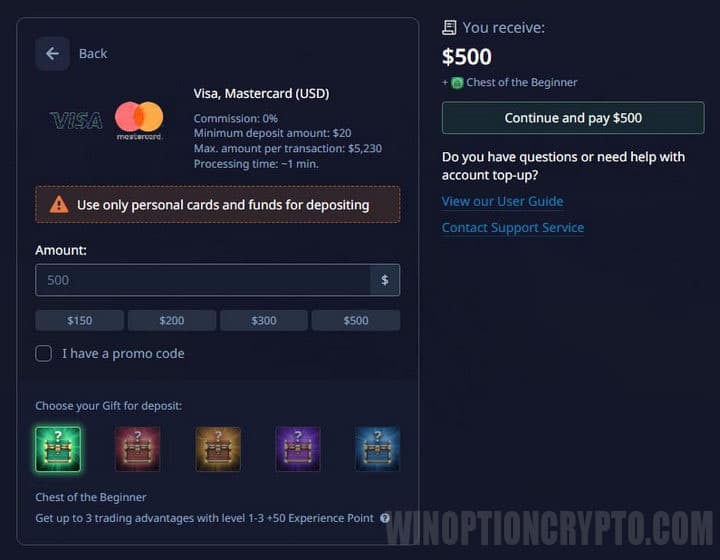
Keep in mind that the larger your deposit, the more valuable the gift you can receive. You can also select a deposit bonus, which depends on your profile level.
Top Up Your Account Using an E-Wallet
Users can also fund their Pocket Option account via e-wallet transfers. As with other methods, you select this option in the "Deposit" section. Such payments are usually processed instantly. If a delay occurs, contact support and provide the transaction hash ID.
After selecting a suitable e-wallet, enter the required details, choose a bonus or enter a promo code (if you have one), and proceed to payment:
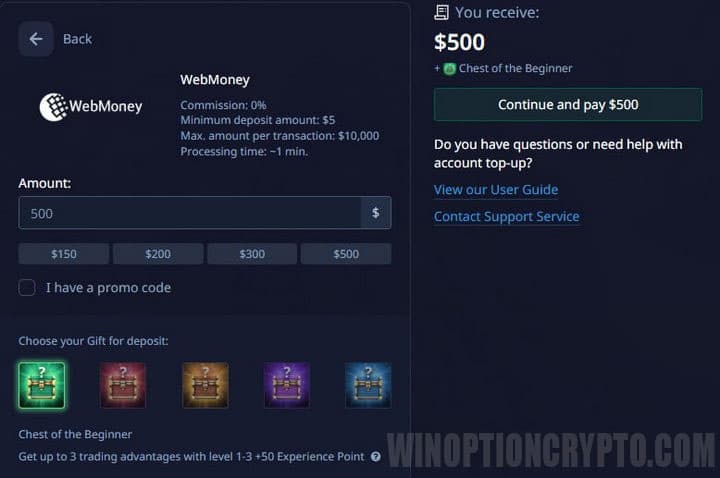
Note: e-payment systems always have transaction limits, so if you plan to deposit a large sum, choose your method carefully.
Deposit Using Cryptocurrencies
Pocket Option also supports cryptocurrency deposits. The main advantage of cryptocurrencies is that there are no transfer limits. Crypto deposits are made through the same "Deposit" section — simply select the cryptocurrency type and follow the on-screen instructions.
Funds are usually credited immediately. However, depending on the transfer network, cryptocurrency deposits may incur a network fee, and in some cases the payment may arrive in multiple parts.
The crypto transfer process is the same as on most other platforms. First, select the coin type. Next, enter the amount, after which the receiving wallet address will be displayed:
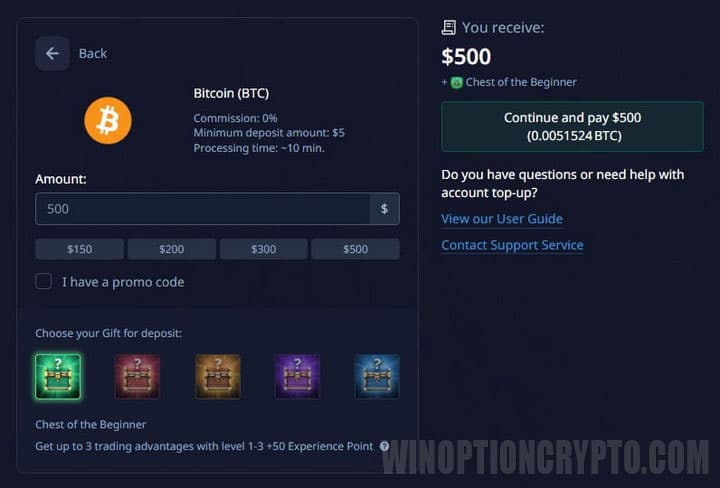
After clicking "Continue," the platform will display the wallet address to which the cryptocurrency should be sent. You can enter it manually or scan the QR code.
To review your payments, open the transaction history to see when each deposit was credited and for what amount. If a cryptocurrency deposit is delayed, contact Pocket Option support and provide the transaction hash ID or a link to the transfer in a block explorer.
Funding Your Pocket Option Account with Cryptocurrency
If you already hold cryptocurrency in one of your cryptocurrency wallets, depositing should be straightforward — simply select the appropriate transfer gateway and follow the instructions:
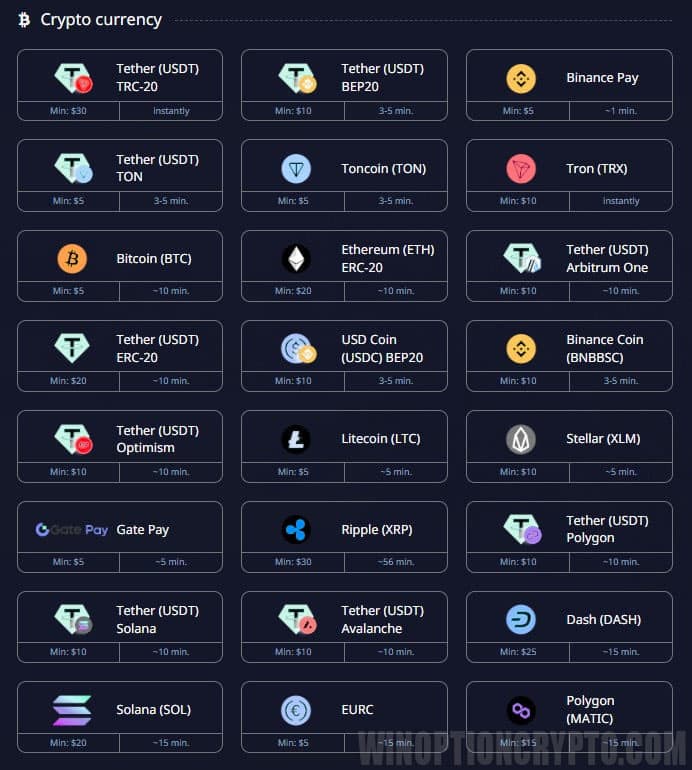 |
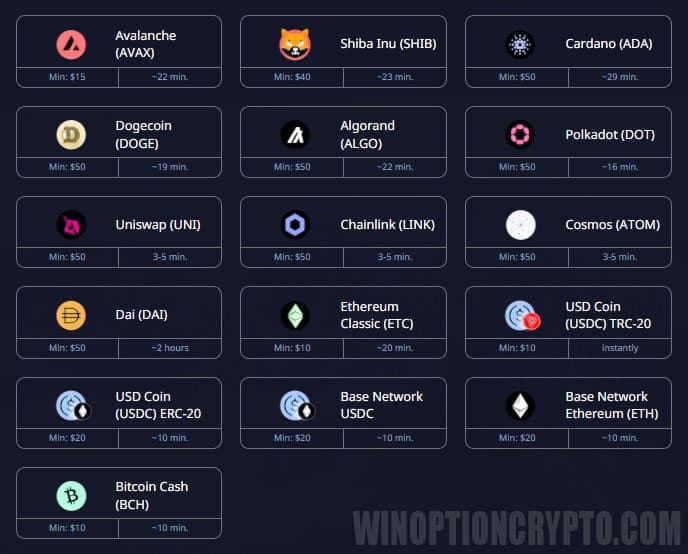 |
If you don't currently own cryptocurrency, you can purchase it on an exchange such as Binance.
If you'd rather not register on a cryptocurrency exchange, you can also buy crypto via the ADVcash e-wallet or through one of the most popular exchangers, Bestchange. For more details on buying cryptocurrency, see our article "How and where to buy and sell cryptocurrency in 2026?"
Transaction History at the Binary Options Broker Pocket Option
Your full deposit and withdrawal history is available in the "History" section:
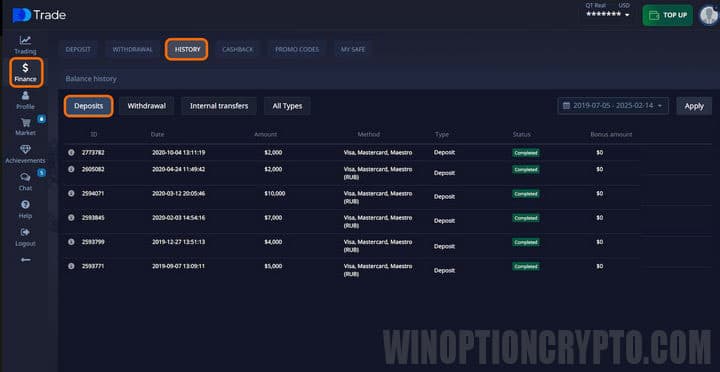
You can view the transaction ID, date, amount, payment method, and request status. Even unsuccessful deposit attempts are shown.
Things to Know About Funding Your Account at the Binary Options Broker Pocket Option
The minimum deposit on Pocket Option is just $5. Even at the minimum deposit, a trader has full, unrestricted access to the broker's trading platform.
All deposits are credited to a US dollar account, so any transfers in other currencies are converted at the current exchange rate. In practice, the final credited amount may differ slightly from the amount sent, due to currency conversion and any fees charged by payment systems. This is especially noticeable with bank cards or e-wallets, where internal exchange rates may apply. Cryptocurrencies are no exception. This is worth keeping in mind, as the broker does not offer accounts in other currencies.
Note: the broker does not charge any fees for deposits or withdrawals.
If your deposit does not appear in your account balance after a top-up, go to the relevant section and submit a support request. Provide as much detail about the issue as possible. If the payment failed due to a technical issue, it will be processed manually.
Additional Perks When Funding Your Account at the Binary Options Broker Pocket Option
When you fund your balance, Pocket Option offers a chest that grants access to various trading perks. The type of perk depends on the size of your deposit. To unlock these benefits, choose a payment method and then select one of the available chest options. If your deposit meets or exceeds the required amount, the gift is awarded automatically. The specific perks are revealed when you open the chest — the larger the deposit, the more valuable the reward. For example, a beginner's chest is available when you deposit $250:
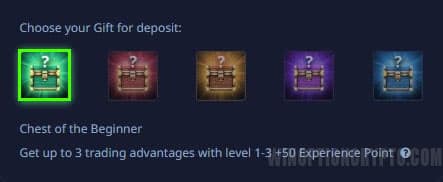
These gifts unlock trading perks such as risk-free trades, cashback, bonuses, and more. Each gift also awards experience points that contribute to your profile level. Higher profile levels unlock additional trading advantages.
If a trader wants to reach a higher profile level immediately, they can do so by depositing a specific amount:
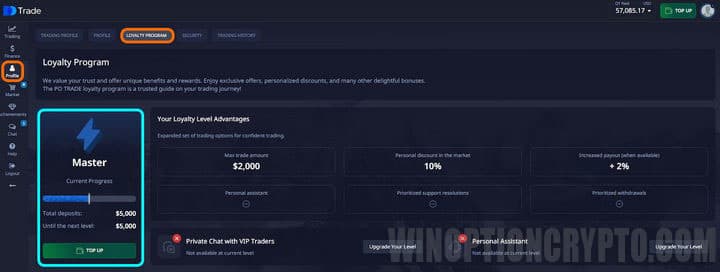
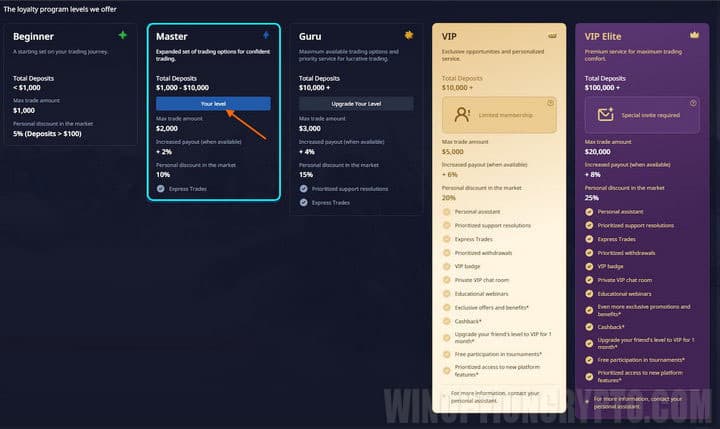
Your profile level is determined by your total deposited amount. Full details of the program can be viewed by clicking the "Compare" button — a new window will open listing the additional features unlocked at each level:
Conclusion
As you can see, funding an account with Pocket Option is simple and takes very little time. A wide range of deposit methods is available, each suited to different preferences. Every deposit may also unlock bonuses and gifts — and you can earn additional bonuses by registering through links from our website.
Just remember to choose your payment method carefully from the start, since all withdrawals must be made to the same payment details used for the deposit.
Top Up Your Account in Pocket Option

See Also:
- How to Withdraw Money from the Pocket Option Broker?
- Free Robot for Pocket Option
- How to Trade from Mobile Devices on the Pocket Option Platform
- Pocket Option Broker Platform for Windows
- How to Use Social Trading with the Pocket Option Broker
- How to Trade Express Orders with the Pocket Option Broker
- How to Participate in Tournaments on the Pocket Option Platform
- How to Use Signals on Pocket Option
- Pocket Option Broker Affiliate Program
To leave a comment, you must register or log in to your account.