
The Pocket Option binary options broker offers traders many opportunities to earn extra profit. In addition to express orders, pending trades, and social trading, the broker also runs a Market where you can obtain a wide range of promotional codes in the form of deposit bonuses or losing-trade refunds.
Below, we take a closer look at what is available in the Pocket Option Market and how to get the most value from it when claiming new promotional codes and bonuses.

The Pocket Option Binary Options Broker Market
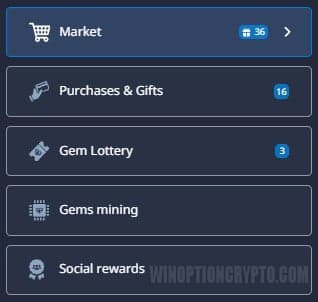
You can access the Market either from the Pocket Option binary options trading platform chart or from your account dashboard. Click the "cart" icon in the left-side menu, then select "Market" from the window that opens:
The store will then open, showing your level, your purchase discount, the number of gems you currently hold (one of Pocket Option's internal currencies), and your purchase history in the right-side panel:
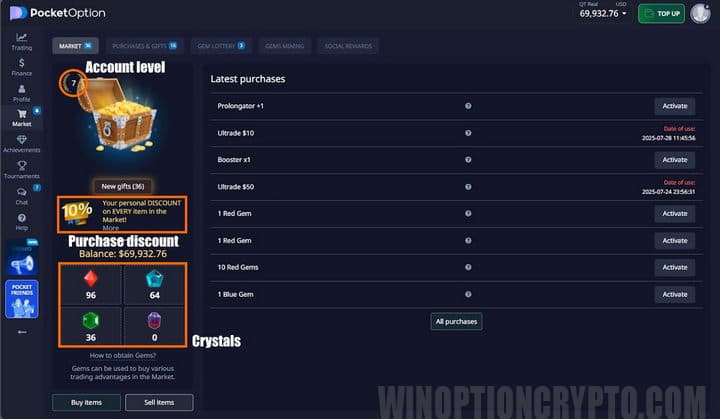
If your account is at level 1, you most likely have no discount on purchases yet — but as you trade on the platform, you will gain experience and your profile level will rise, increasing your discount over time. In our example, we are at level 7, with a 15% discount in the Pocket Option Market.
Note the "Buy Items" and "Sell Items" buttons below the gems counter. Clicking "Sell Items" lets you sell any promotional codes you do not plan to use. Selling them earns gems, which you can then spend on other promotional codes in the Pocket Option Market:
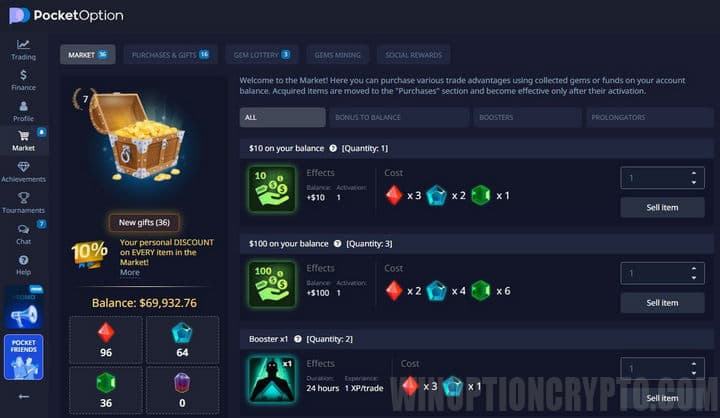
If you scroll down on this page, you will see all the available promotional codes, which we cover next.
Pocket Option Promo Codes
On the promotional codes tab, you can purchase deposit bonuses worth anywhere from 20% to 110% of additional funds:
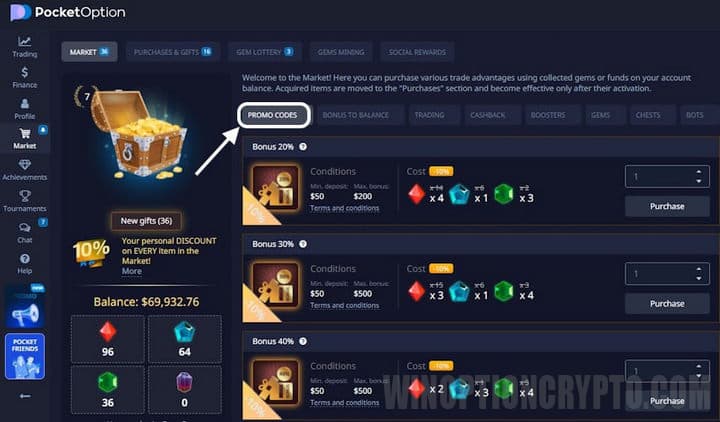
To review the turnover requirements for each bonus, click the "Conditions of participation" link.
Balance Bonus
This bonus instantly adds between $5 and $100 to your account. You can either withdraw the funds or use them for trading:
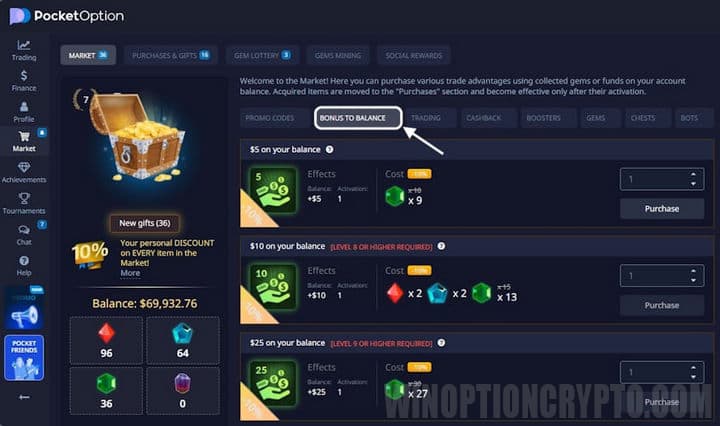
If you are saving up gems, this bonus is a particularly worthwhile purchase to aim for.
Risk-Free Trade
The risk-free trade feature lets you cancel a losing trade without losing the funds you invested. It applies to trade amounts between $10 and $1,000:
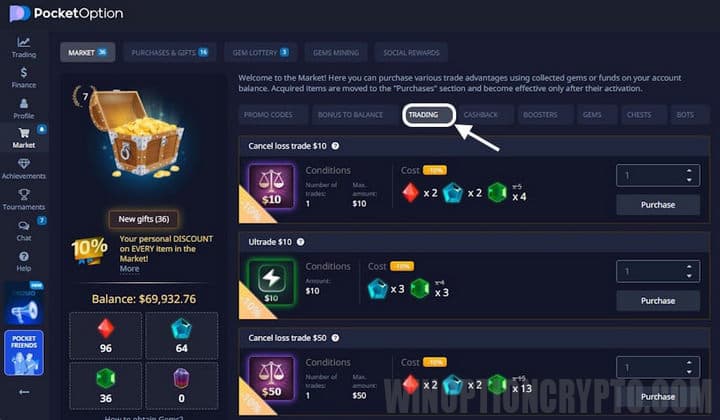
Once you have purchased this promotional code and activated it in your account, a "Cancel" button will appear next to each losing trade in your trade history. Clicking it returns the lost funds to your account:
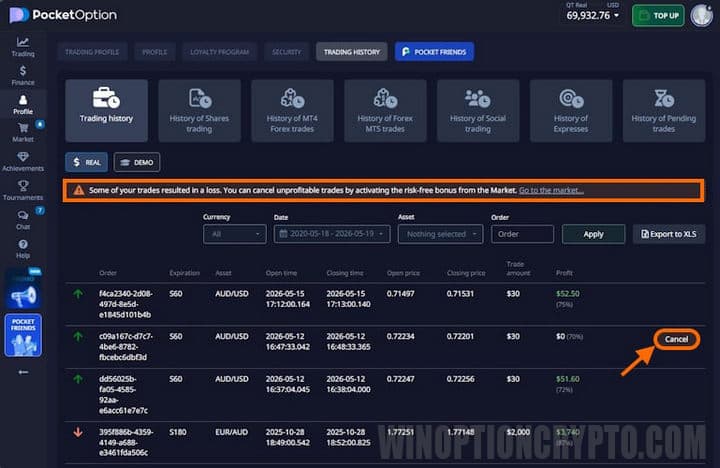
Each promotional code can be used to cancel only one losing trade, so it is important to match the code value to your trade size — you cannot cancel a $100 loss using a $10 cancellation code.
Cashback
Cashback provides passive income of 2% to 10% over a full year, but it applies only to losing trades:
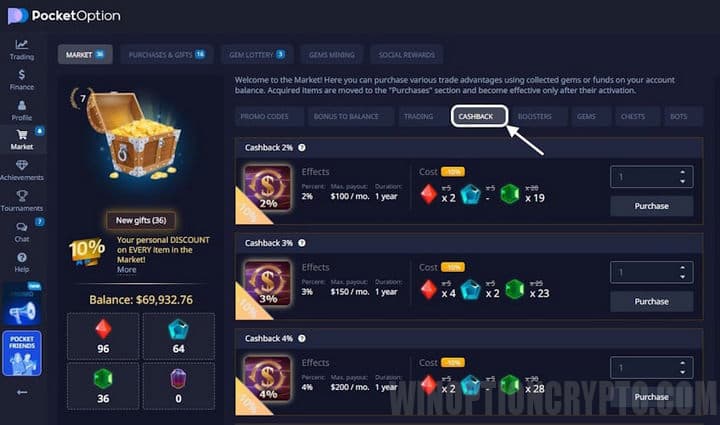
For instance, if you lose $100 on a trade, between $2 and $10 will be returned to your account. This is a useful bonus from the Pocket Option Market because it partially offsets your losses, which helps with money management.
Boosters
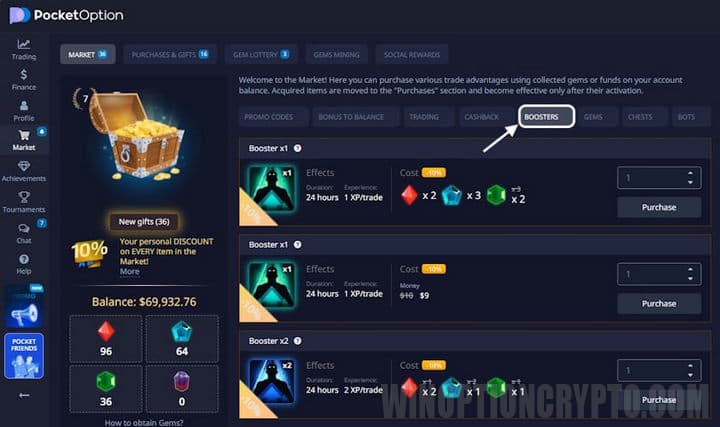
Boosters provide bonus experience points awarded for each trade you place. This helps you level up faster, which in turn increases the purchase discount mentioned earlier:
Gems
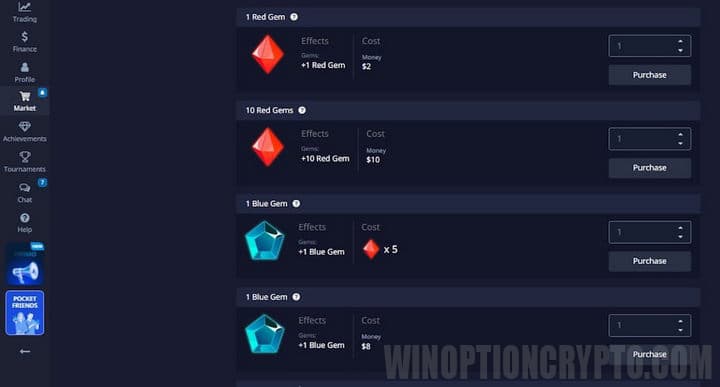
Gems are a virtual currency that traders can use to make purchases in the Market. They are awarded for unlocking certain achievements, can be bought directly in the Market, and can also be exchanged for more valuable items:
Gems can also be mined. Gem mining only begins once the feature has been activated, and the process starts the moment a trader begins copying successful trades from other users. This option is accessed through the social trading menu. Each time a copy trade is placed, a gem fragment appears on the screen.
To produce a full gem, you need to collect 1,000 fragments — meaning a gem is unlocked after one thousand copied trades. The color of the gem depends on the type of license selected.
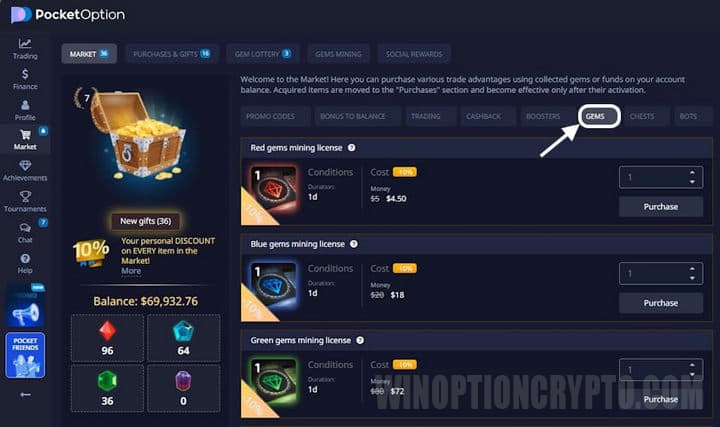
To start mining, you need to purchase a license, which is valid for between 1 and 30 days:
Chests
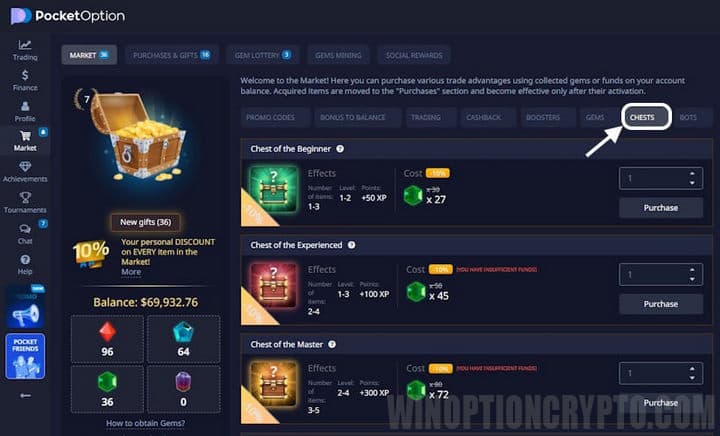
This type of bonus gives traders a random set of trading perks. The type and quantity depend on the user's current level. You can obtain a chest by purchasing this bonus in the Pocket Option Market:
Chests can also be received when funding your trading balance:
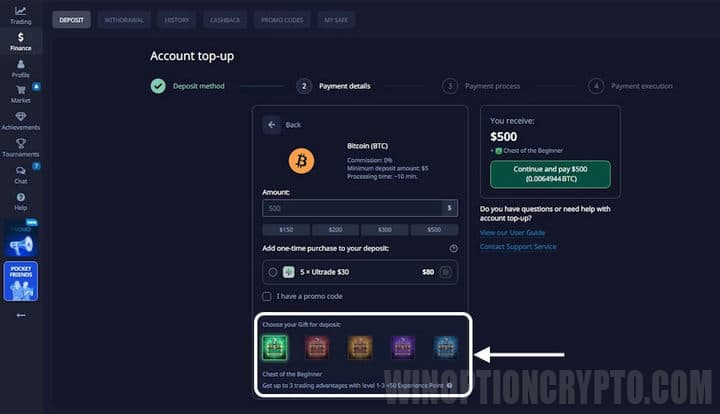
Note that deposit-related chests are only awarded above certain deposit thresholds. The minimum deposit required to earn a chest this way is:
- $250 — beginner's chest;
- $500 — experienced chest;
- $1,500 — master's chest;
- $5,000 — professional chest;
- $10,000 — guru chest.
Each chest awards a certain amount of experience along with several gifts of the corresponding tier.
Tournament Tickets
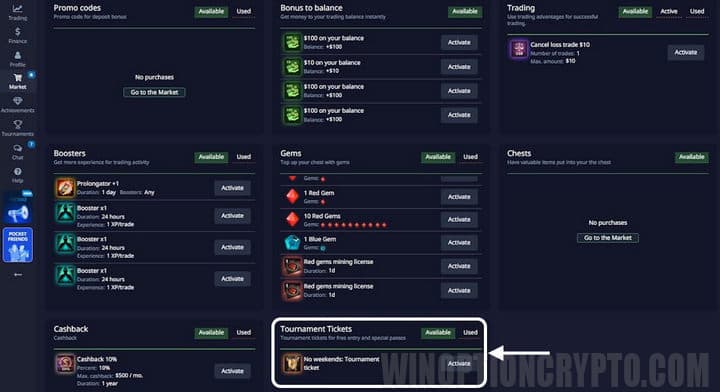
Tournament tickets are another type of bonus that, once activated, grants the trader access to a tournament. In the Pocket Option Market, this bonus may be issued randomly when you open a chest, or it can be obtained via a promotional code and activated directly in the Market:
Conclusion
The Pocket Option Market lets you buy and earn a range of valuable bonuses and gifts that can boost your profits — both through trading and beyond it.
Among the most useful are promotional codes for cancelling losing trades and balance bonuses. Risk-free trades allow you to recover lost funds, while balance bonuses let you receive up to $100 with no trading required and withdraw the funds straight away.

See Also:
- Minimum Deposit and Bonuses at the Pocket Option Broker
- How to Use Signals on Pocket Option
- Free Robot for Pocket Option
- How to Trade from Mobile Devices on the Pocket Option Platform
- Pocket Option Demo Account: How to Open and Use
To leave a comment, you must register or log in to your account.