
By using a Pocket Option promo code, binary options traders on Pocket Option can receive a range of benefits: deposit bonuses, trade cancellations, green or red crystals, cashback, and more. The terms of these Pocket Option bonuses change regularly. Some promo codes can increase your deposit by up to 100%, provided you deposit more than $100. The key questions are where to get a Pocket Option promo code and how to activate it.

How to Purchase a Pocket Option Promo Code
Pocket Option promo codes can be purchased through the Market using either your account balance or crystals. To open this section, select the "Market" tab directly from the chart or navigate to it through your profile:
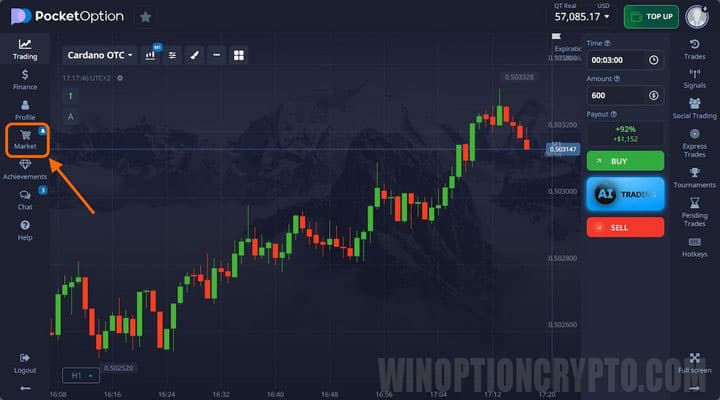
Select the promo code you want to purchase:
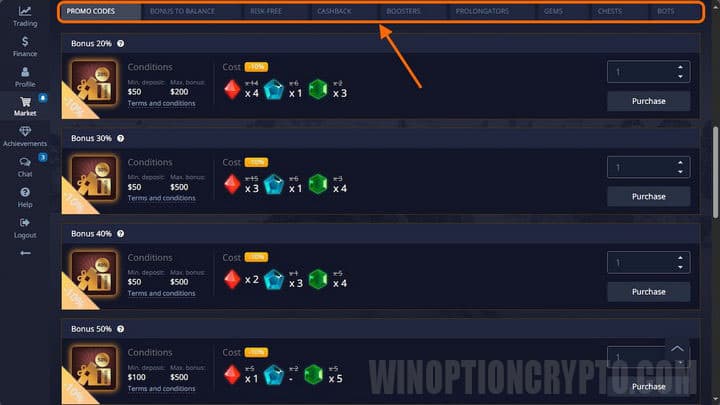
Specify the quantity and click "Buy." A confirmation window will appear:
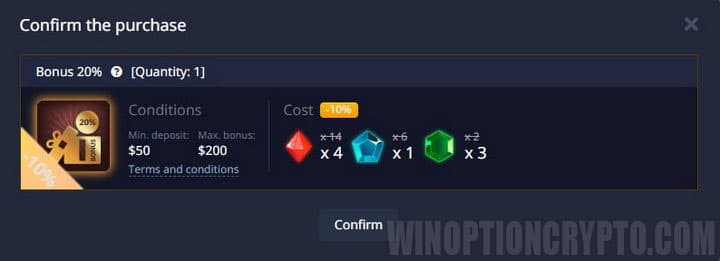
Checking the Terms of a Pocket Option Promo Code
Each promo code is subject to specific conditions set by the broker. This applies in particular to deposit bonus promo codes, where the bonus can reach up to 110%.
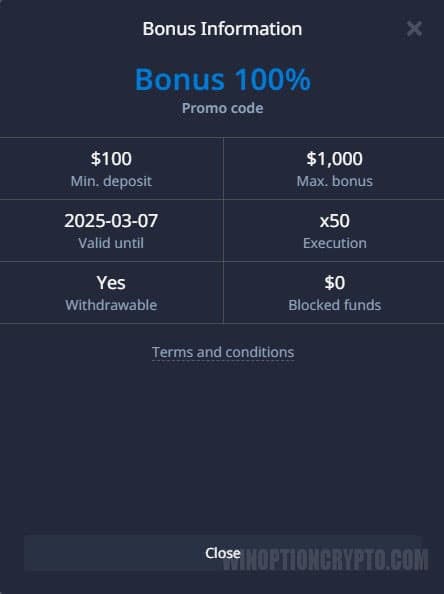
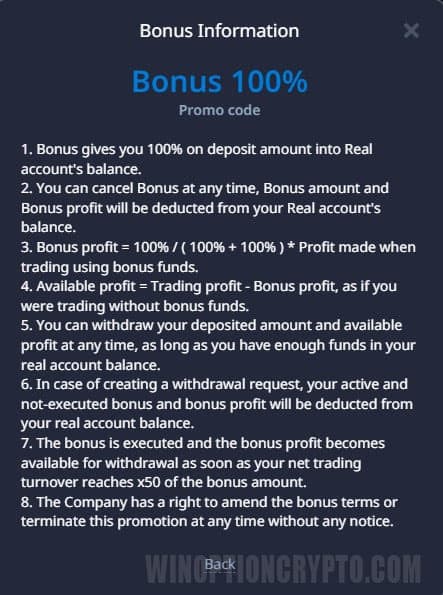
To review the terms of a specific offer, click the "Conditions of Participation" link found beneath each item in the Market:
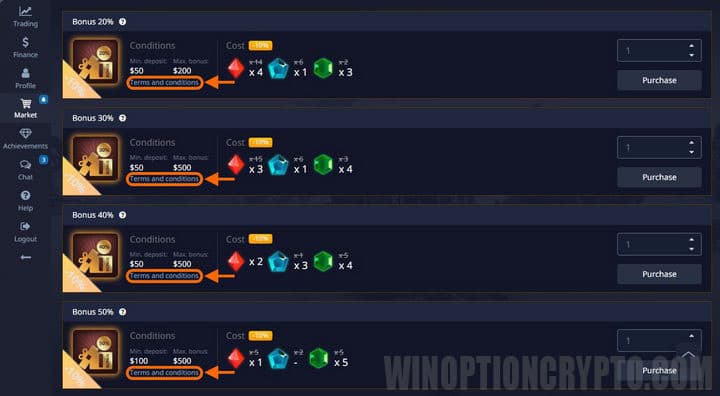
The window that opens will show the full details for that promo code:
- bonus amount;
- maximum credit to the bonus account;
- promo code expiry date, and more.
Terms can vary between similar promo codes depending on current platform promotions, so always check the specific conditions before activating an offer, even if it looks familiar.
 |
 |
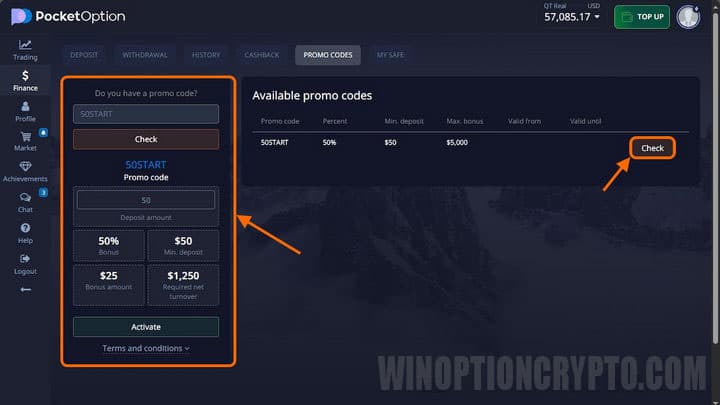
If you have already purchased a promo code but have not yet reviewed its terms, you can find them in the "Finance" section under "Promotional Codes." There you will see:
- all active promo codes you have purchased;
- your progress toward fulfilling each promo code's conditions;
- all promo codes received as gifts.
To check the terms of a specific bonus, click the "Check" button next to the relevant promo code:
Activating a Pocket Option Promo Code
A promo code must be activated before you can use its bonus. Activation is done in the "Finance" section under the "Promotional Codes" tab, or through the "Purchases" section on the "Market" tab, where all your purchased promo codes are listed. Click "Activate" next to the promo code you want to use, then go to the deposit page and select your preferred bonus calculation method:
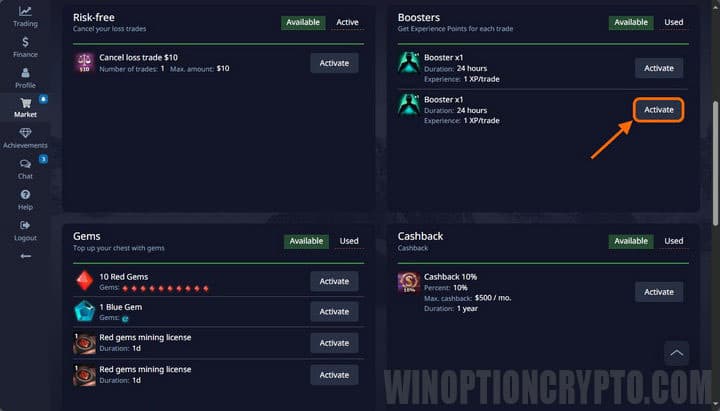
Once activated, the promo code will appear automatically in the designated field when you make a deposit.
What Pocket Option Promo Codes Can You Get for Free or Purchase?
The following promo codes are available in the Market:
- deposit bonus promo codes;
- balance bonus;
- trade cancellation (risk-free trade);
- cashback;
- boosters;
- prolongators;
- crystals;
- chests.
These promo codes let you grow your funds or unlock useful bonuses for use in binary options trading. Not all of them are universally applicable, so below is an overview of the three most popular. Note that some Pocket Option bonuses are also available free of charge.
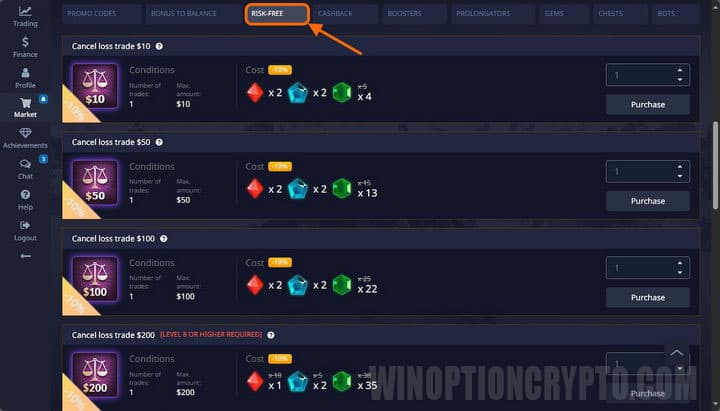
The trade cancellation promo code is the most popular option on Pocket Option. It lets you recover the full amount invested in a losing trade: if you open an option and it closes at a loss, the entire stake is returned to your account. This promo code is available in the Market, and the maximum refundable amount per cancellation can reach $1,000:
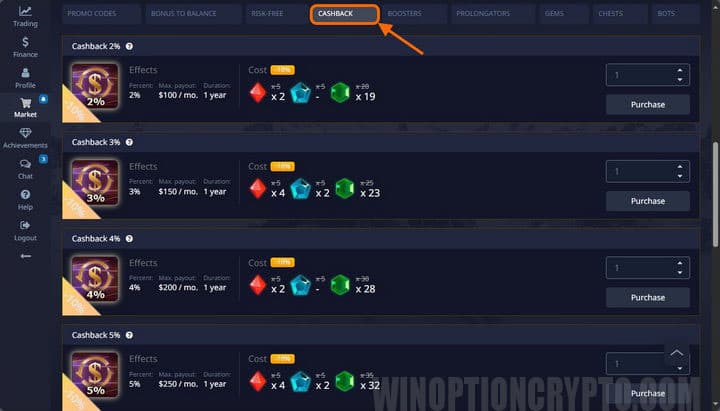
Cashback is a promo code that generates passive returns on your trading activity. Only losing trades count toward the cashback calculation, but the bonus is valid for a full year. The maximum cashback rate is 10%:
Crystals are a platform currency used to purchase other promo codes or exchange for different crystal types. They come in three colours:
- red;
- blue;
- green.
Crystals can be purchased in the Market:
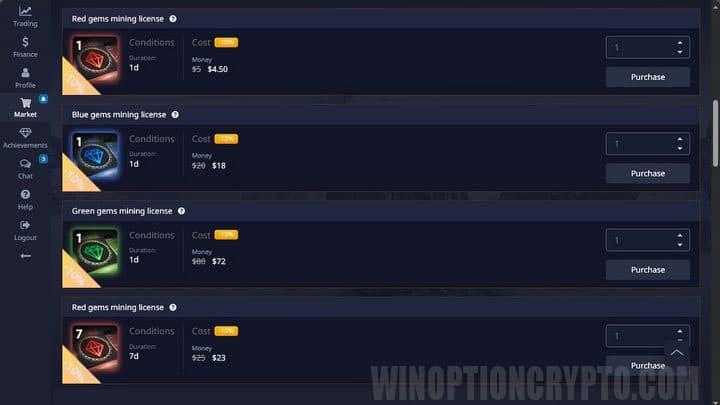
Crystals can also be mined. A mining licence is purchased from the crystal section of the Market.

To leave a comment, you must register or log in to your account.