
The APEX binary options indicator is based on technical analysis and combines signal generation with support and resistance levels and zones. When a signal appears, the indicator displays the levels on which it was based, so you can always see why a particular price point presented the highest probability for a Call or Put entry.
The indicator was available for purchase, but you can download it for free from our website.
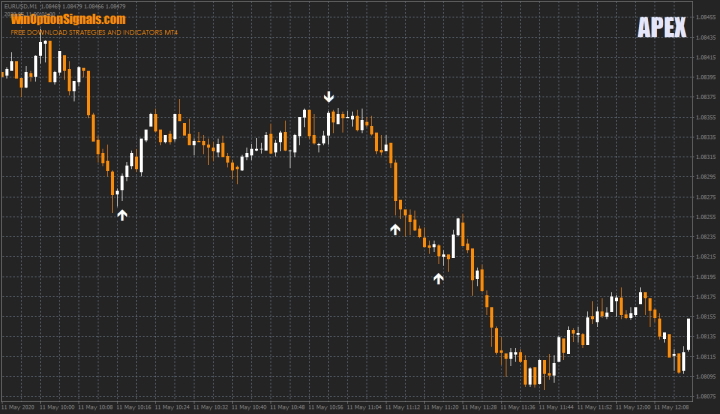
Key Features of the APEX Indicator
- Terminal: MetaTrader 4.
- Time frame: M1–M15.
- Expiration: 1 candle and 5 candles.
- Types of options: Call/Put.
- Indicators: APEX.
- Trading instruments: all currency pairs.
- Trading hours: 08:00–21:00 UTC.
- Recommended brokers: Quotex, PocketOption, Binarium.
Installing the APEX Indicator in MT4
The indicator is installed using the standard procedure in the MetaTrader 4 terminal.
Leave the indicator settings at their defaults.
You can optionally change the color of the signal arrows.
Instructions for installing indicators in MetaTrader 4:
Trading Rules Using the APEX Indicator
The APEX indicator does not generate a large number of signals, so you will need to monitor multiple charts simultaneously. However, the indicator does not repaint signals.
Its algorithm is based on mathematical and dynamic support and resistance levels, as well as Murray levels, which are rated by strength on a scale from “-2” to “+2”. Each signal therefore displays a level with a specific value:
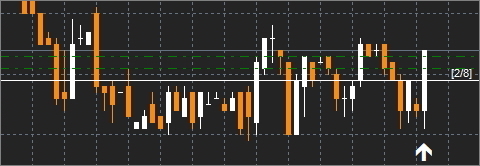
A signal is generated as soon as the price touches a key level. Levels are calculated separately for each time frame.
It is worth noting that levels with values from “-2” to “2” are strong levels for Call options, while levels with values from “+2” to “6” are strong levels for Put options. This is how level strength is classified within the Murray system.
The trading rules for the APEX indicator are straightforward, as the indicator relies solely on its own signals. To open a Call option, wait for an up arrow; to open a Put option, wait for a down arrow.
Since the indicator's author does not specify a single correct expiration time, the conventional approach applies: 1 candle for scalping trades, and 5 to 10 candles for more conservative trades.
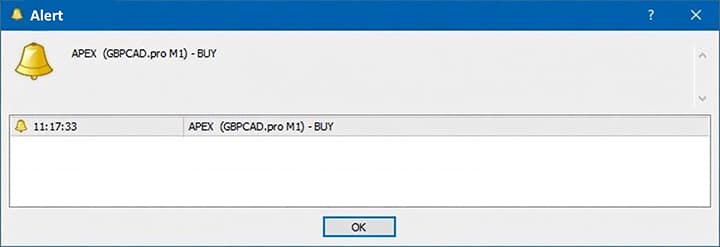
The indicator also includes alerts that notify you when a new signal appears:
Trading Examples Using the APEX Indicator
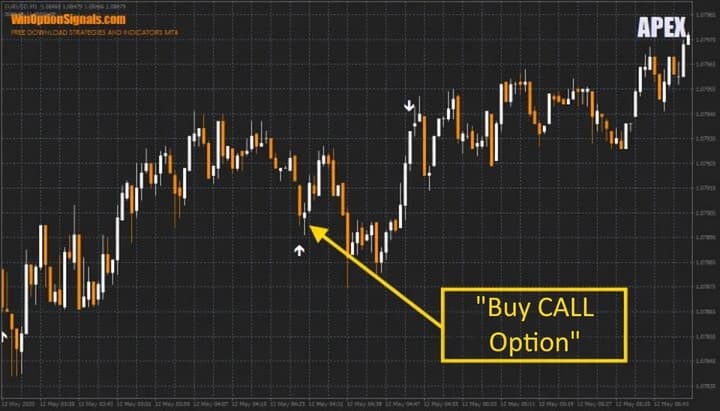
The examples below use the EUR/USD currency pair on the M1 time frame, which generates the highest number of signals — although the indicator's author recommends using M5 and M15 charts for trading.
Opening a Call Option
The indicator produces fairly accurate signals that do not require additional filtering:
Opening a Put Option
Put option signals also do not require additional filtering:
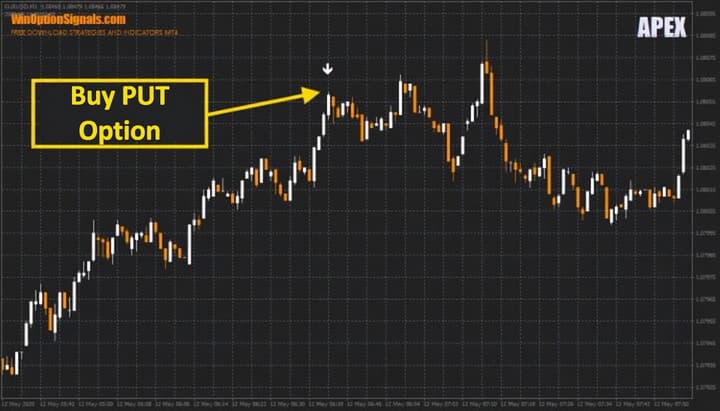
Note: not all indicator signals will be this accurate. Always test the indicator on a demo account and backtest it against historical data before trading live.
Conclusion
The APEX indicator can be profitable when properly tested and analyzed to identify the optimal time frame and expiration time. However, do not expect consistent returns on every signal without doing the work first. It is entirely possible that the indicator will not sustain profitability over an extended period.
Remember that successful trading starts with a reliable broker, which you can find in the binary options broker ratings. We wish you successful trading!
Download the APEX Indicator and Template
Not sure how this indicator works? Leave a comment below, and subscribe to our YouTube channel WinOptionCrypto — we'll answer all your questions in an upcoming video.

To leave a comment, you must register or log in to your account.