
The Ozymandias indicator for binary options is a trend-following tool that, in practice, performs its function very well — which is likely why it features in so many trading strategies. In addition to identifying trend direction, the Ozymandias indicator filters out market noise by ignoring short-term intraday volatility, reducing the risk of false entry signals.
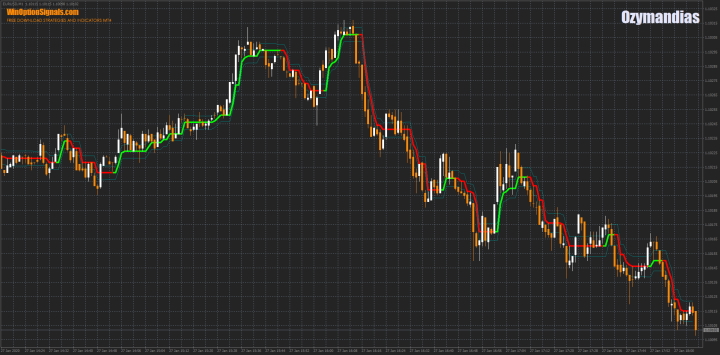
Key Features of the Ozymandias Indicator
- Terminal: MetaTrader 4
- Timeframe: M1
- Expiration: 1 minute
- Option types: Call/Put
- Indicators: Ozymandias
- Trading instruments: Any
- Trading hours: 08:00–21:00 UTC
- Recommended brokers: Quotex, Pocket Option, Binarium
Installing the Ozymandias Indicator in MT4
When adding the indicator to a chart, the default settings can be left unchanged.
If you wish to experiment with the settings, increasing the Amplitude parameter will reduce the indicator's sensitivity, producing fewer entry signals and a more conservative trading approach. Keep in mind, however, that a higher Amplitude value also increases the risk of missing a local trend change.
To avoid configuring the chart manually, a ready-made template is available for download at the end of this article.
For installation instructions, watch our MetaTrader 4 setup video:
Trading Rules for the Ozymandias Indicator
As noted above, Ozymandias is a trend-following indicator. Its signals are most effective when traded in the direction of the prevailing trend, as the chart can occasionally show brief false trend reversals. This article on what a trend is and why it matters in financial markets is a useful resource for developing a deeper understanding of price direction and how to use it to your advantage.
To open a Call option:
- The indicator's centre line changes colour from red to green.
To open a Put option:
- The indicator's centre line changes colour from green to red.
Trade Examples Using the Ozymandias Indicator
The examples below use the EUR/USD currency pair on the M1 timeframe with a 5-minute expiration. Note that this indicator can be applied to any timeframe — the appropriate choice depends on your trading style.
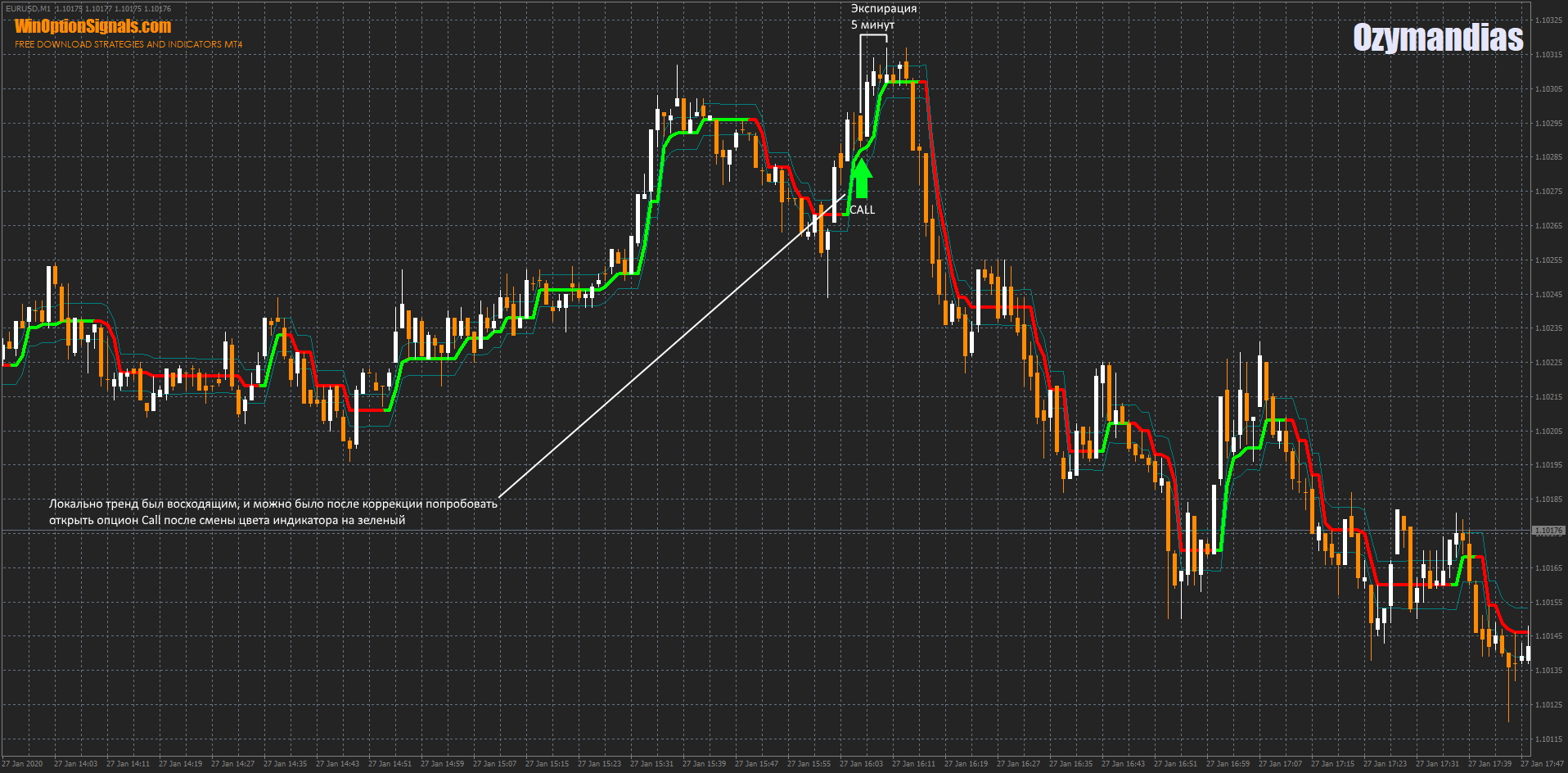
Opening a Call Option
In the example below, a counter-trend Put signal appeared just before the trade shown. This could be a valid scalping entry, but since we are trading with the trend, such signals are best ignored.
Opening a Put Option
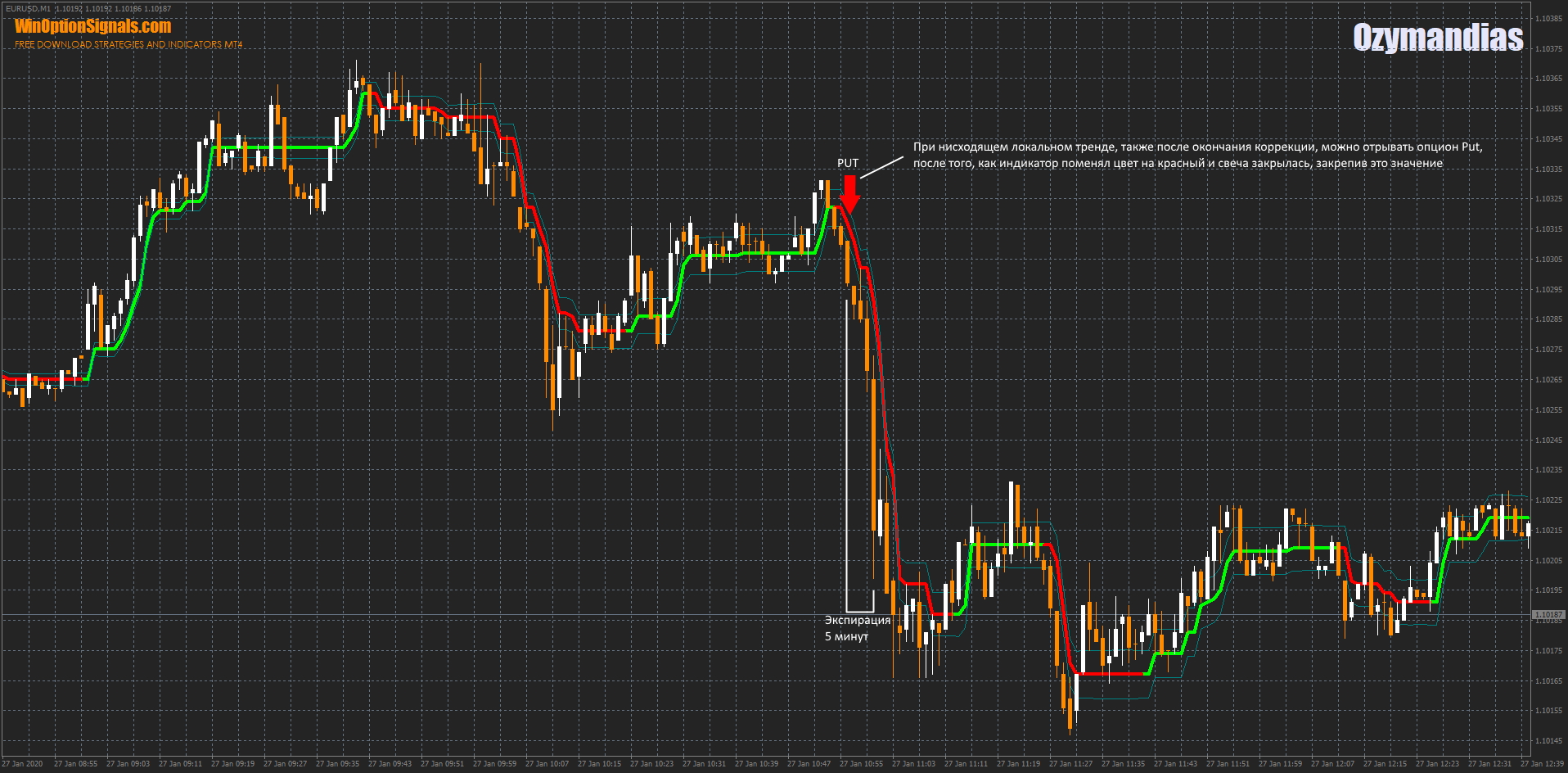
A similar situation occurred when a downtrend was forming. A brief correction appeared, and as soon as it ended, a sharp downward move began.
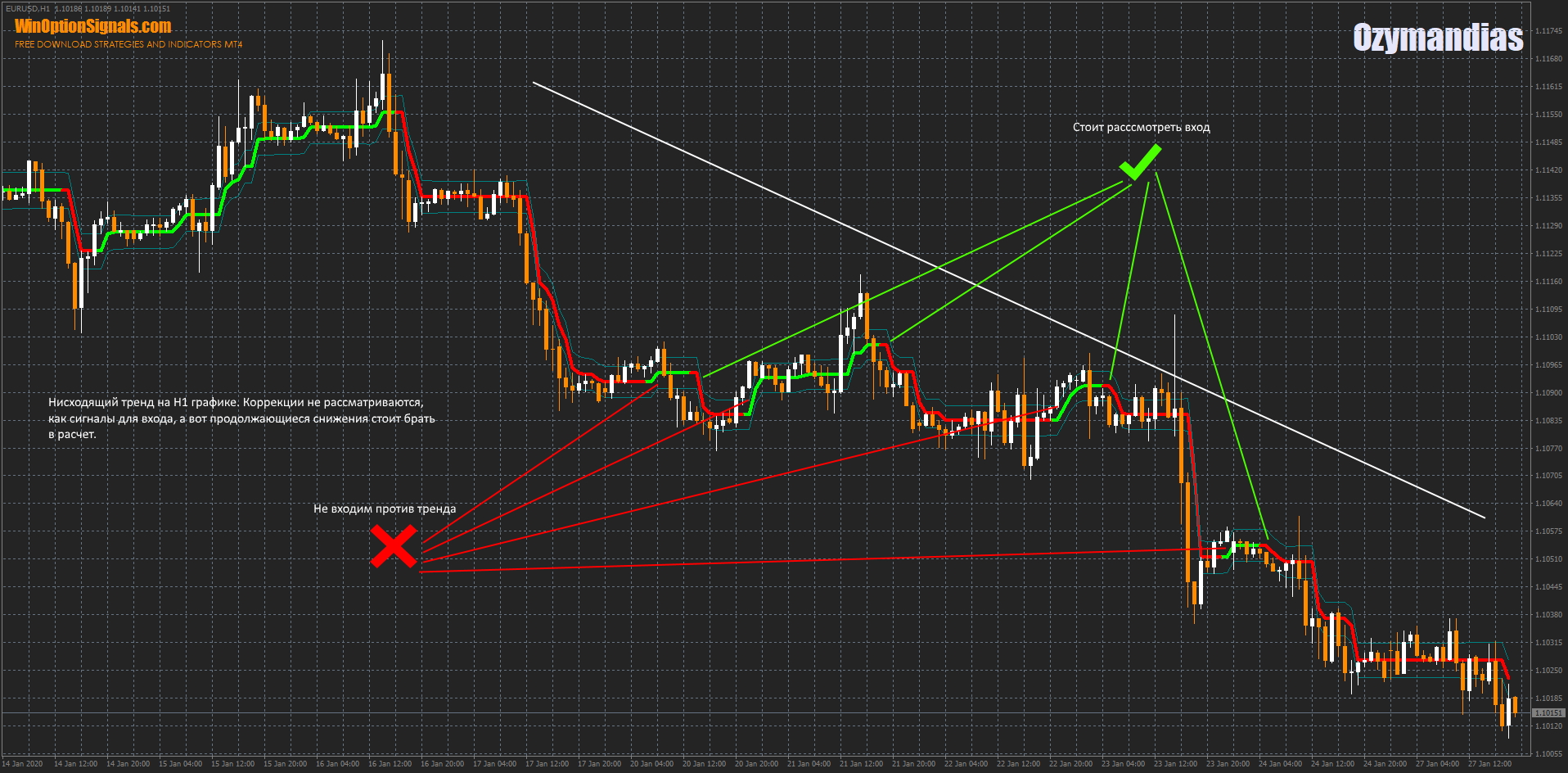
It is also worth noting that the indicator performs particularly well on higher timeframes, where the trend is more clearly defined. In the example below, the red cross marks counter-trend signals that should be avoided, while the green tick marks signals worth considering — as these represent continuations of the established downtrend:
Conclusion
Once you have tested this indicator across different assets and timeframes, you will find that its effectiveness comes down to your understanding of how trends work.
Always test indicators and strategies on a demo account before trading with real funds. If you are not sure which broker to use, consult the binary options broker ratings on our website. Good luck with your trading!
Download the Ozymandias Indicator and Template
Have questions about how this strategy or indicator works? Leave a comment below, and subscribe to our YouTube channel WinOptionCrypto — we answer all questions in our videos.

See Also:
- Binary options trading strategies
- Binary options broker bonuses
- Trader's Diary
- When is it time to switch from a demo account to a live account?
To leave a comment, you must register or log in to your account.