
Trading binary options through Pocket Option has one undeniable advantage over trading other financial assets: the trader always knows the size of the potential profit and loss before opening a trade. This is why turbo options are popular among market participants. These contracts differ from others in that their expiration period ranges from a few seconds to five minutes. With the right turbo options trading strategy on Pocket Option, you can generate consistently strong returns.

One effective approach to trading these contracts is to use signals from the Awesome Oscillator, Alligator, and RSI indicators. All three tools are built into the Pocket Option trading terminal.
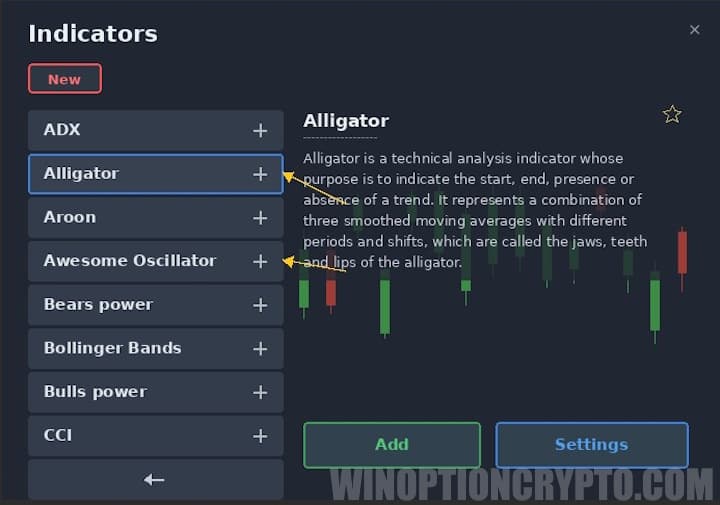
Setting Up Indicators in Pocket Option
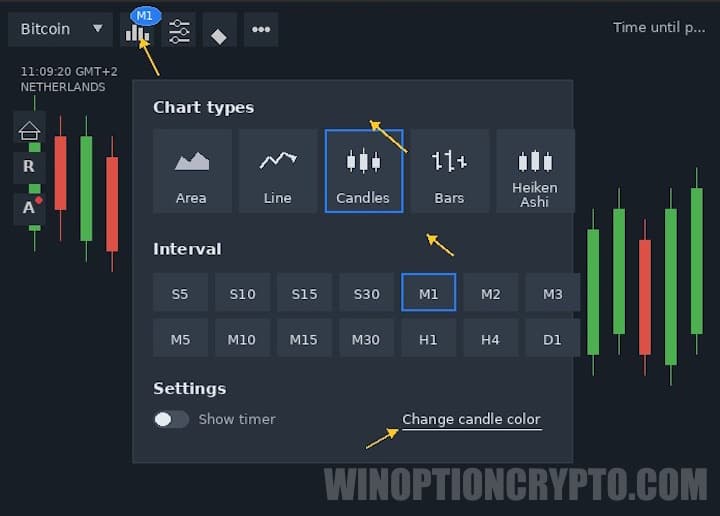
As noted, turbo options trading moves fast. Pocket Option therefore recommends working with these instruments on short timeframes — in particular, the one-minute Japanese candlestick chart. To set the timeframe and chart type, click the chart icon in the main window of the Pocket Option terminal and select the appropriate option.
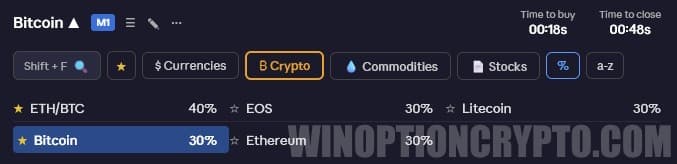
When using turbo options, keep in mind that indicators can generate up to 10–15 signals per hour. In these conditions, it is important to select highly volatile, actively traded assets — otherwise, there is a high probability of frequent false signals. Assets well-suited to this approach include the GBP/USD and EUR/USD pairs, as well as cryptocurrencies.
You can also boost your trading capital by using Pocket Option promo codes to top up your account, and improve your results with this strategy by applying a promo code to cancel loss trade $10.
To adjust indicator settings, go to the "Active" tab in the Pocket Option terminal and click the pencil icon next to each indicator.
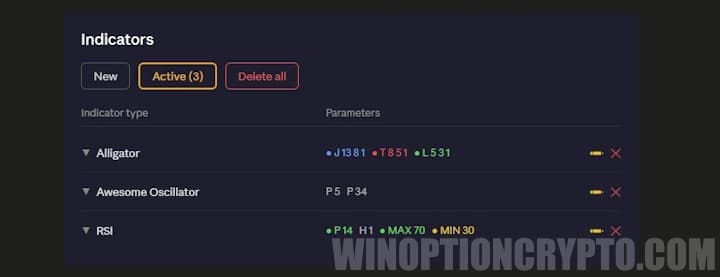
In the settings windows, enter the parameters required by this trading strategy. For the Alligator:
- shift — default;
- lips — 3;
- teeth — 5;
- jaws — 13.
For RSI, set the period to 14 and the signal level to 50. For the Awesome Oscillator, set the periods to 5 and 34.
Trading Rules
Despite the short contract duration — and the higher signal frequency that comes with it — these three indicators work together effectively for turbo options trading on Pocket Option. To find a good entry point, watch for the RSI line crossing level 50.
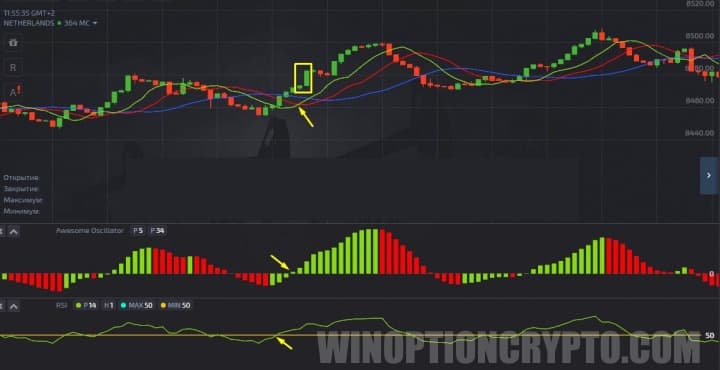
Place a Call order when the RSI crosses level 50 from below. At the same moment, the green Alligator moving average should cross the red one in the same direction, and a bar should begin forming above the zero line in the Awesome Oscillator window.
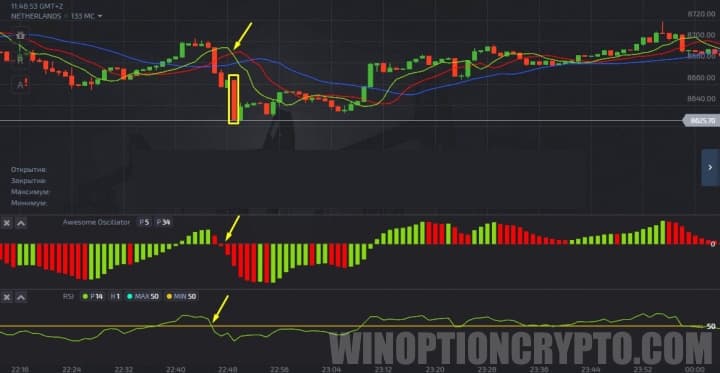
Place a Put order when the opposite conditions are met: the RSI and Alligator lines cross from above, and a new bar forms below the zero line in the Awesome Oscillator window.
The recommended expiration for this strategy is 1–2 minutes. Risk no more than 2% of your total deposit per trade. Keeping position sizes small is especially important here, as the high trade frequency significantly increases overall risk exposure.
OPEN AN ACCOUNT WITH POCKET OPTION
Not sure how this strategy or indicator works? Leave a comment below, and subscribe to our YouTube channel WinOptionCrypto — we'll answer your questions in upcoming videos.

To leave a comment, you must register or log in to your account.