
Technical lines are used by traders in various trading terminals, including the Pocket Option broker. Using this tool, traders determine the direction in which the market is currently moving. The most promising application, however, is the construction of a price channel. Such a corridor allows traders to find optimal entry and exit points. When the price crosses one of the boundaries, it often signals a trend reversal.

Traders use various methods to construct this corridor. In the Pocket Option trading terminal, this can be done in just a few clicks.
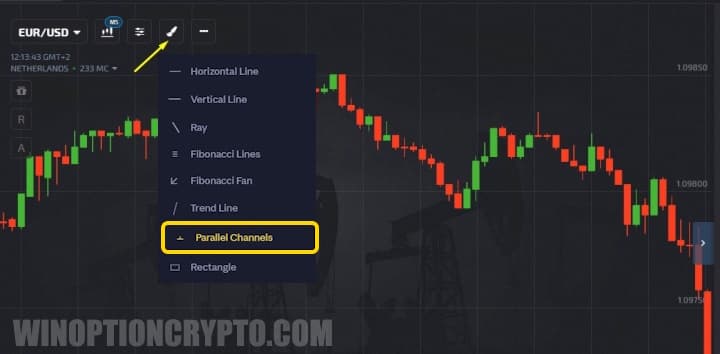
The Principle of Constructing Parallel Channels
Trading on Pocket Option is straightforward. To build parallel channels, go to the "Constructions" section and select the appropriate indicator. Two lines will then appear on the chart, with the space between them shaded green.
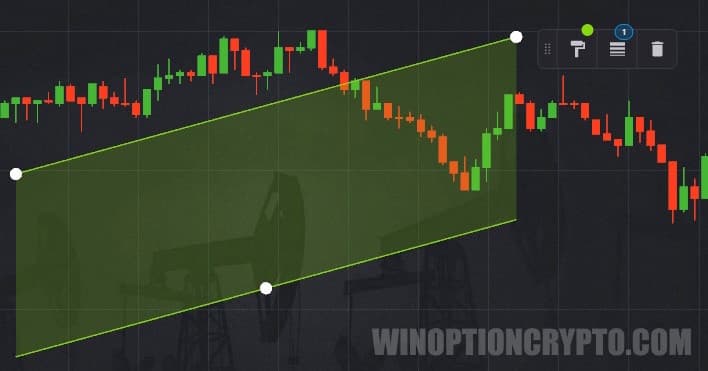
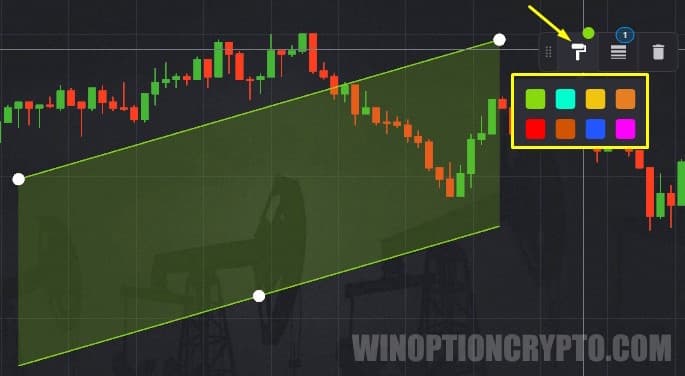
To move the channel to the desired area, hold down the top line with the left mouse button and drag the indicator into position. A menu appears next to the channel in the terminal. The first button allows you to change the fill color.
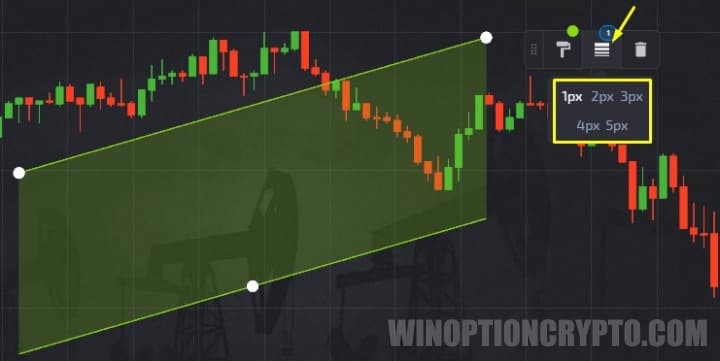
The second button lets traders set the width of the upper and lower boundary lines. The third button removes the tool from the chart.
As noted, Pocket Option offers an easy-to-use terminal. That said, the default settings alone are not sufficient for successful trading. Traders must manually position the channel on the chart so that it accurately reflects the current price corridor, making it possible to monitor trend behavior.
To correctly position the tool on the chart, place the white anchor points of the upper line on as many price peaks as possible. Similarly, align the lower line with the trend lows.
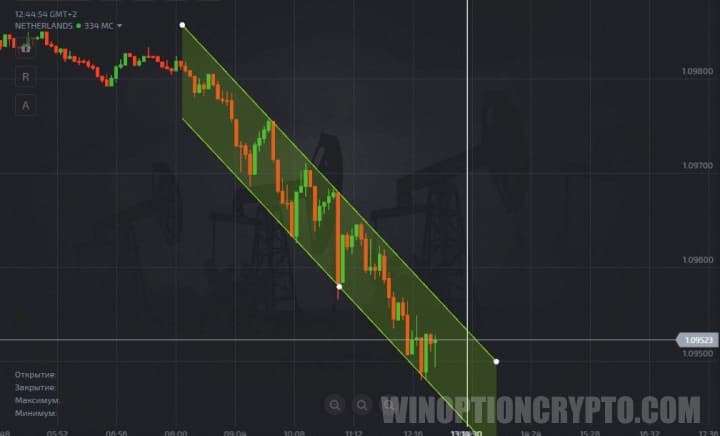
Once the price corridor is built, you can begin trading on Pocket Option.
Rules for Trading Options on Pocket Option Using the Price Channel
Trading with this binary options strategy within a price channel is straightforward. To complete a successful trade, enter the market when the chart reaches one of the boundaries and begins to reverse. For example, if the price reaches the upper line and turns downward, open a Put option.
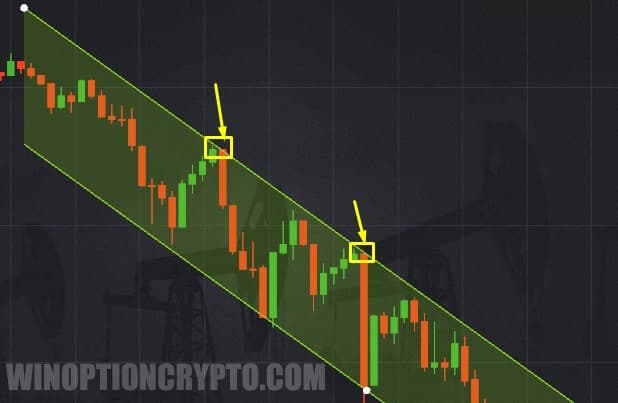
A Call option should be opened when the chart reaches the lower line and begins to move upward.
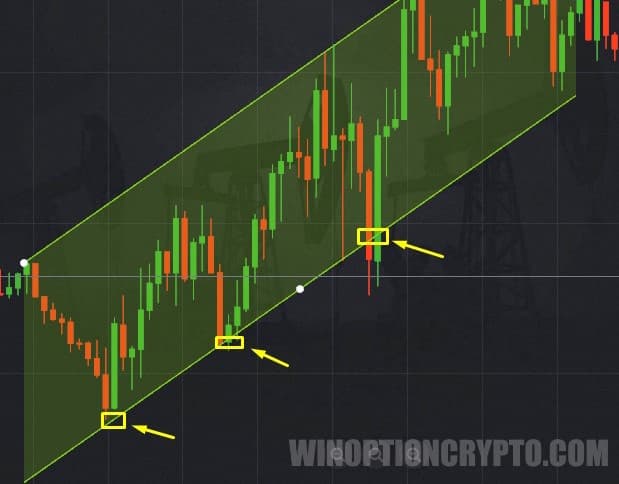
Keep in mind that when trading on Pocket Option, the first order should be opened during a downtrend and the second during an uptrend — that is, when the parallel lines are angled downward and upward, respectively.
This tool also helps traders identify trend reversals in a timely manner. Trading should be paused when the price chart breaks through one of the channel boundaries and continues moving in the same direction.
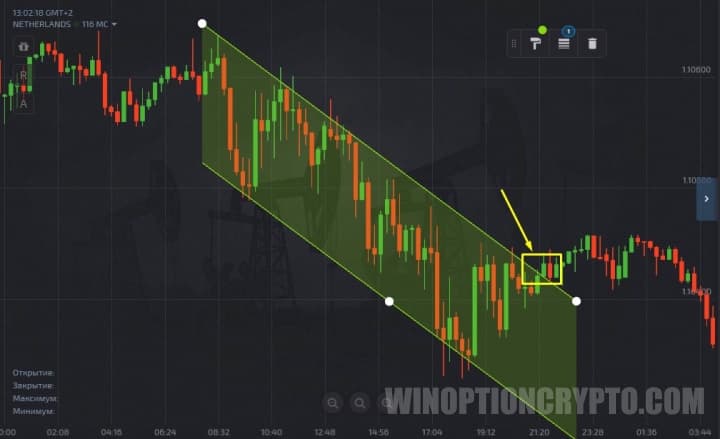
As the examples above show, trading binary options using parallel channels on Pocket Option can be highly effective. One of the key advantages of this tool is that it works across all timeframes and asset types.
Also, remember that you can start trading with additional funds by using promo codes for account top-ups from Pocket Option, and boost your results with this strategy by using a promo code to cancel loss trade $10.
OPEN AN ACCOUNT WITH POCKET OPTION
Can't figure out how this strategy or indicator works? Leave a comment below and subscribe to our YouTube channel WinOptionCrypto — we answer all questions in our videos.

See Also:
- How to Trade from Mobile Devices on the Pocket Option Platform
- Pocket Option Broker Platform for Windows
- How to Use Social Trading with the Pocket Option Broker
- How to Trade Express Orders with the Pocket Option Broker
- How to Use Signals on Pocket Option
To leave a comment, you must register or log in to your account.