
Traders often want to change the currency held in their binary options trading account. The reasons for this vary. However, many honest binary options brokers do not allow such changes. Quotex, on the other hand, offers different conditions: its clients have access to options that are unique in the binary options market, including the ability to switch the deposit currency an unlimited number of times.

Supported Account Currencies at Quotex
During registration, the official website notes that an account can be opened in:
- US dollars;
- Euro;
- British pound;
- Brazilian real and 7 other currencies.
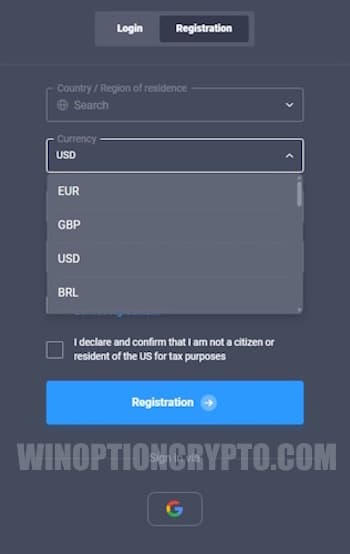
This list is continuously expanding, and the platform will eventually support an even wider range of currencies, including cryptocurrencies. Previously, the company's clients could only open an account in fiat currencies.
Rules for Choosing a Currency at Quotex
The option to change your account currency becomes available after you register. If you selected the wrong currency at sign-up, you can change it from the balance panel:
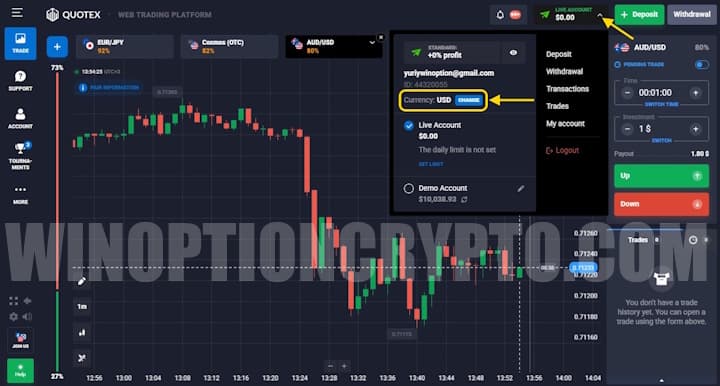
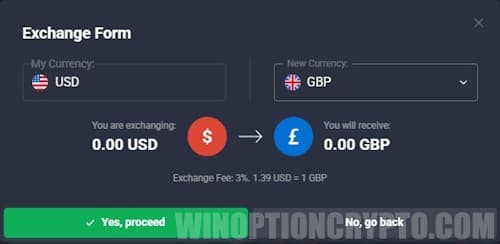
Click the "Change" button, select the currency you need in the window that appears, and confirm:
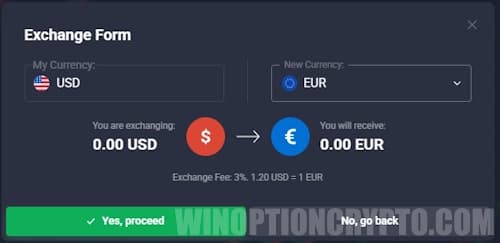
If your account currency differs from the one used by your external wallet at the time of deposit, the full amount is automatically converted once the transfer completes. The applicable exchange rate can be viewed directly in the terminal — simply open the quote chart for the relevant currency pair on the trading platform. For example, if a user deposits bitcoin into a US dollar account, they should refer to the BTC/USD rate. The quotes shown are official market rates that update dynamically.
Selecting and Changing Your Quotex Account Currency in the Mobile App
The mobile and web versions of the trading terminal differ very little. Both offer the same profile interface, so the steps for funding your account and changing your currency in the mobile app are identical to those in the browser version:
Types of Deposit Bonuses
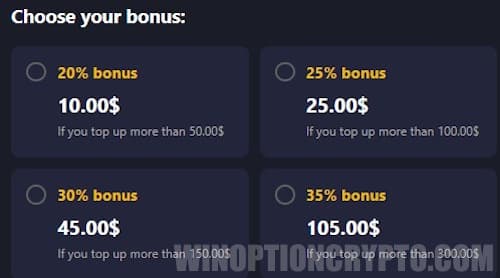
To make a deposit, open the incoming transactions tab. When entering the deposit amount, you can click "I have a promotional code" and enter your code in the window that opens to claim an additional bonus. All promotional codes you have previously collected are available in the Market tab, where each can be activated as needed.
You can also select a deposit bonus directly:
How to Withdraw Money
Binary options brokers often charge additional fees for withdrawals. Quotex, however, takes a different approach — its clients can withdraw funds without paying any extra commission:
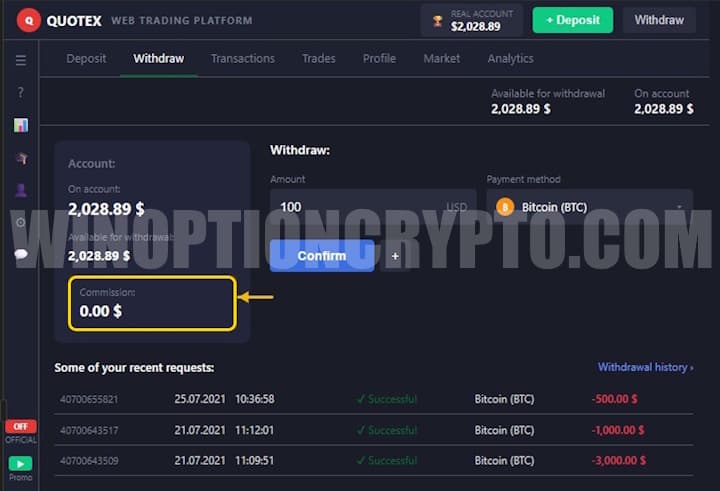
That said, the amount received in your external wallet is not always identical to the amount you requested for withdrawal. This is because the payment system used for the transfer applies its own fees, and currency conversion at an unfavorable rate may also reduce the final sum.
For this reason, before initiating a withdrawal, we recommend checking the terms of the specific payment system you plan to use. In some cases, fees can consume a sizeable portion — even several tens of percent — of earnings from binary options trading.
Advantages of the Trading Platform
The Quotex platform features a clear, simple interface, and the same applies to its payment workflows. Thanks to this intuitive design, traders rarely encounter problems when funding their balance or withdrawing money.
The demo account is straightforward and accessible, allowing you to test strategies and build the trading skills needed for digital contracts. The broker also provides a wide range of indicators and signals, which help even novice traders quickly learn how to identify the right moments to open a trade. As a result, Quotex clients rarely need to turn to third-party platforms for analytical data.
Find the best bonuses, promo codes, and contests for Quotex on our social channels: Telegram Group | Facebook Group.
To leave a comment, you must register or log in to your account.