
The "Level Breakout" strategy involves opening a trade after the chart breaks through a support or resistance level and continues moving in the same direction. Using this approach, traders on Pocket Option place orders for binary options once a new trend is confirmed — that is, only after the next candle opens in the same direction.
Also, keep in mind that you can boost your starting funds by using promo codes to top up your account from Pocket Option, and improve your results with this strategy by using a promo code to cancel loss trade $10.

Trading Algorithm for This Strategy
To execute trades, follow these steps:
- Mark support and resistance levels in the Pocket Option terminal and wait for the price chart to break through one of them.
- Wait for the candle that broke through the level to close below (or above) it.
- Wait for the next candle to form below (or above) the level.
- Open a sell (or buy) trade after the candle following the breakout candle closes.
Opening Trades on Pocket Option
An example of buying a Put option on a support level breakout.
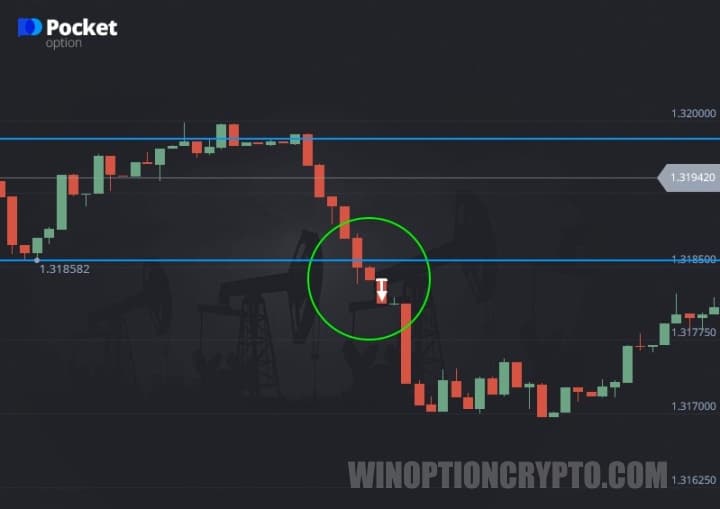
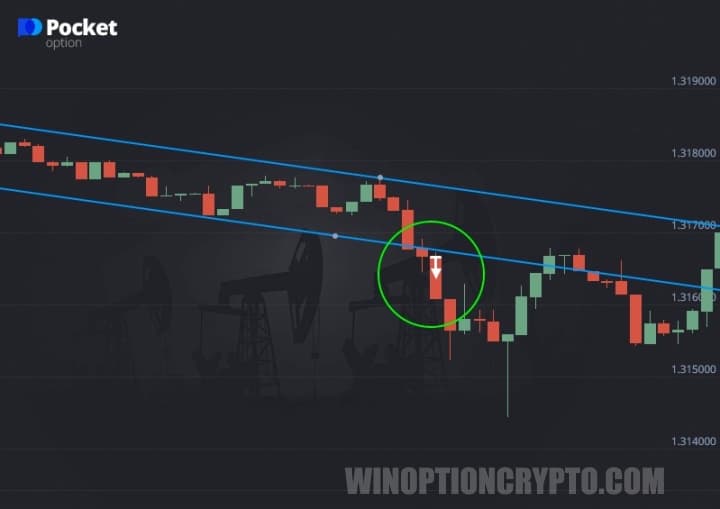
An example of buying a Put option when the support line is broken during a downtrend.
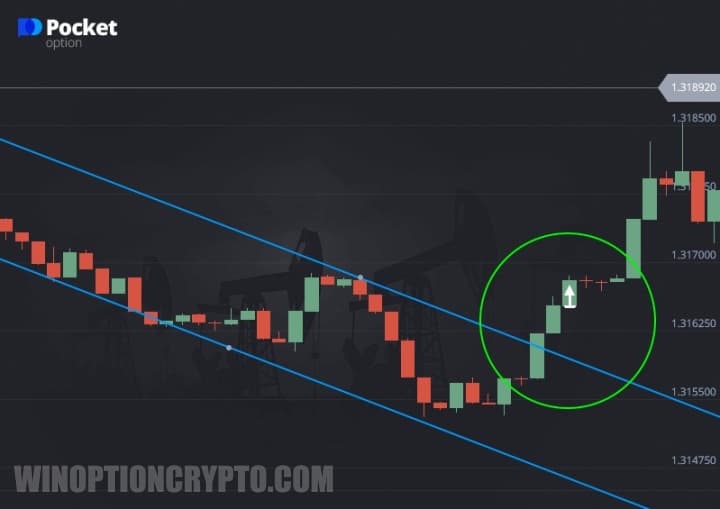
An example of buying a Call option on a resistance line breakout.
False Breakout Signals
Pocket Option recommends opening a trade only after the signal is confirmed — that is, after the second candle closes. Breakouts are often false, with the chart returning to its previous range and the next candle pulling back into the same price corridor.
The following signs indicate a false breakout:
- The candle breaks the level only with its wick, and its body closes below the resistance line (or above the support line).
- The first candle closes just slightly below or above the level, and the next candle begins moving back in the opposite direction.
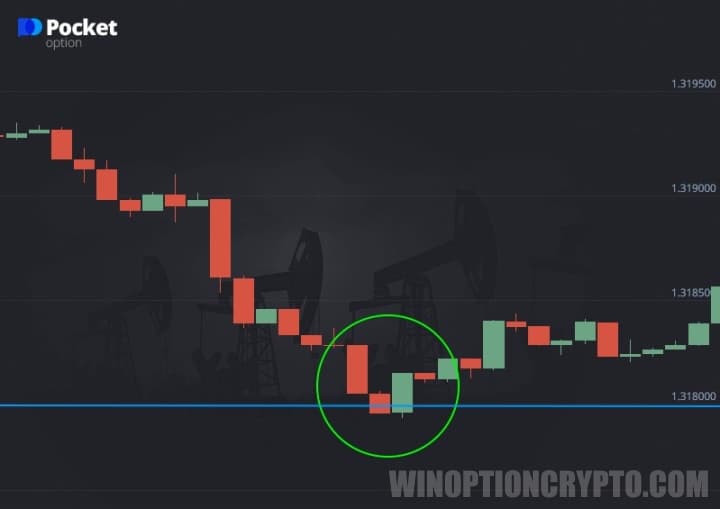
Do not open trades with this strategy if, after a breakout candle, the next candle forms in the opposite direction.
OPEN AN ACCOUNT WITH POCKET OPTION
Can't figure out how this strategy or indicator works? Leave a comment below and subscribe to our YouTube channel WinOptionCrypto — we'll answer all your questions in an upcoming video.

See Also:
- How to Trade from Mobile Devices on the Pocket Option Platform
- Pocket Option Broker Platform for Windows
- Bonuses for Broker Pocket Option
- How to Use Signals on Pocket Option
- Pocket Option Broker Affiliate Program
To leave a comment, you must register or log in to your account.