
Traders quite often use the Alligator indicator when trading binary options, as it can identify the moment a new trend begins with high accuracy. However, using this tool on its own is not straightforward. The Alligator rarely generates a direct signal to open a trade. But when trading on Pocket Option, the indicator's lines can be used as support and resistance levels.
The indicator's developer identified three situations it can represent. The first, the "Alligator's Dream," forms when all three lines are intertwined and moving horizontally. This is typical of a sideways market (flat). The longer the lines remain in this position, the stronger the new trend will be once it emerges.

The second situation, "Waking the Alligator," occurs when the lines begin to separate. As the distance between them increases, the alligator's mouth is said to be opening on the chart. The direction in which the mouth opens indicates the direction of the new trend.
The third situation, "Alligator Saturation," is characterized by the lines gradually converging — traders say the mouth is closing. This signals a weakening of the current trend. When this pattern forms on the chart, open positions should be closed.
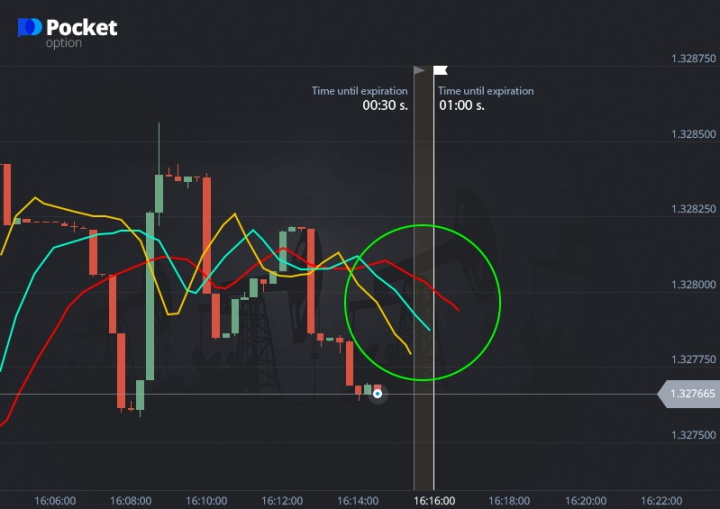
Within this trading strategy on Pocket Option, a trade is recommended when the price chart crosses the indicator's slow line (the alligator's jaw). The confirmation signal is the closing of the mouth — that is, the slow line crossing the other two.
Trading Algorithm on Pocket Option
First, add the Alligator indicator in the Pocket Option terminal.
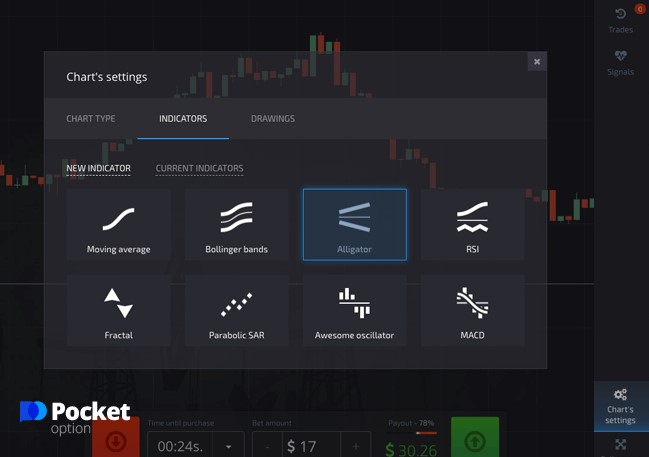
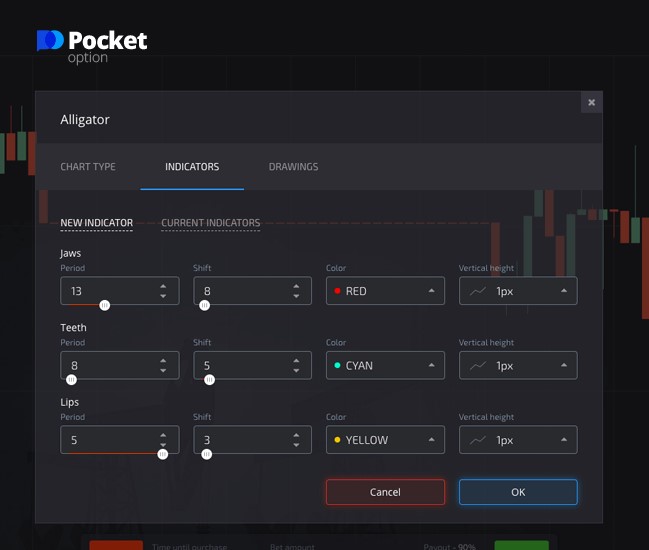
Then configure the indicator settings.
Once set up, wait for the price chart to cross the slow (red) line. The trade should be entered after the alligator's mouth closes — that is, when the slow line crosses the other two. The trade direction should match the direction in which the mouth closes. For example, if the two faster lines are moving downward, a Put option should be opened.
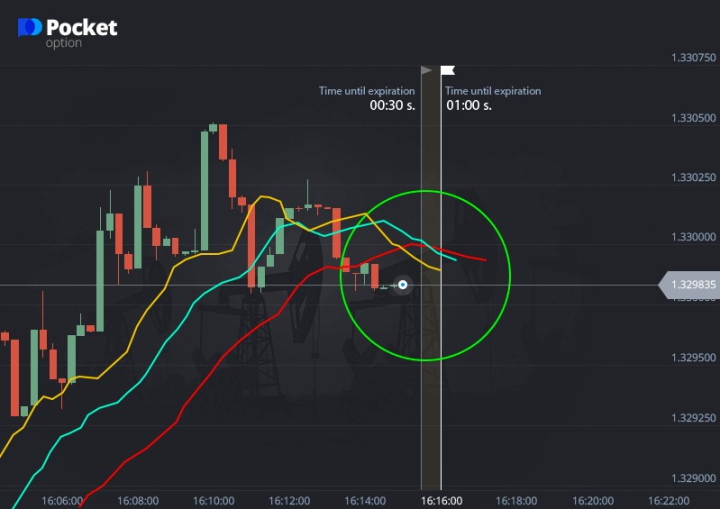
A More Effective Approach
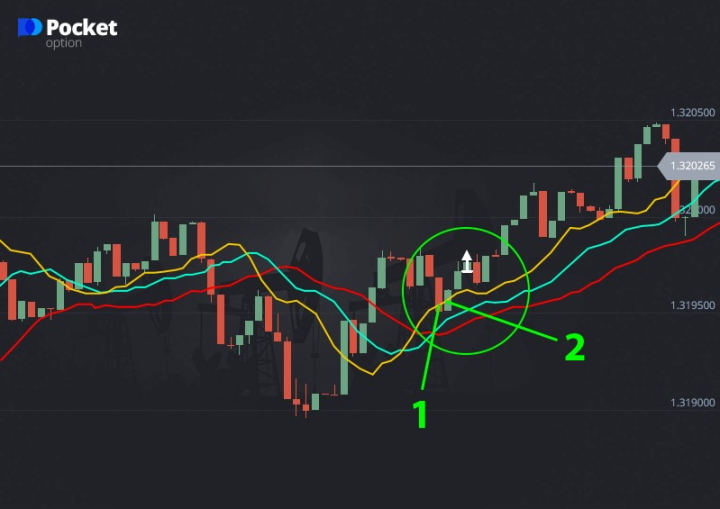
As noted above, Pocket Option traders often use the Alligator lines as support and resistance levels. For example, if the price pulls back to the fast lip line (shown in yellow) during an uptrend, a Call option can be opened. This signal is stronger when the second line (the jaw line) remains unbroken.
Trading on Pocket Option with this approach comes down to the following:
- If a candle closes at or slightly below the lip line, it generates a strong buy signal.
- A trade can be opened when a new candle forms in the same direction the lip line is moving.
- A stronger entry signal occurs when the candle closes near the lip line.
The optimal entry point is when the candle following the one that broke through the lip line closes in the same direction.
You can also start trading with additional funds by using promo codes to top up your account with Pocket Option, and improve your results with a cancel loss trade $10 promo code.
OPEN AN ACCOUNT WITH POCKET OPTION
Having trouble understanding how this strategy or indicator works? Leave a comment below, and subscribe to our WinOptionCrypto YouTube channel — we'll answer your questions in upcoming videos.

To leave a comment, you must register or log in to your account.